
How to Revoke an API Key
How to Revoke an API Key
In this article:
- Overview
- How to revoke an API key
- Things to keep in mind
- FAQs
- Who can do this
Overview
Revoking an API key immediately disables it. Any app or service using that key to call the SuperPath API will have its requests rejected from that point on. Revoke a key when it's no longer needed, or straight away if you suspect it has been compromised. Revoking can't be undone — if you still need API access, generate a new key.
Note: API keys are only available on paid accounts. On a free plan the API keys section shows a message that access to the SuperPath API is only available for paid accounts, with a link to your Billing settings.
How to revoke an API key
- Go to Settings → Integrations.
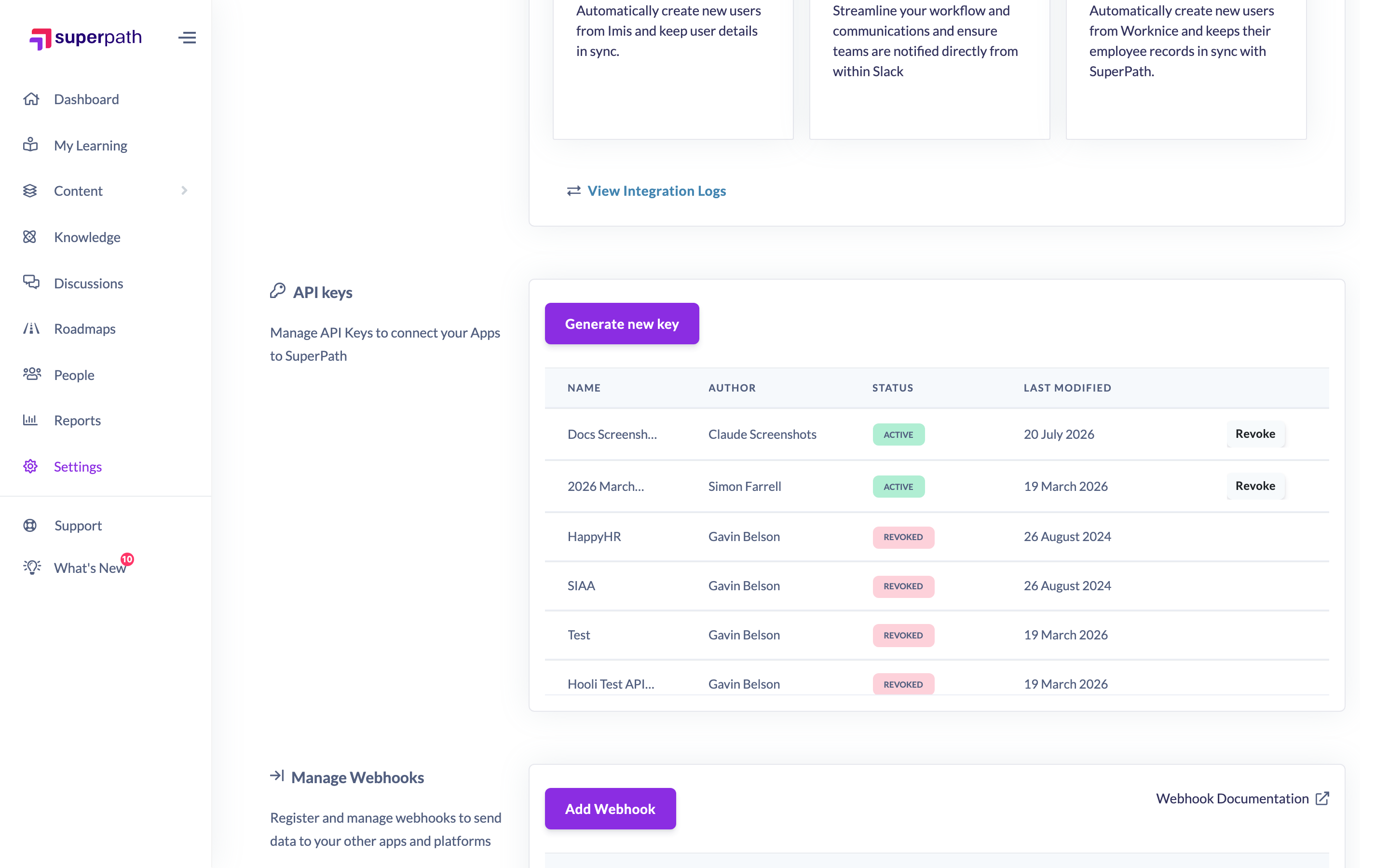
- Scroll to the API keys section. Each key is listed with its Name, Author, Status and Last modified date.
- Find the active key you want to revoke and click Revoke in its row.
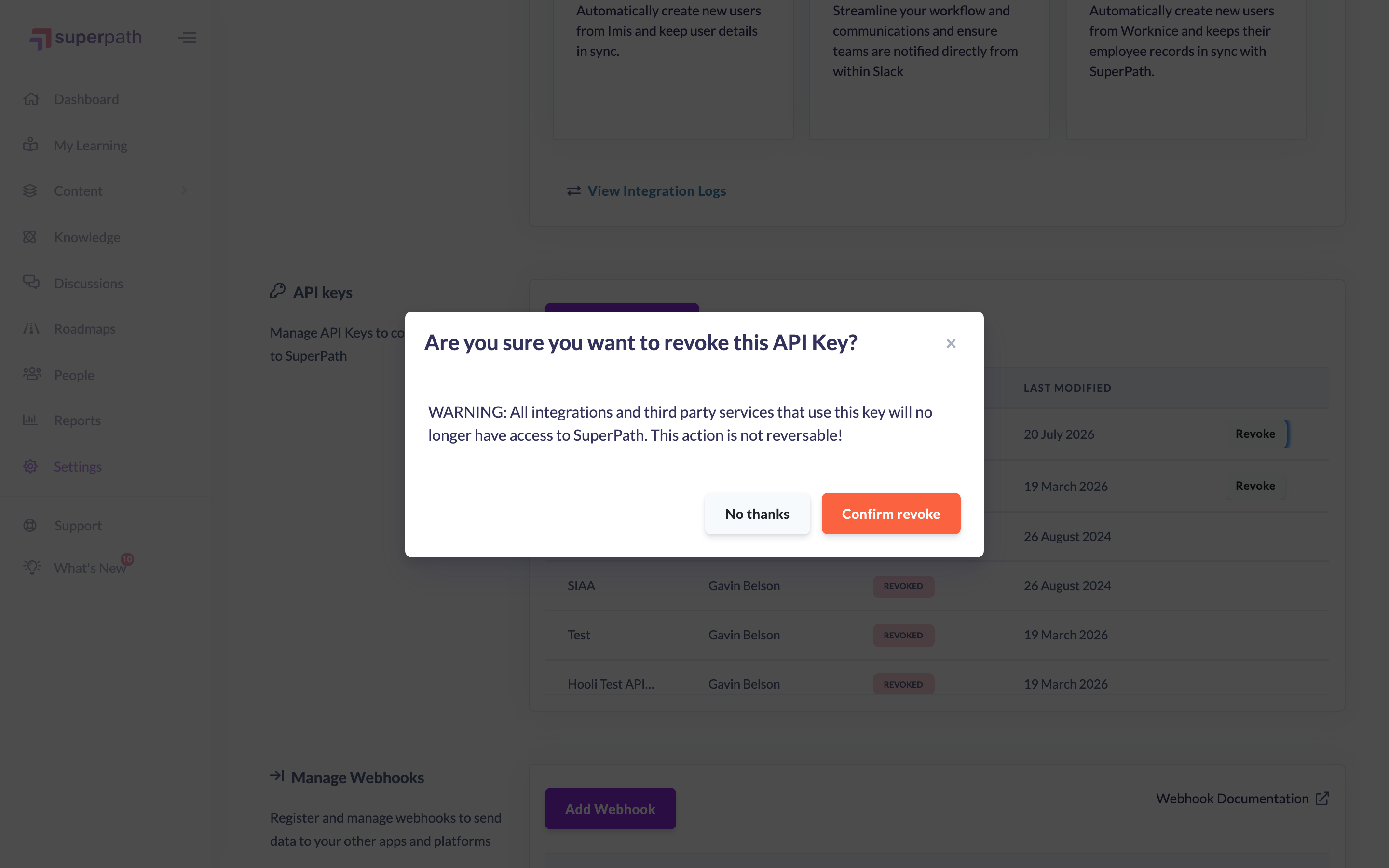
- In the confirmation window — "Are you sure you want to revoke this API Key?" with the warning that all integrations and third-party services using the key will no longer have access to SuperPath, and that the action is not reversible — click Confirm revoke. To back out, click No thanks.
The key is disabled immediately. It stays in the keys table with a revoked status.
Things to keep in mind
- Revoking takes effect straight away — any API calls made with the key after that will be rejected.
- Revoking can't be undone. If you still need API access, generate a new key.
- Only active keys show the Revoke action. Revoked keys remain listed with a revoked status for your records.
- If a key may have been exposed, revoke it promptly and generate a replacement.
FAQs
Can I un-revoke a key?
No. Revoking is permanent. If you need API access again, generate a new key.
What happens to apps using the key when I revoke it?
Their requests to the SuperPath API will be rejected. Update those apps with a new key to restore access.
Why is a revoked key still showing in the list?
Revoked keys stay in the table with a revoked status so you have a record of them. They can no longer be used to access the API.
Who can do this
Only Owners and Admins can revoke API keys, and only on a paid plan. All Settings pages, including Integrations, are restricted to Owners and Admins — Managers, People Managers, Content Managers, Instructors, Employees and Restricted users cannot access them.
Updated on: 19/07/2026
Thank you!