
How to Require Approval When Assigning a Learning
How to Require Approval When Assigning a Learning
In this article:
- Overview
- Require approval as you assign
- Things to keep in mind
- FAQs
- Who can do this
Overview
When you assign a learning to people and teams, you can require it to be approved before it counts as complete. The learner submits their work for review, and the approvers you nominate can then approve or decline it. This article covers setting approval at the moment you assign — the option built into the assign dialog.
Require approval as you assign
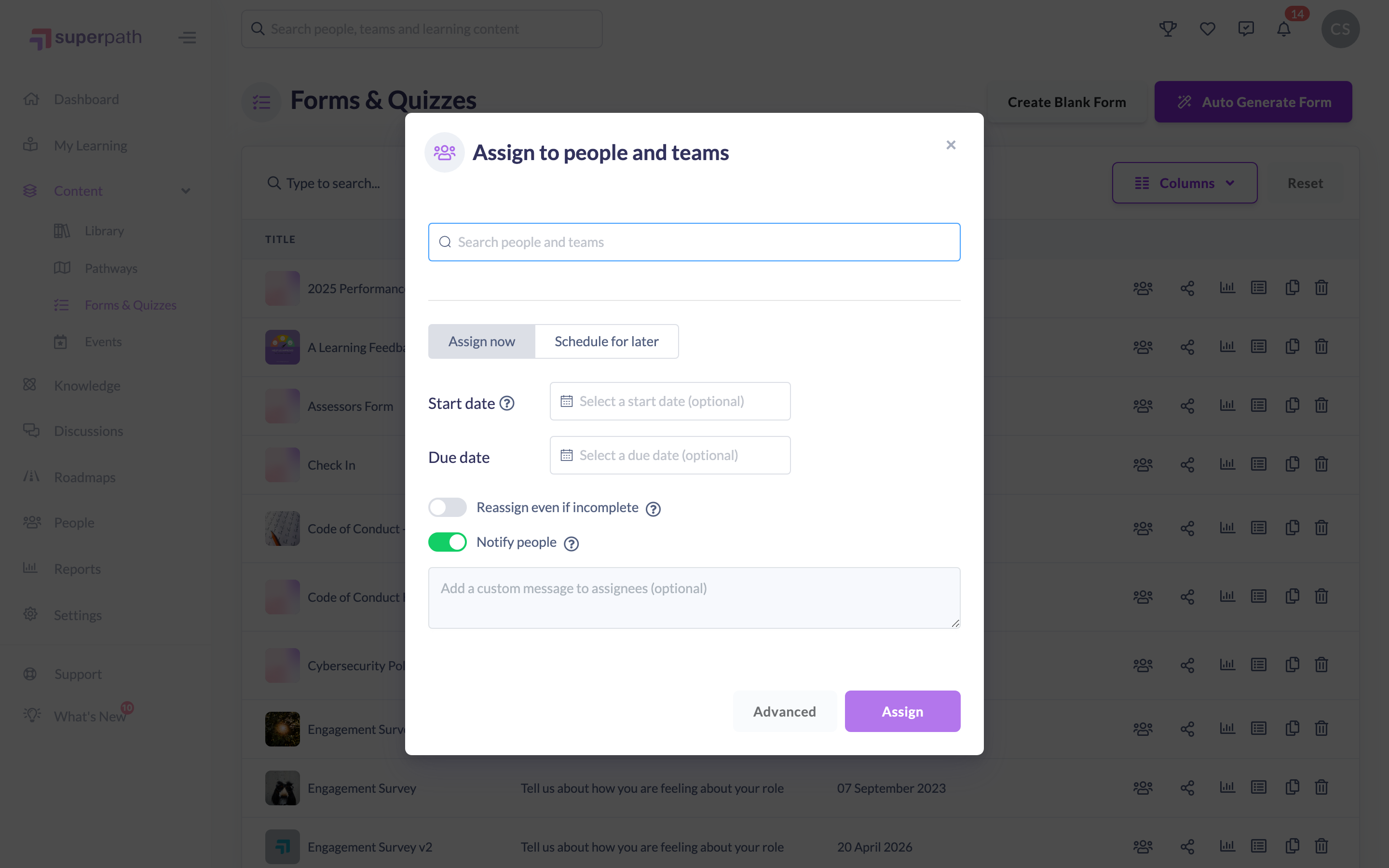
- From the learning's list or detail view (for example a Form, piece of content, course, event or Roadmap), click Assign to others to open Assign to people and teams.
- Search for and add the people and teams you want to assign the learning to.
- Click Advanced to open the additional options.
- Under Approvals, turn on Manager to approve to require each learner's manager to approve, and/or turn on Choose other approvers to search for and add specific approvers or teams.
- Click Assign.
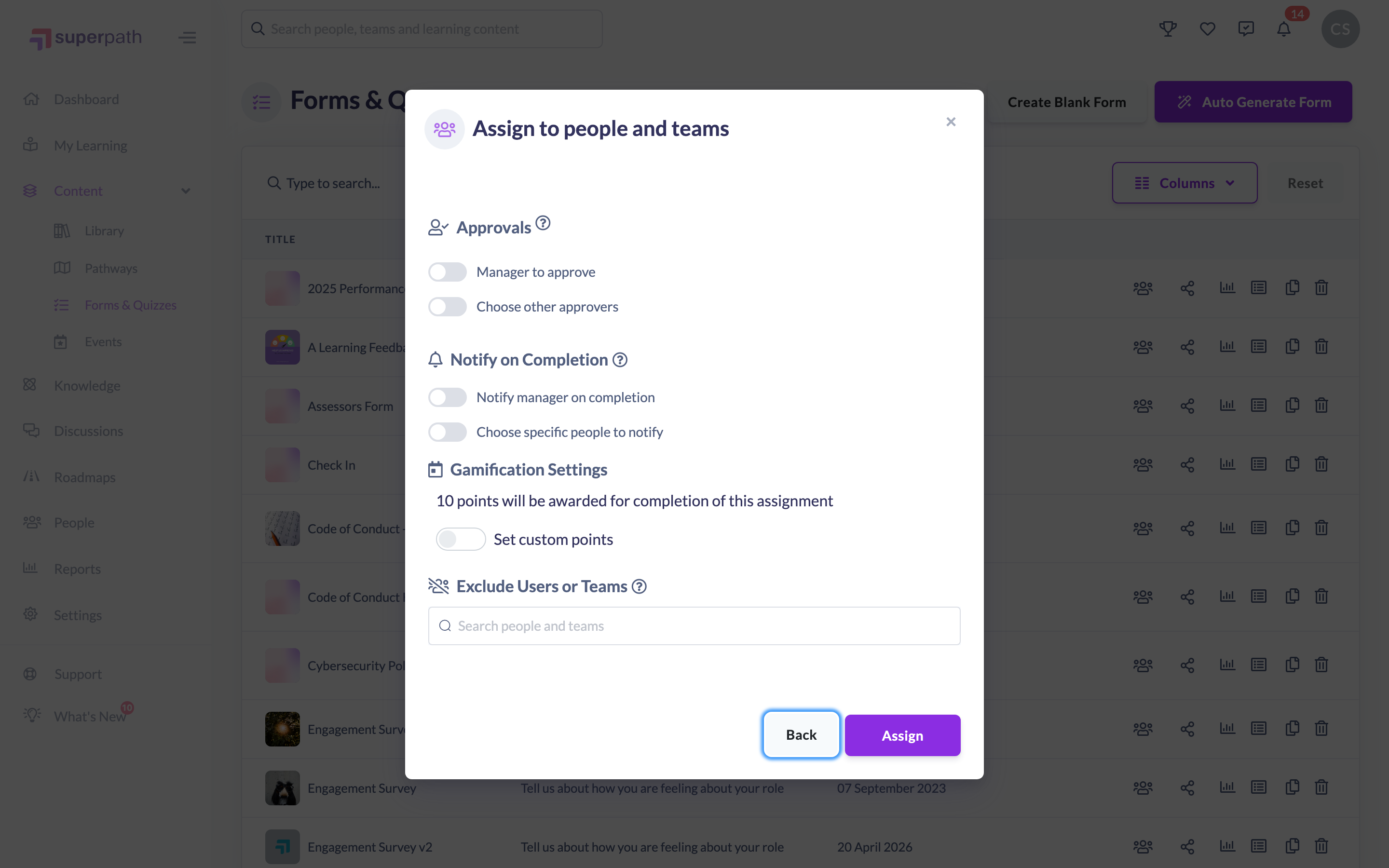
Good to know: Approval set at assign time applies to that assignment. Approval can also be configured on a Pathway's settings and on individual Pathway steps — see the notes below for which to use.
Things to keep in mind
- Assign-time approval is available when assigning content, courses, events, Forms and Roadmaps. It isn't offered for Pathways from the assign dialog — for a Pathway, set approval on the Pathway's settings or on its individual steps instead.
- With approval required, the learner must submit for approval before the learning can be completed. Approvers can then approve or decline it, and a declined learning can be resubmitted by the learner.
- You can require the learner's manager to approve, nominate specific approvers or teams, or both.
FAQs
Who approves the learning?
Whoever you nominate — the learner's manager (via Manager to approve) and/or the specific approvers or teams you add under Choose other approvers.
What happens if an approver declines?
The learning is sent back to the learner, who can make changes and resubmit it for approval.
Can I require approval for a Pathway this way?
Not from the assign dialog. For a Pathway, set approval on the Pathway's settings or on its individual steps.
Who can do this
Owners, Admins, Managers, People Managers and Instructors can assign learning to others and therefore set approval as they assign. Content Managers, Employees and Restricted users don't have the assign option.
Updated on: 18/07/2026
Thank you!