
Steps and Sections in Pathways
Steps and Sections in Pathways
In this article:
- Overview
- What is a Step?
- What is a Section?
- Adding steps and sections
- Things to keep in mind
- FAQs
- Who can do this
Overview
A Pathway is built from Steps, and you can group related Steps into Sections. Understanding the difference makes it easier to structure a Pathway so learners see a clear, organised journey. This article explains what Steps and Sections are and how they fit together.
What is a Step?
A Step is a single item you add to a Pathway — for example a course, a video, a document, a form, an event, or even another Pathway. Each Step is one thing a learner works through. You can also add a Text step (a free-text page you write in the editor) to introduce Steps or link them together.
What is a Section?
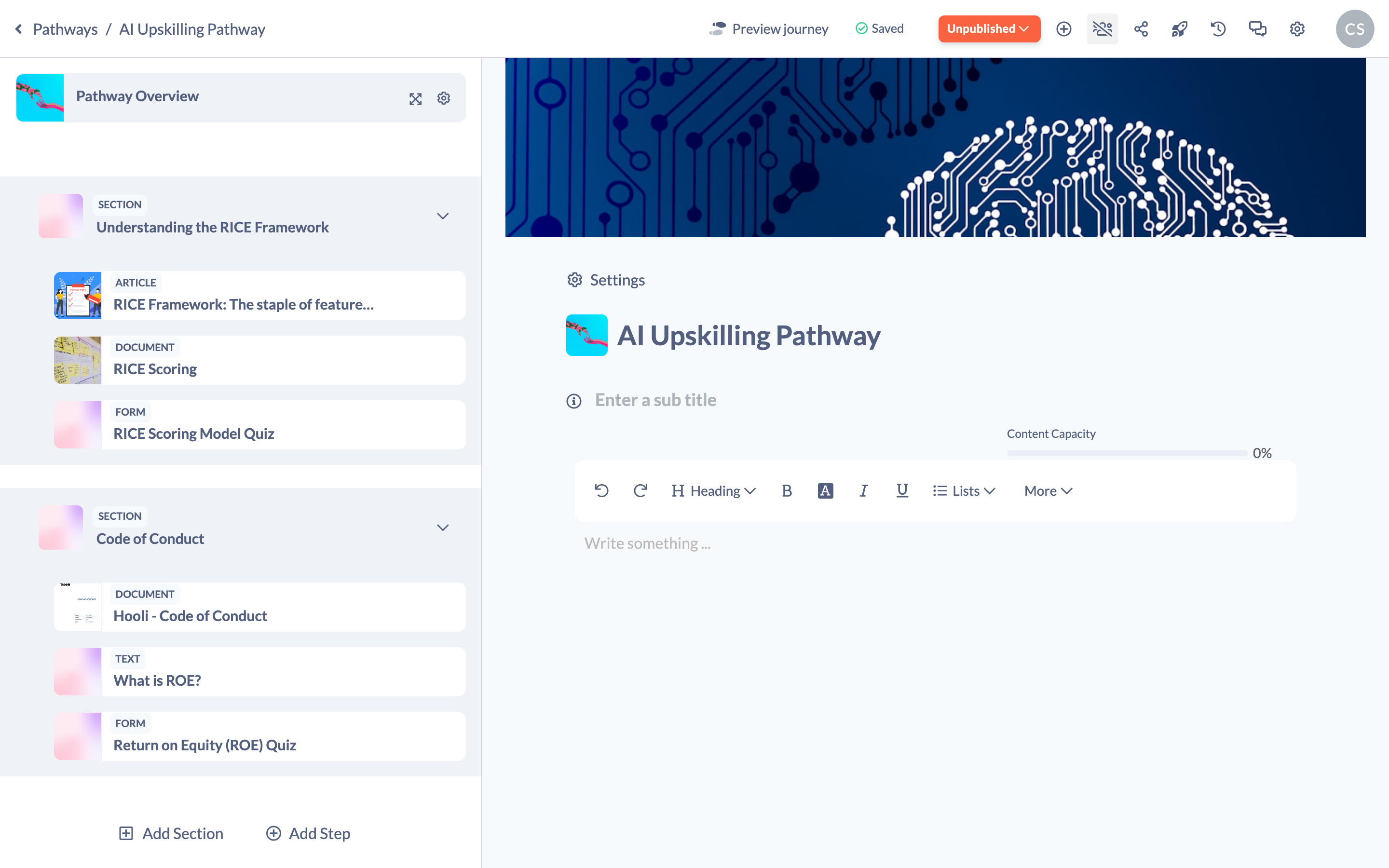
A Section groups a selection of Steps under a single heading — for example "Week 1", "Onboarding" or "Assessment". Sections are optional, but they help you organise longer Pathways into clear stages. A Section holds one or more Steps beneath it, and you can collapse, reorder and configure it just like a Step.
Adding steps and sections
- Open your Pathway in the builder. The steps panel runs down the left-hand side.
- Click Add Section to add a new Section, then give it a title and a description.
- Hover over the Section header and click the + to add Steps into that Section — choose Add Content, Add Event, Add Form or Add Text.
- You don't have to use Sections. To add a Step on its own, click Add Step at the bottom of the steps panel and pick the type of Step you want.
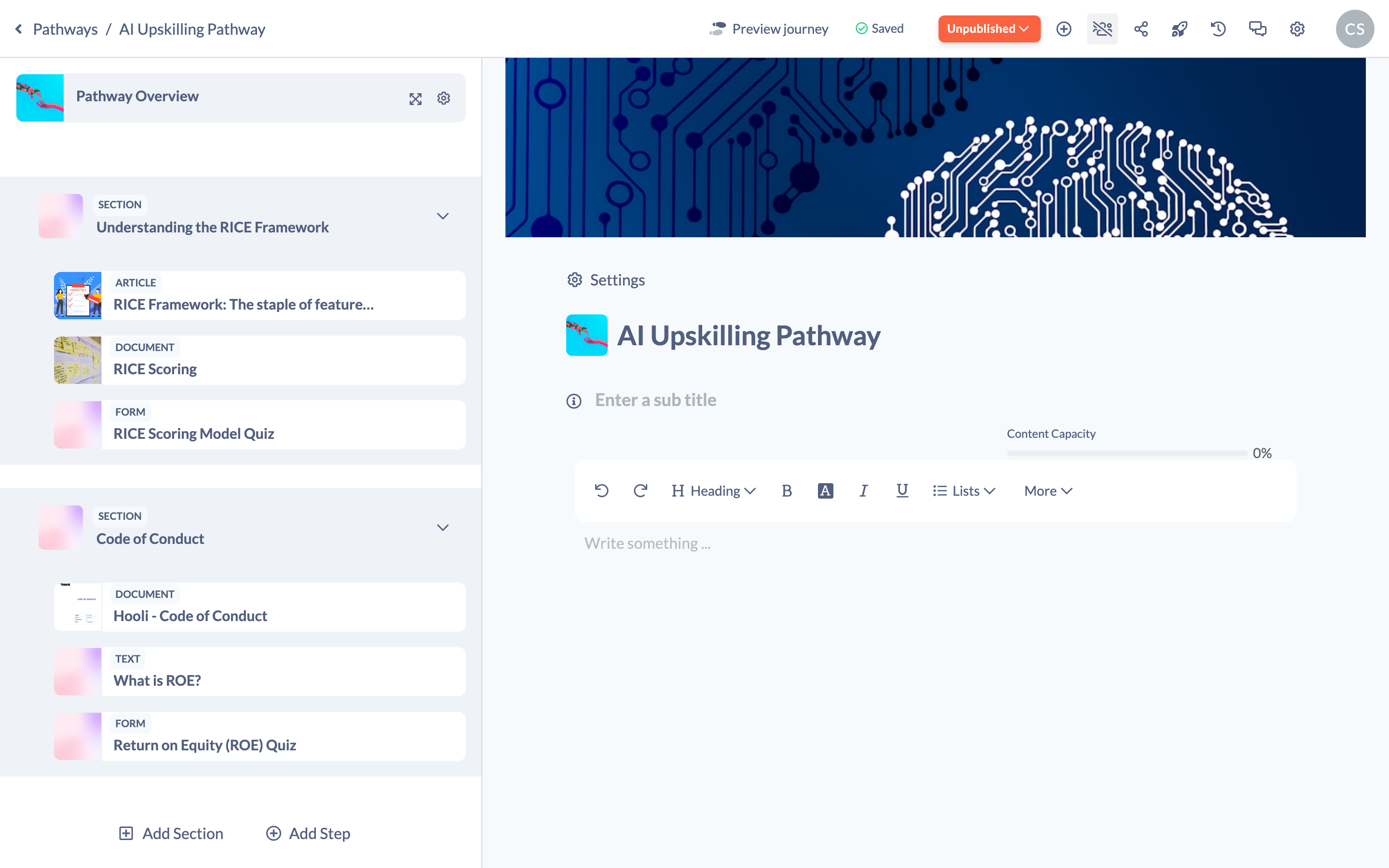
Tip: For the full walkthroughs, see How to Add a Section to a Pathway and Adding Content to a Pathway.
Things to keep in mind
- Sections are optional — a Pathway can be a flat list of Steps with no Sections at all.
- A Section is itself a type of Step, so it appears in the Pathway's order and can be reordered like any other Step.
- Deleting a Section also deletes every Step inside it.
FAQs
What's the difference between a Step and a Section?
A Step is a single item of content; a Section is a heading that groups several Steps together.
Do I have to use Sections?
No. Sections are optional — you can add Steps directly to a Pathway without grouping them.
What can I add as a Step?
Courses, videos, articles, forms, events, files, documents, podcasts, books, Text steps and even other Pathways. See What can be added to a Pathway? for the full list.
Who can do this
Owners, Admins, Managers, Content Managers and Instructors can add and organise Steps and Sections in a Pathway. People Managers, Employees, Members, Volunteers and Restricted users have read-only access to Pathways and cannot.
Updated on: 24/07/2026
Thank you!