
What can be added to a Pathway?
What can be added to a Pathway?
In this article:
- Overview
- Content you can add
- Other things you can add
- Things to keep in mind
- FAQs
- Who can do this
Overview
A Pathway can bring together many different types of content, so learners have everything they need in one place. When you add a Step you can pull in existing content from your library or create something new as you go. This article lists what you can add.
Content you can add
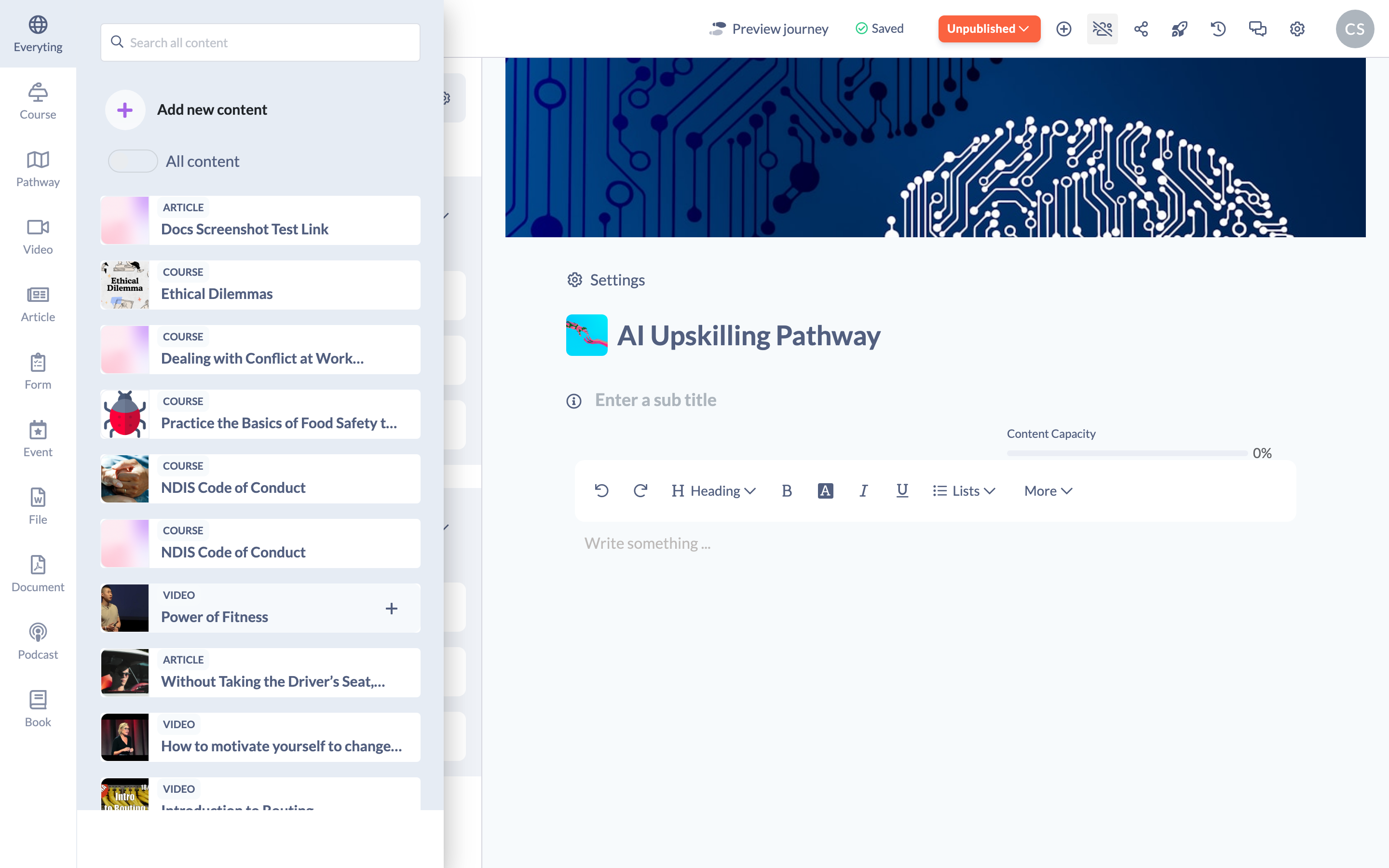
Click Add Step → Add Content and you can add any of the following — either an existing item from your library or a new one you upload:
- Courses
- Videos
- Articles
- Forms (including quizzes)
- Events
- Files
- Documents
- Podcasts
- Books
- Pathways — nest an existing Pathway inside another
Other things you can add
- Text steps — a free-text page you write directly in the editor, useful for introductions, instructions or linking Steps together. You can embed images, videos and interactive content into a Text step.
- Sections — group related Steps under a heading. See Steps and Sections in Pathways.
- Knowledge articles — if your organisation has the Knowledge Base enabled.
Things to keep in mind
- You can add existing content from your library or upload new content while you build the Pathway.
- Nesting a Pathway inside another lets you reuse a whole sequence of Steps rather than rebuilding it.
FAQs
Can I add my own content rather than content from the library?
Yes. When you add a Step you can upload a file, add a website link or add SCORM content of your own. See How to Add Your Own Content to a Pathway.
Can a Pathway contain another Pathway?
Yes. You can add an existing Pathway as a Step. See How to Add a Pathway to a Pathway.
How do I actually add content?
See Adding Content to a Pathway for the step-by-step walkthrough.
Who can do this
Owners, Admins, Managers, Content Managers and Instructors can add content to a Pathway. People Managers, Employees, Members, Volunteers and Restricted users have read-only access to Pathways and cannot.
Updated on: 24/07/2026
Thank you!