
Deleting a Roadmap
Deleting a Roadmap
In this article:
- Overview
- How to delete a Roadmap
- Things to keep in mind
- FAQs
- Who can do this
Overview
When a Roadmap is no longer needed you can remove it from your Roadmaps list entirely. Deleting is permanent and it also removes every competency-level cell the Roadmap contained, so it is best kept for Roadmaps you built by mistake or that your organisation has genuinely retired. If the Roadmap is still useful but you simply do not want anyone assigned to it right now, unpublish it instead — see How to Publish a Roadmap.
How to delete a Roadmap
- Go to Roadmaps.
- Find the Roadmap you want to remove. You can use the Type to search... box at the top of the list if you have a lot of them.
- In that Roadmap's row, click the Delete (bin) icon at the right-hand end of the row actions.
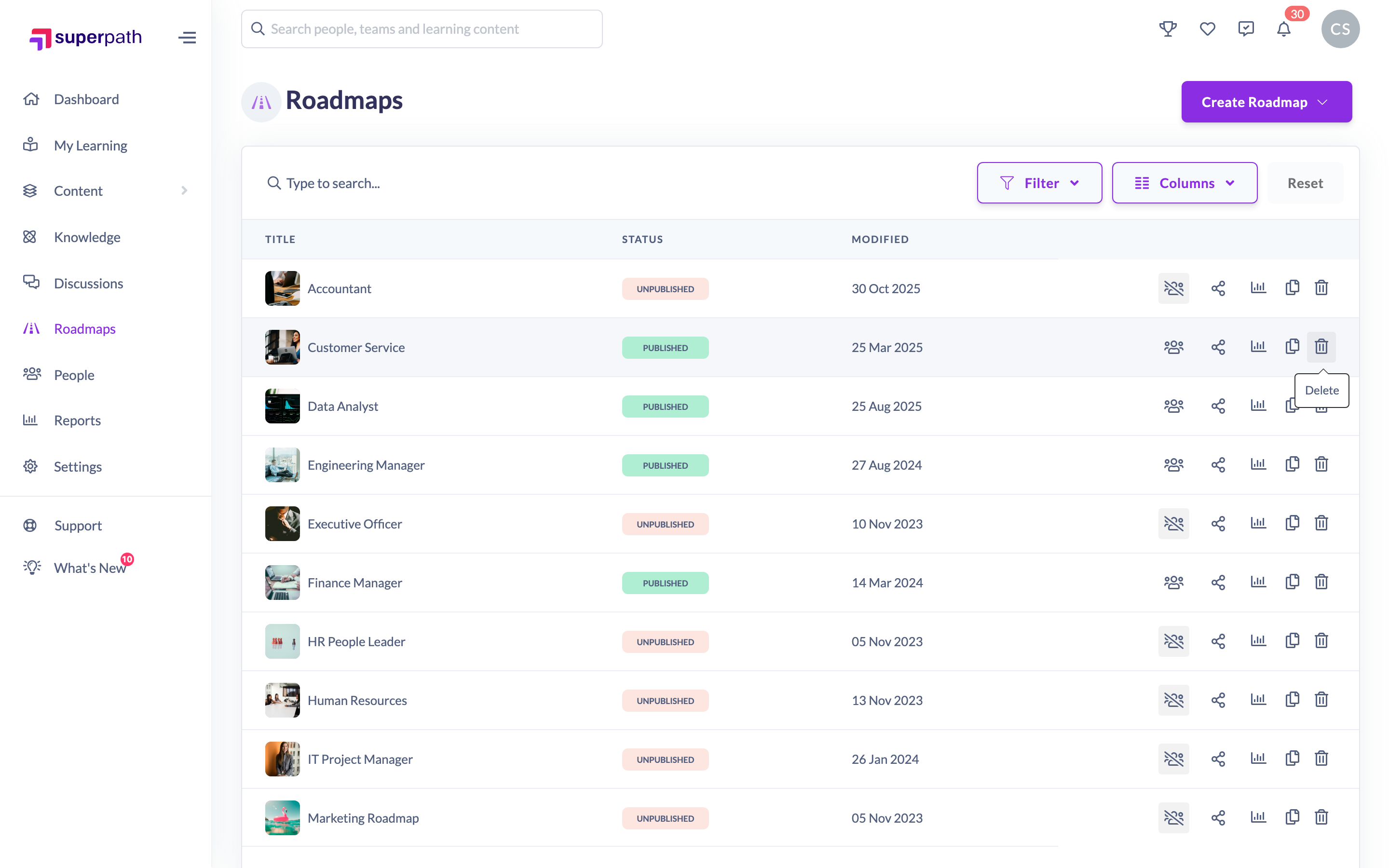
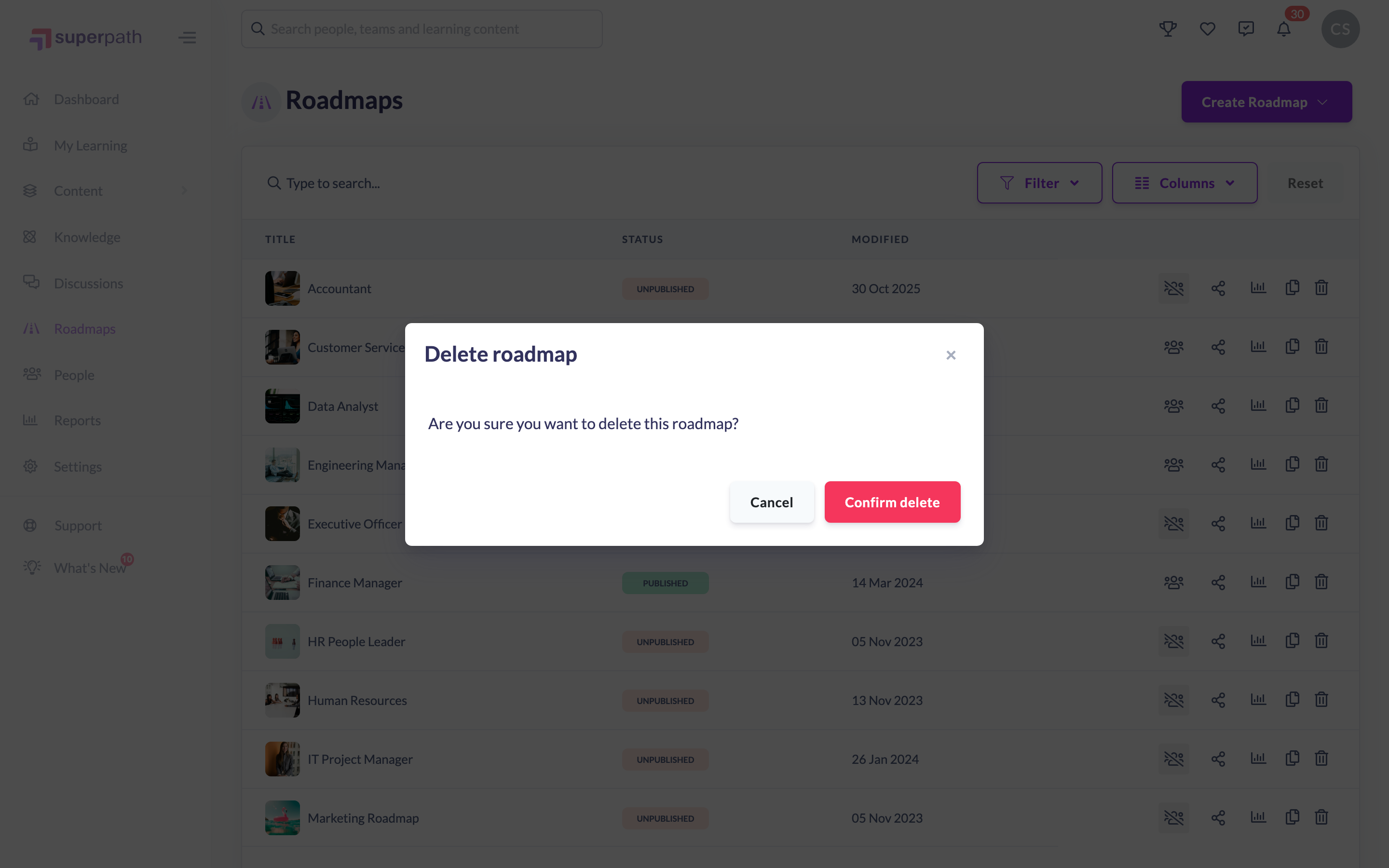
- In the Delete roadmap dialog — "Are you sure you want to delete this roadmap?" — click Confirm delete.
- The Roadmap disappears from the list and SuperPath confirms with Roadmap successfully deleted.
Note: If you change your mind, click Cancel in the dialog — nothing is deleted until you click Confirm delete.
Things to keep in mind
- You cannot delete a Roadmap that has been assigned to anyone. If any person has ever been assigned a level of the Roadmap, SuperPath blocks the delete and tells you the Roadmap "cannot be deleted as it is being used in one or more active users". Those Roadmap assignments have to be removed first — from the person's Roadmaps tab on their profile, or from the Roadmap's learners report. Owners and Admins can remove any of them; a Manager can only remove assignments they made themselves.
- Deleting is permanent — the Roadmap and all of its competency-level cells (descriptions, skills, behaviours, attached learning and notes) are removed and cannot be restored.
- The bin icon only appears on rows you have permission to delete. If you cannot see it, your role does not allow deleting Roadmaps.
- Managers and Content Managers only see the Roadmaps they own or have been added to as a collaborator, so a Roadmap someone else built may not appear in their list at all.
- The Roadmaps area is a desktop and tablet experience — SuperPath shows a notice on mobile asking you to switch device to make or update a Roadmap.
FAQs
Why is there no bin icon on my Roadmap row?
Deleting requires the delete permission on Roadmaps. If your role can view or edit Roadmaps but not delete them, the icon is hidden.
Why did SuperPath refuse to delete my Roadmap?
Because it is in use. A Roadmap that has been assigned to at least one person cannot be deleted — the assignments have to be removed from those people first, which needs an Owner or Admin unless you made the assignments yourself.
Can I get a deleted Roadmap back?
No. Deletion is permanent. If you might want the Roadmap later, unpublish it rather than deleting it.
Is there a way to hide a Roadmap without deleting it?
Yes — unpublish it. An unpublished Roadmap cannot be assigned to anyone but stays in your list so you can keep working on it.
Who can do this
Owners, Admins, Managers and Content Managers can delete Roadmaps — they hold the manage permission on the Roadmap subject and can reach the Roadmaps area. People Managers can only read Roadmaps, and Instructors, Employees and Restricted users have no permission to edit or delete them, so none of those roles can delete a Roadmap. Roadmaps must also be switched on for your organisation.
Updated on: 25/07/2026
Thank you!