
How to Add a Level to a Roadmap
How to Add a Level to a Roadmap
In this article:
- Overview
- How to add a Level
- Things to keep in mind
- FAQs
- Who can do this
Overview
A Roadmap is a grid: Levels run across the top as columns, and Competencies run down the side as rows. Each Level represents a stage of progression (for example a seniority band or a step in a career path), and the cells where a Level meets a Competency hold the detail for that combination. Adding a Level gives you a new column to describe what "good" looks like at that stage. This article shows you how to add one.
How to add a Level
- Go to Roadmaps and open the Roadmap you want to edit.
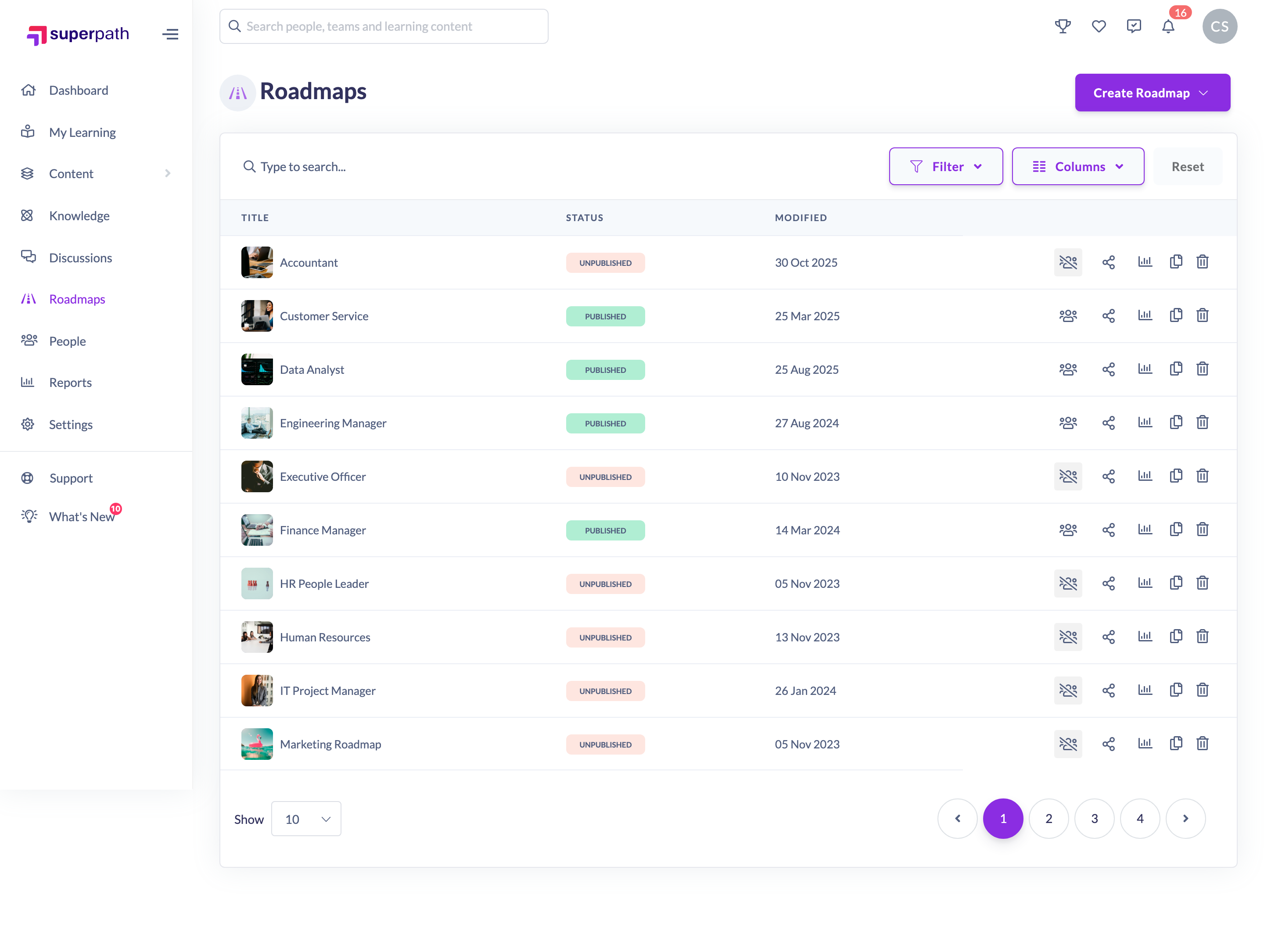
- Click Add Level at the top right of the Roadmap.
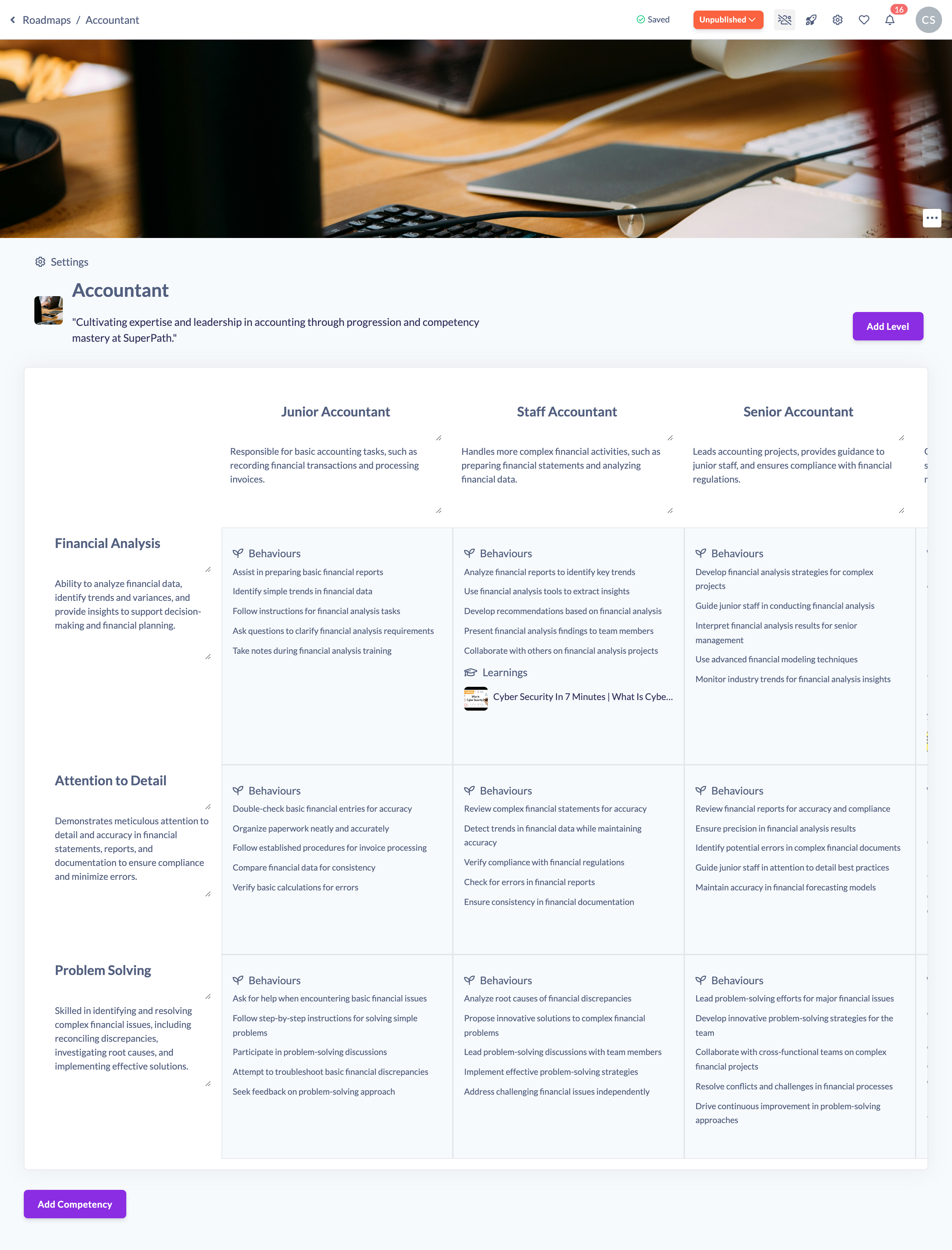
- A new column titled Untitled level is added to the right of your existing Levels. Click its title and type a name, then click the description below it to add an optional description.
- Your changes save automatically as you type. To fill in the detail for a Level, click a cell beneath it to open that competency level and add skills, behaviours and learnings.
Things to keep in mind
- A new Level is always added as the last (right-most) column. Use the reorder arrows to move it into position — see How to Reorder Levels in a Roadmap.
- A new Level starts empty. The cells beneath it are only created once you click into them and start adding detail.
- If the Roadmap was already published, adding a Level moves it back to Unpublished. Re-publish the Roadmap when you are ready for the change to go live.
FAQs
Is there a limit to how many Levels I can add?
No fixed limit is enforced. The grid scrolls horizontally, so very wide Roadmaps remain usable, but keeping to a focused set of Levels makes a Roadmap easier to read.
Do I need to save after adding a Level?
No. Titles and descriptions save automatically as you type, and the new Level itself is saved as soon as you add it.
Why did my Roadmap change to Unpublished?
Structural changes such as adding a Level revert a published Roadmap to Unpublished so your learners don't see a half-finished change. Publish it again once you're happy with it.
Who can do this
Owners, Admins, Managers and Content Managers can add Levels to a Roadmap. People Managers, Instructors, Employees and Restricted users have read-only access to Roadmaps and cannot.
Updated on: 19/07/2026
Thank you!