
How to Add Behaviours to a Competency Level
How to Add Behaviours to a Competency Level
In this article:
- Overview
- How to add behaviours
- Things to keep in mind
- FAQs
- Who can do this
Overview
Behaviours describe what you want to see someone doing at a given competency and level — the observable actions that show the competency in practice. You add them per cell (one competency at one level), and they appear on the cell in the Roadmap grid.
This article covers the Behaviours section only. For how to open a cell's settings panel, see How to Edit a Competency-Level Cell.
How to add behaviours
- Open the cell's Competency Level Settings panel (click the cell in the grid).
- Click the Behaviours section to expand it.
- Click the Type to add behaviours box, type a behaviour, and press Enter. Repeat for each behaviour you want to add.
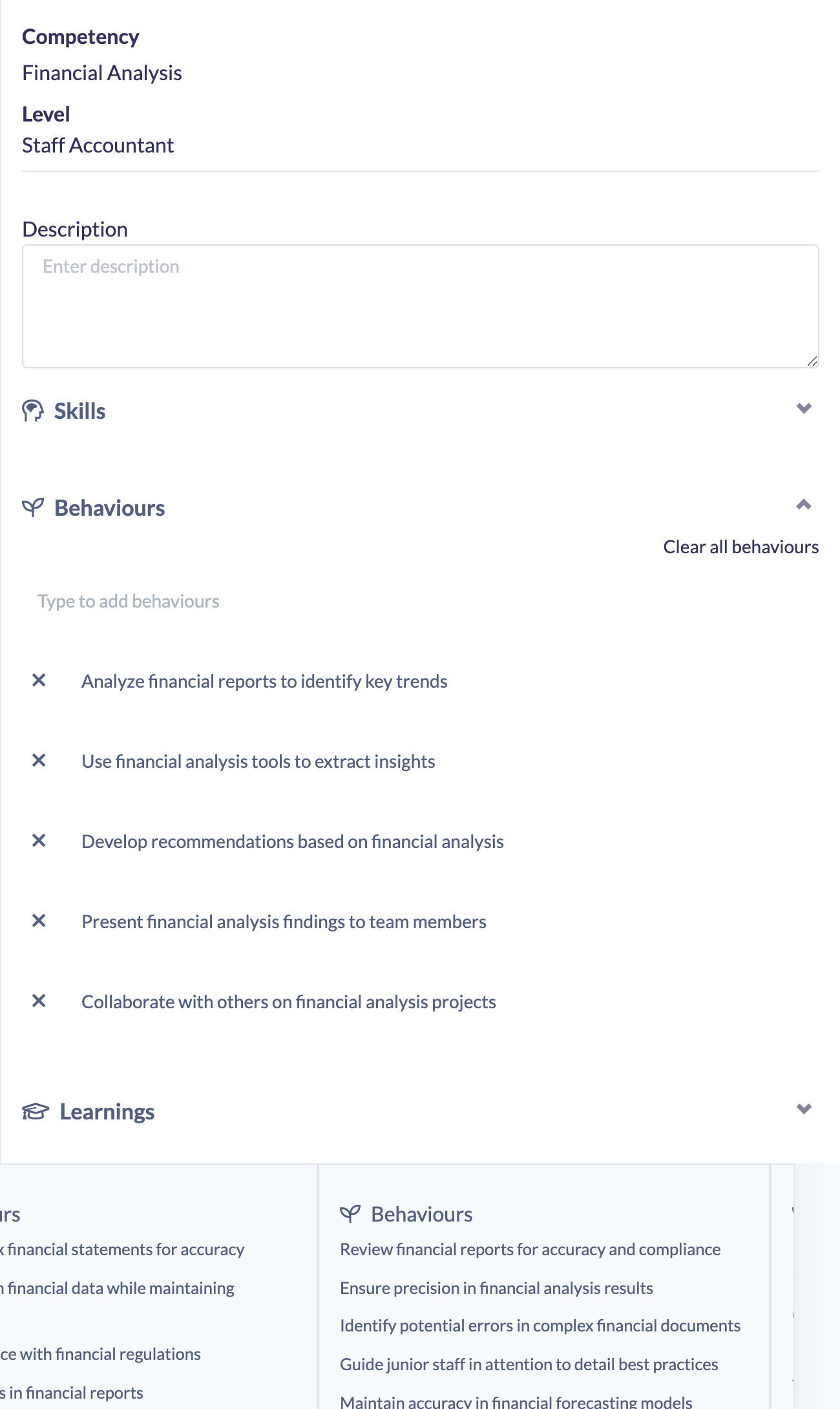
Behaviours save automatically as you add them — there is no Save button.
Tip: Phrase each behaviour as something you could observe, so it's easy to assess whether it's being demonstrated.
Things to keep in mind
- Each behaviour is added by pressing Enter — one behaviour per entry.
- To clear every behaviour on the cell at once, use the Clear all behaviours link at the top of the section.
- Editing a cell on a Roadmap that is already Published flips the Roadmap back to Unpublished. Re-publish it for the change to reach your learners.
- The behaviours you add appear on the cell in the Roadmap grid.
FAQs
How do I add more than one behaviour?
Type a behaviour and press Enter, then type the next one. Each entry becomes its own behaviour on the cell.
How do I remove all behaviours quickly?
Use the Clear all behaviours link at the top of the Behaviours section — it removes every behaviour on that cell.
Who can do this
Owners, Admins, Managers and Content Managers can edit competency-level cells, including behaviours. People Managers, Instructors, Employees and Restricted users cannot edit Roadmaps.
Updated on: 19/07/2026
Thank you!