
How to Assign a Manager to a Team
How to Assign a Manager to a Team
In this article:
- Overview
- How to assign a manager when creating a team
- How to add a manager to an existing team
- Things to keep in mind
- FAQs
- Who can do this
Overview
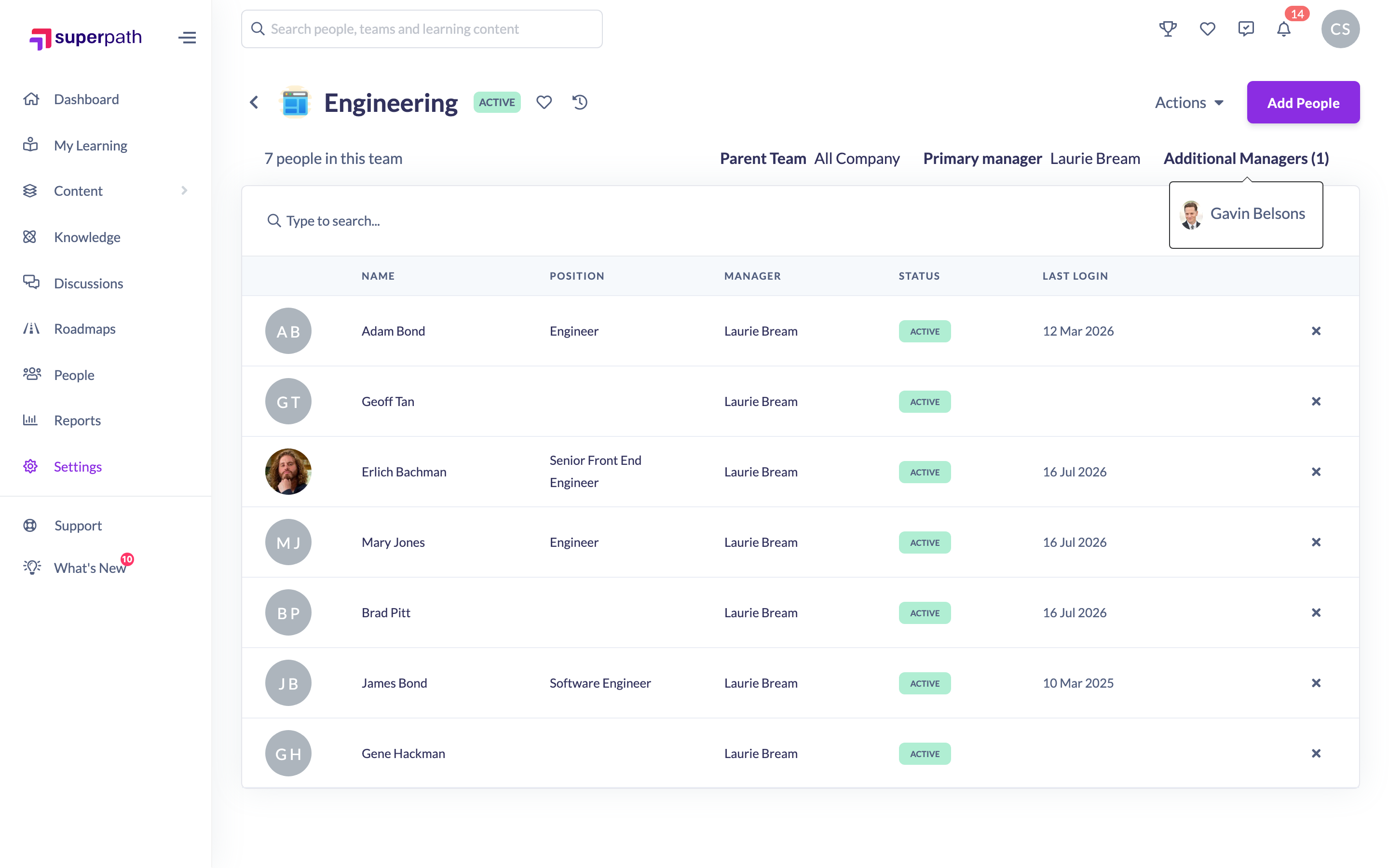
A team can have a Primary manager and one or more Additional Managers. Assigning managers at the team level is handy when responsibility is shared or changes often — for example rotating shifts or multi-site teams. Managers are a field on static Teams and can be set both when you create a team and when you edit one. For the wider team-based manager feature and what managers can do, see the How to Assign Multiple Managers to a Team article.
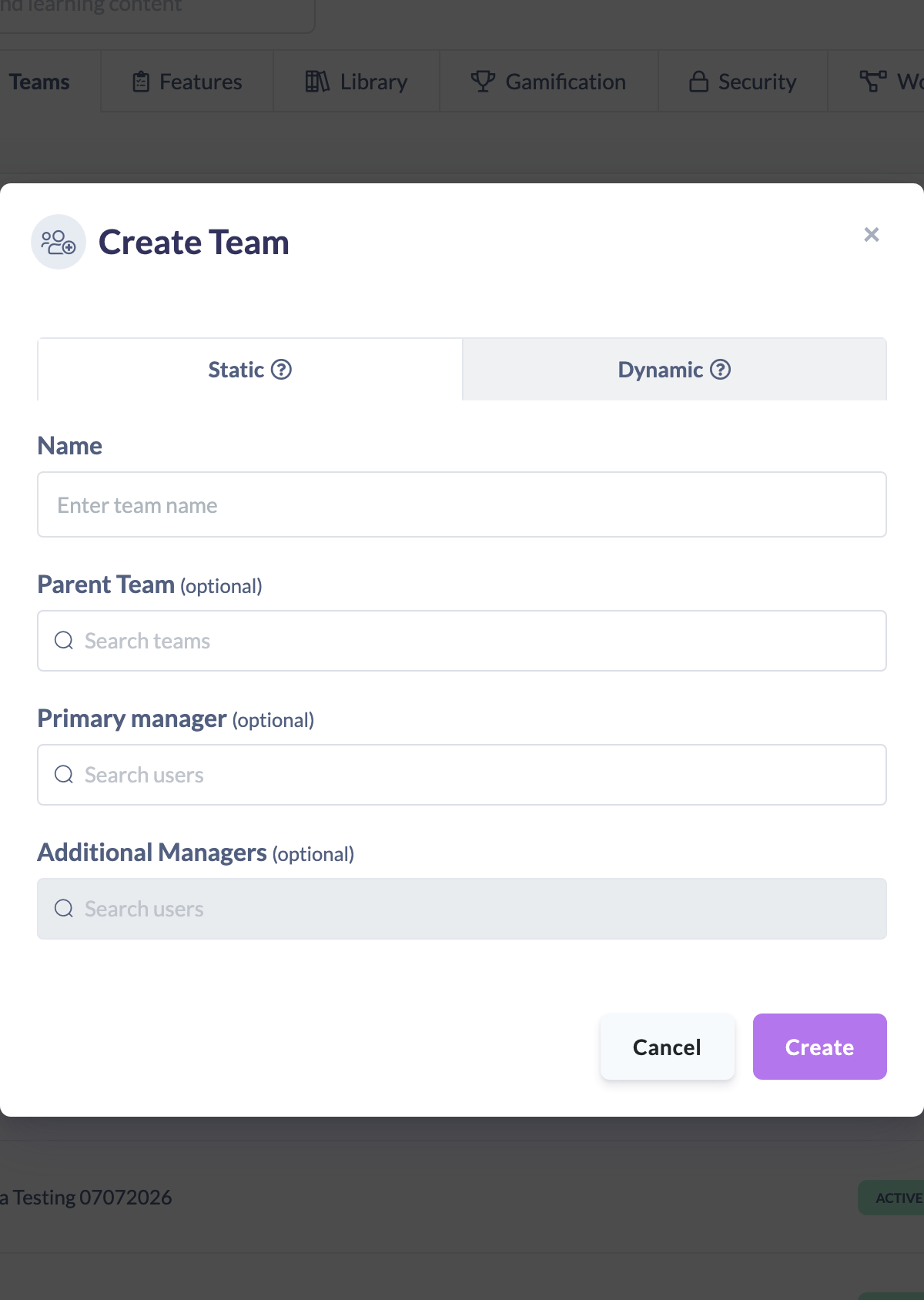
How to assign a manager when creating a team
- Go to Settings → Teams and click Create Team.
- On the Static tab, enter a Name.
- Under Primary manager (optional), search for and select a person.
- Under Additional Managers (optional), add any other managers.
- Click Create.
How to add a manager to an existing team
- Open the team and click Actions → Edit Team.
- Set the Primary manager and add any Additional Managers.
- Click Save changes.
Things to keep in mind
- Only people who hold a Manager, People Manager, Admin or Owner role appear in the manager search — someone without one of those roles can't be picked.
- Additional Managers can only be added once a Primary manager has been set.
- Managers are a field on static Teams; the Dynamic Team editor doesn't include manager fields.
- A person needs the Manager role to actually see manager views, even after being added as a team manager.
FAQs
Who can I choose as a team manager?
Only people with a Manager, People Manager, Admin or Owner role. If the person you want isn't in the search, check their role first.
What's the difference between the primary manager and additional managers?
The primary manager is the main manager on the team; additional managers are extra people who share manager responsibility for it. You must set a primary manager before you can add additional ones.
Can a team have more than one manager?
Yes — add as many additional managers as you need. See the How to Assign Multiple Managers to a Team article for more.
Who can do this
Owners and Admins can assign managers when creating or editing any team. A Manager who is already a team's Primary Manager can edit that team, including its managers. Employees and Restricted users cannot.
Updated on: 17/07/2026
Thank you!