
How to Attach Skills to Learning Content
How to Attach Skills to Learning Content
In this article:
- Overview
- How to attach skills
- Things to keep in mind
- FAQs
- Who can do this
Overview
Attaching skills to learning is how people build a skills profile automatically. When you add skills to a piece of Library content, a Pathway or an Event, anyone who completes that learning has those skills recorded against them. You attach skills using the Skills learnt field in the content, Pathway and Event editors.
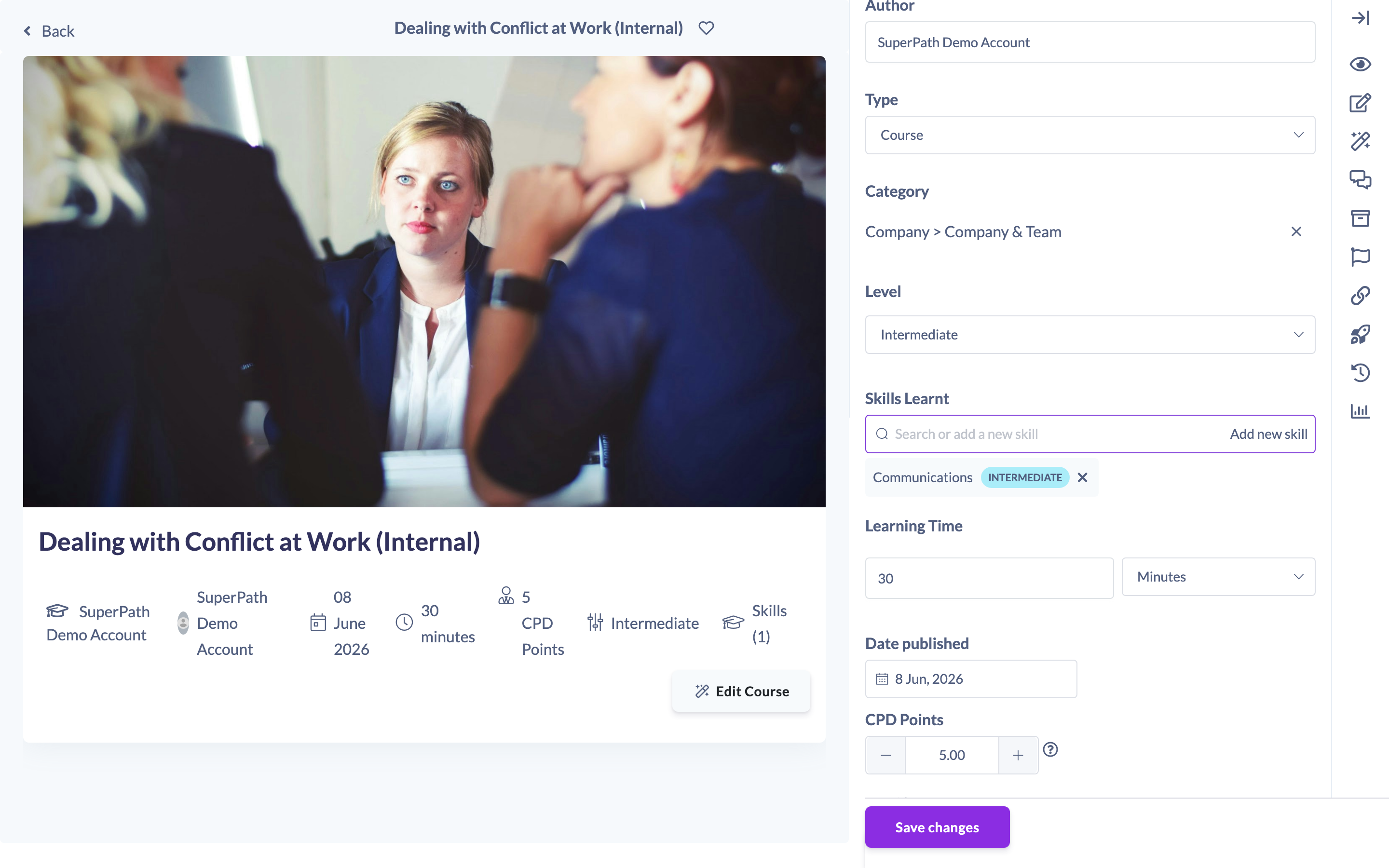
How to attach skills
- Open the item you want to add skills to — a piece of Library content, a Pathway, or an Event — in its editor.
- Find the Skills learnt field.
- Click into the field and search for a skill by name, then select it (choosing the proficiency level if the skill has levels). The skill appears as a tag.
- Repeat to add as many skills as you need, then save the item as usual.

Tip: If the skill you need doesn't exist yet, use the add new skill button in the field to create it on the spot, then attach it.
To remove a skill, click the small x on its tag before saving.
Things to keep in mind
- Skills are recorded when a learner completes the learning — attaching a skill does not backfill it onto people who completed the item earlier.
- The Skills learnt field is available on Library content, Pathways and Events. Skills can also be attached to Roadmap competency levels, which is covered in the Roadmaps documentation.
- Attaching a skill with a specific level records that level against the learner on completion.
- Skills synced from your HR system can be attached in exactly the same way. They carry a plug icon in the Skills learnt field, and their levels use your HR system's own level names rather than SuperPath's four.
FAQs
When exactly does the learner get the skill?
On completion of the learning. See "How Learners Earn Skills" for the full picture.
Can I attach a skill that has proficiency levels?
Yes — pick the level you want when you select the skill. That level is what the learner earns on completion.
The skill I want isn't in the list — what do I do?
Use the add new skill button in the Skills learnt field to create it, then attach it.
Who can do this
Attaching skills is part of editing the learning item, so it follows that item's edit permissions: the roles that can create and edit Library content, Pathways and Events can attach skills to them. Creating a brand-new skill inline additionally requires skill-creation permission, which Owners, Admins, Managers, Content Managers and Instructors have.
Updated on: 02/09/2026
Thank you!