
How to Delete a Skill
How to Delete a Skill
In this article:
- Overview
- How to delete a skill
- Things to keep in mind
- FAQs
- Who can do this
Overview
Deleting a skill removes it from your account's Skills catalogue — for example when a skill was created in error or is no longer relevant. Deletion is keyed by the skill's name, so if the skill carries proficiency levels, deleting it removes all of its levels at once.

How to delete a skill
- Go to Settings → Features and, in the Skills section, click Manage skills (or go straight to the Skills page).
- Find the skill you want to delete in the list. You can use the search box to narrow it down.
- In the skill's row, click the trash icon on the right.
- In the Delete skill dialog, review the message: "Are you sure you want to delete this skill?" If the skill has more than one level, you'll also see a note that all levels will be deleted.
- Click Confirm delete to remove the skill.
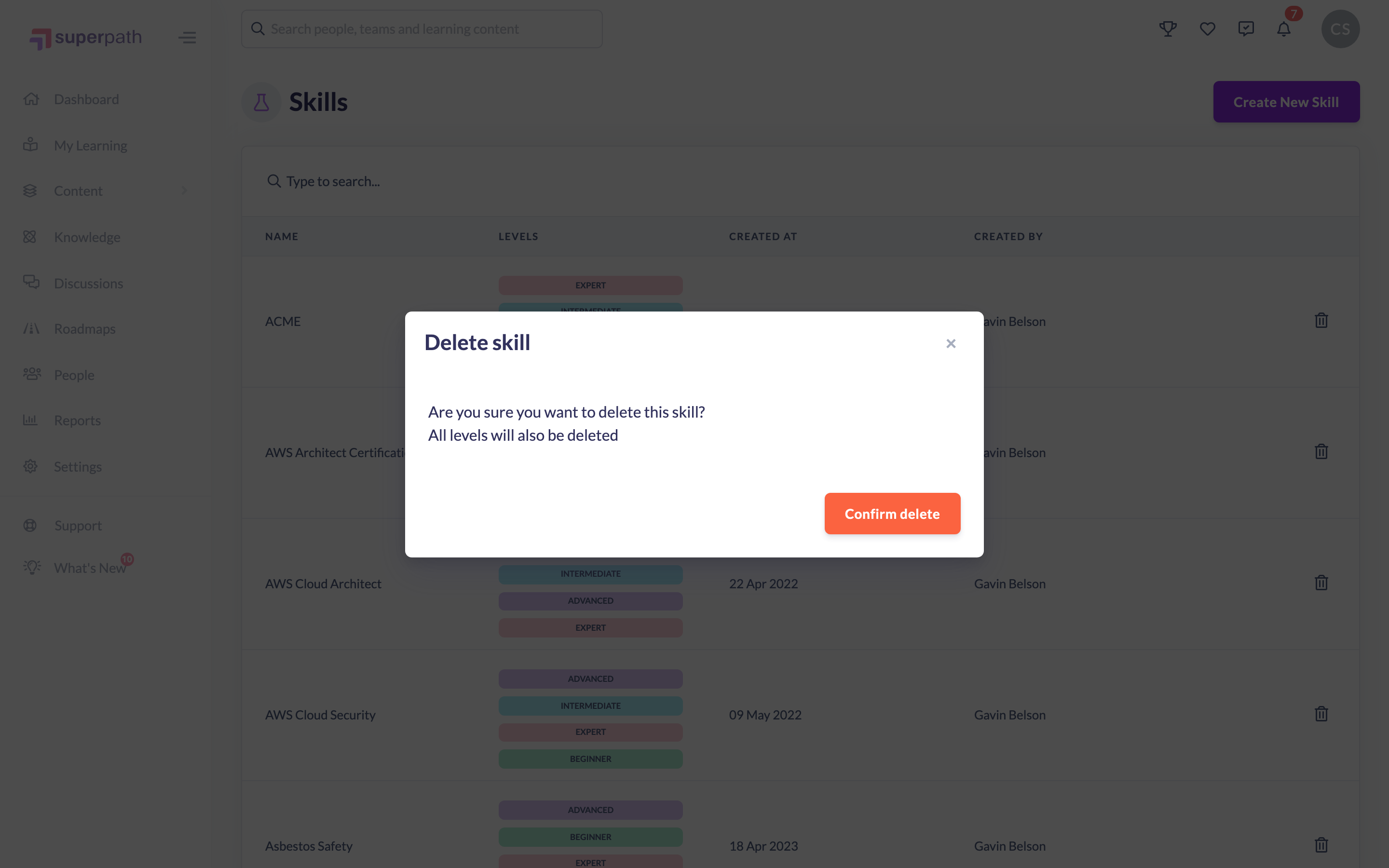
Once deleted, you'll see a confirmation that the skill has been deleted and it is removed from the catalogue.
Things to keep in mind
- Deletion is by skill name, not by an individual level. Deleting a skill that has proficiency levels removes every level (beginner, intermediate, advanced and expert) in one go.
- You cannot delete a public skill — only the custom skills that belong to your own account.
- You cannot delete a skill that is synced from your HR system. Those rows show a plug icon in place of the trash icon. Remove the skill in your HR system, or set it to inactive there, and the next sync archives it in SuperPath for you.
- There is no self-service undo. If you delete a skill by mistake, recreate it from scratch.
FAQs
If a skill has levels, can I delete just one level?
Not from the Skills catalogue. Deleting a skill there removes all of its levels together, because deletion is keyed by the skill's name.
Does deleting a skill remove it from people who have already earned it?
This article covers deleting the skill from the catalogue. To remove a skill that a specific person has earned, see "How to Remove a Skill from a Person".
Can I get a deleted skill back?
There is no restore option. You would need to create the skill again.
Why is there no trash icon on one of my skills?
That skill is synced from your HR system, so it is managed there and is read-only in SuperPath. Delete or deactivate it in your HR system and the next sync removes it from your catalogue.
Who can do this
Owners, Admins, Managers, Content Managers and Instructors can delete skills. People Managers, Employees and Restricted users cannot. No role can delete a skill that is synced from your HR system.
Updated on: 02/09/2026
Thank you!