
How to Create a Skill
How to Create a Skill
In this article:
- Overview
- How to create a skill
- Creating a skill with proficiency levels
- Things to keep in mind
- FAQs
- Who can do this
Overview
Creating a skill adds it to your account's Skills catalogue so it can be attached to learning content and recorded against your people. You can create a plain skill, or a skill that carries the four proficiency levels — beginner, intermediate, advanced and expert.
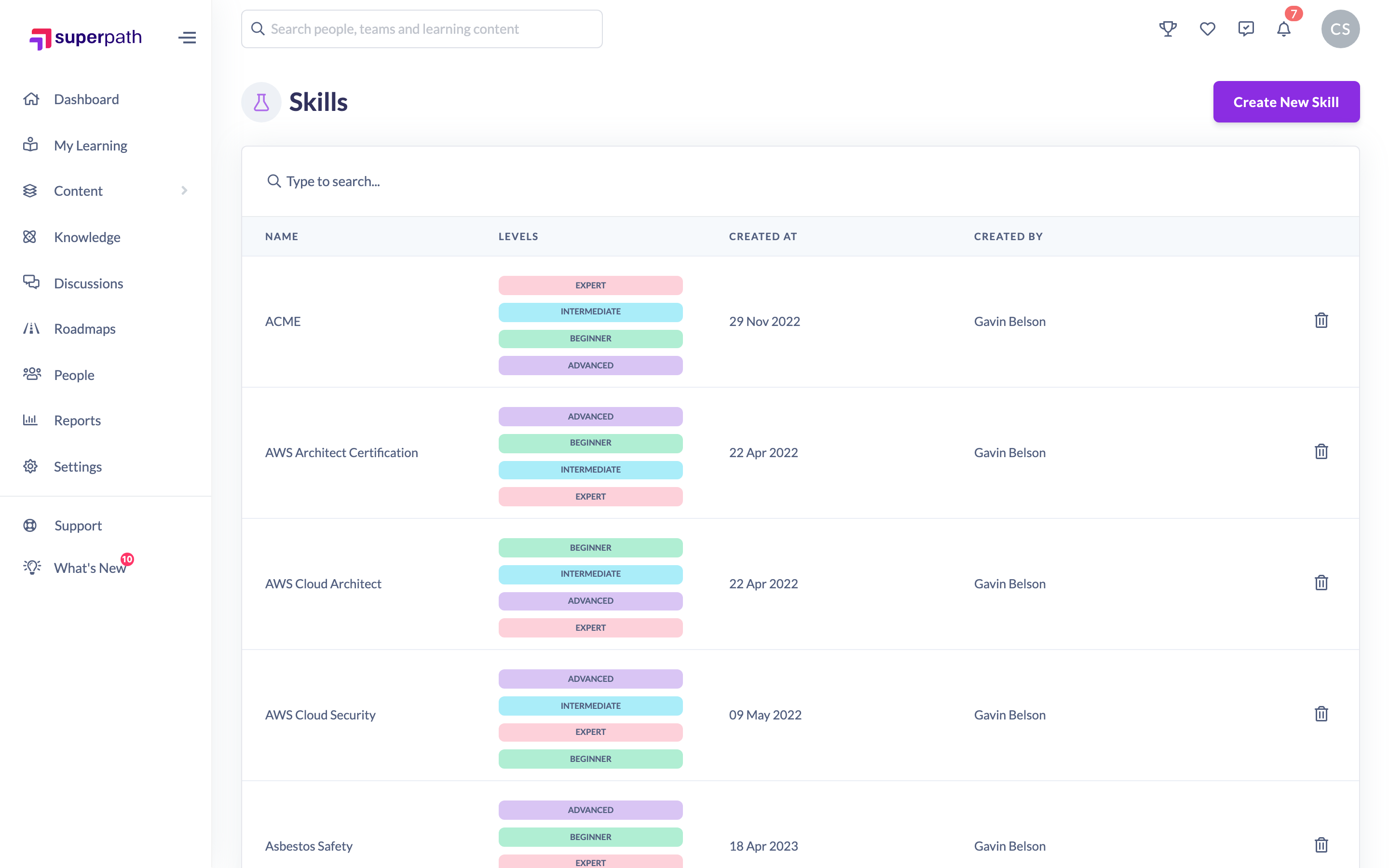
How to create a skill
- Go to Settings → Features and, in the Skills section, click Manage skills (or go straight to the Skills page).
- Click Create new skill in the top right.
- In the Add a new skill dialog, type the skill's name in the Skill name field.
- Decide whether you want proficiency levels (see below), then click Add new skill.
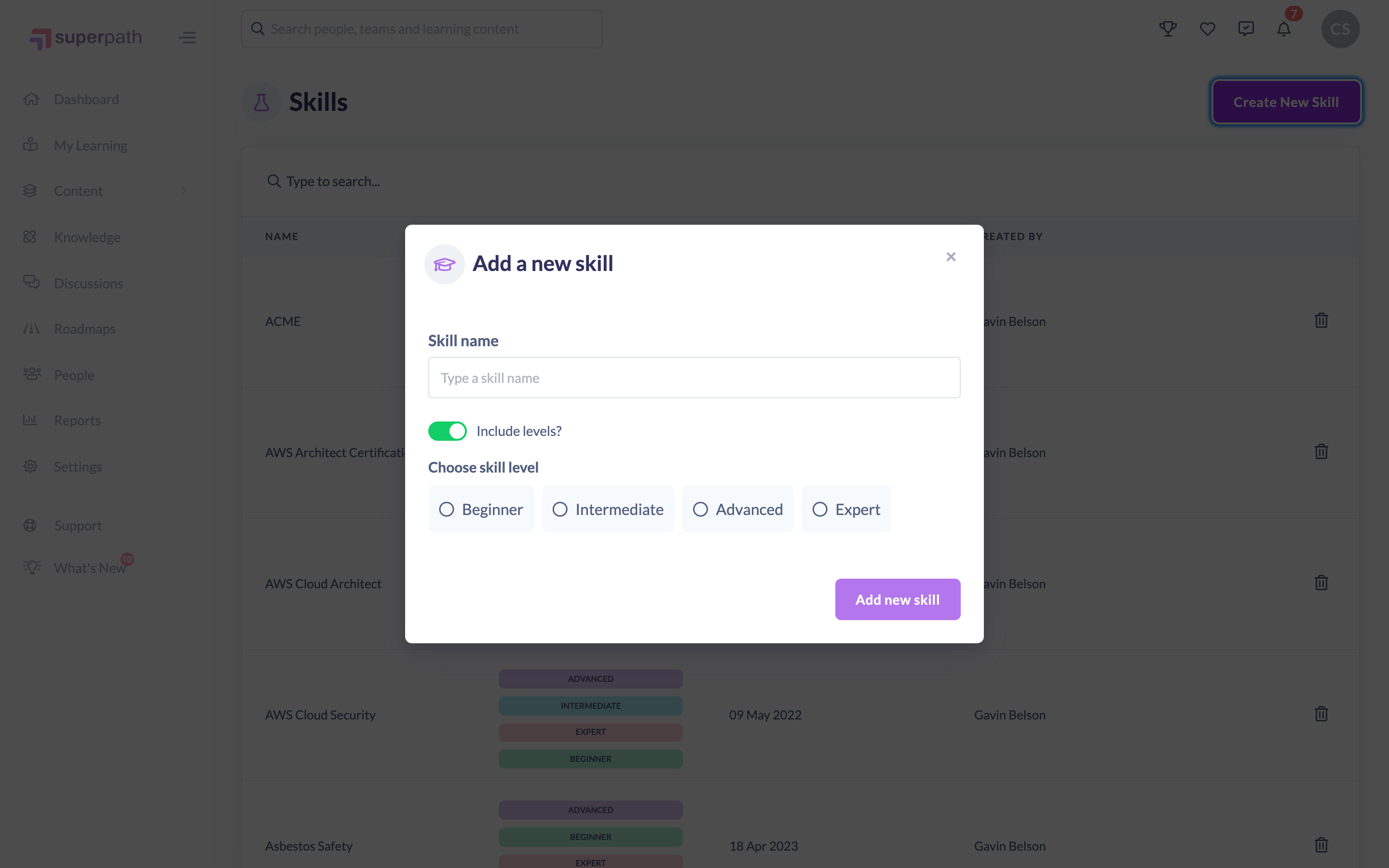
Once created, you'll see a confirmation that a new skill has been created and the skill appears in the catalogue.
Note: Creating a skill is a desktop or tablet action — the Create new skill button is hidden on small mobile screens.
Creating a skill with proficiency levels
The Include levels switch controls whether the skill carries proficiency levels:
- Include levels on — SuperPath creates the skill at all four levels: beginner, intermediate, advanced and expert. In the catalogue the skill shows all four levels as badges. You can then attach whichever level matches a particular learning.
- Include levels off — SuperPath creates a single skill with no level.
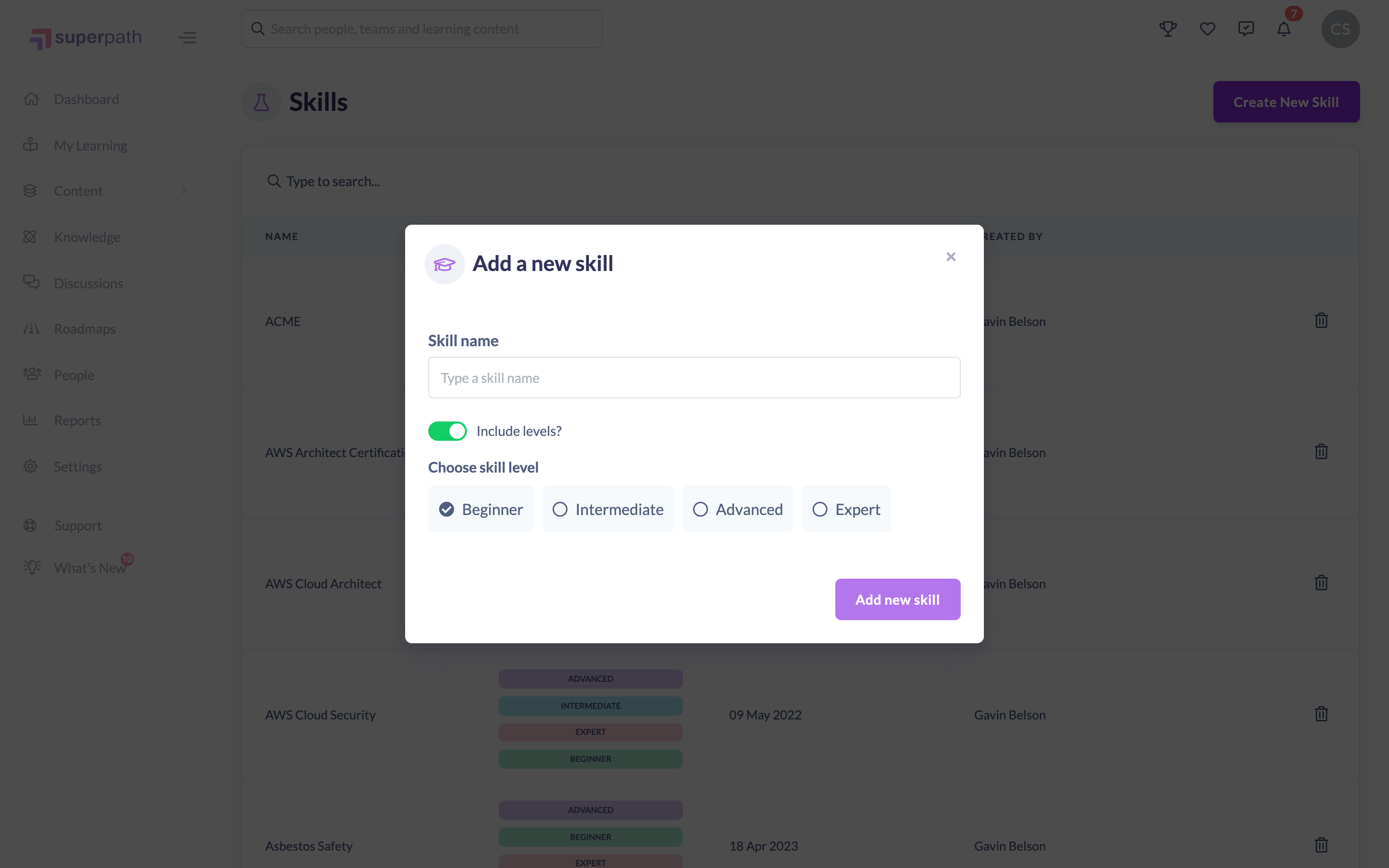
Good to know: When Include levels is on, all four levels are always created together — you do not create the levels one at a time.
Things to keep in mind
- A skill's name must be unique within your account. If a skill with that name already exists, SuperPath warns you and does not create a duplicate.
- Proficiency levels are fixed to beginner, intermediate, advanced and expert when you create a skill here. You cannot rename them or add your own. Custom level names arrive only with skills synced from your HR system.
- There is no edit option for a skill after it is created. If you need to change a name, delete the skill and create a new one.
- If you sync skills from HiBob, check the catalogue before creating a skill by hand. A skill you create with the same name as one in your Bob catalogue is taken over by the sync, which makes it read-only and replaces its levels with Bob's.
FAQs
What happens if I turn on Include levels?
SuperPath creates the skill four times — once for each level (beginner, intermediate, advanced and expert). They appear grouped under the one skill name in the catalogue.
Can I add levels to a skill later?
There is no edit option to add or change levels afterwards. Delete the skill and recreate it with Include levels turned on.
Why can't I see the Create new skill button on my phone?
Creating a skill is only available on desktop or tablet. On a small mobile screen SuperPath shows a note asking you to use a larger device.
Who can do this
Owners, Admins, Managers, Content Managers and Instructors can create skills. People Managers, Employees and Restricted users cannot.
Updated on: 02/09/2026
Thank you!