
How to Bulk Deactivate People
How to Bulk Deactivate People
In this article:
- Overview
- How to bulk deactivate people
- Things to keep in mind
- FAQs
- Who can do this
Overview
When several people leave, change teams, or no longer need access, you can deactivate them all at once from the People list rather than opening each profile in turn. Deactivating (disabling) a person keeps all of their data — learnings, badges, certificates and history — but stops them signing in until you re-enable them. It's the safe, reversible alternative to deleting someone.
How to bulk deactivate people
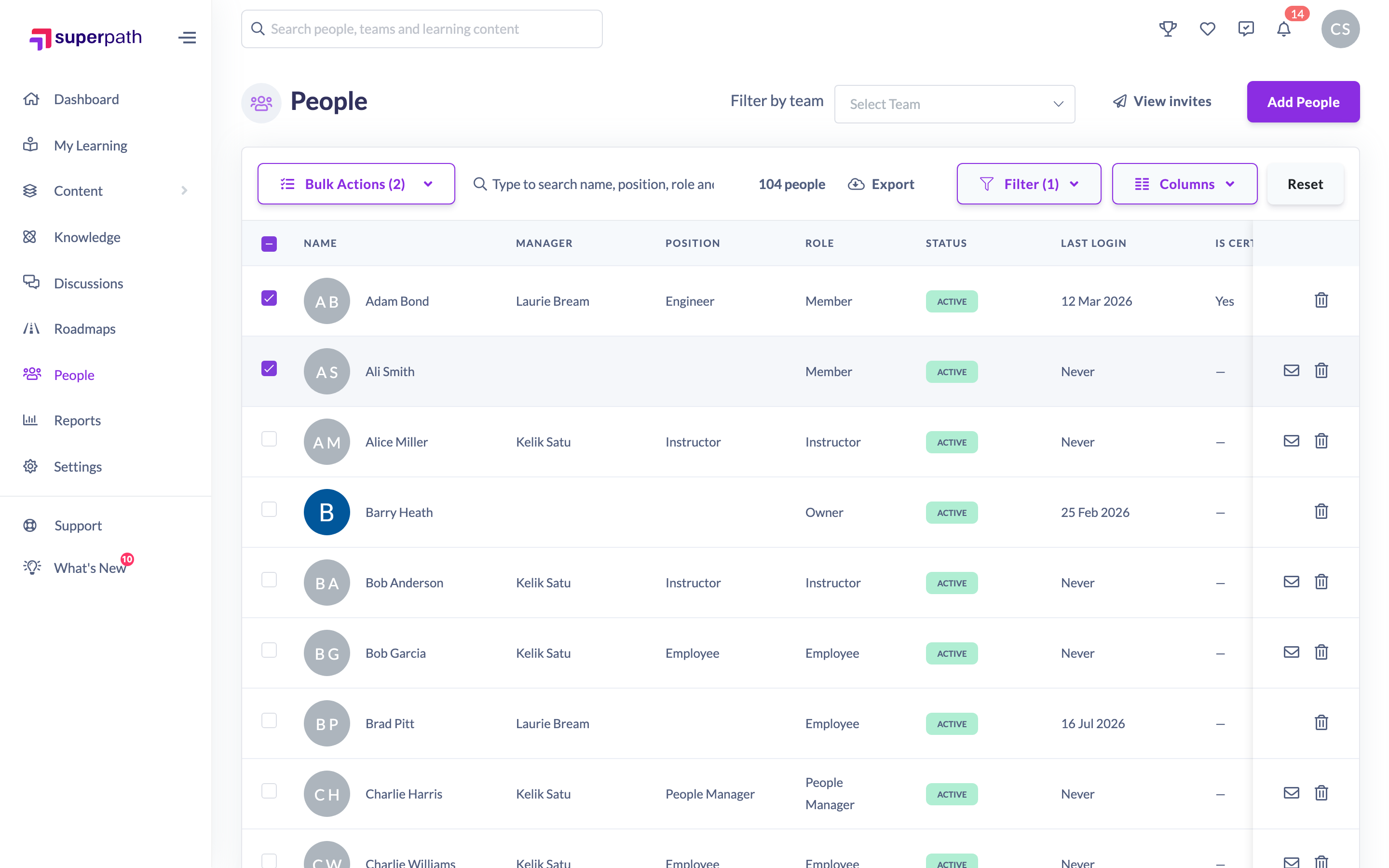
- Go to People.
- Tick the checkbox beside each person you want to deactivate. To select everyone that matches your current search or filters, use the select-all option at the top of the list.
- Click the Bulk Actions button that appears in the toolbar (it shows the number of people selected).
- Choose Disable Users from the dropdown.
- In the Bulk Disable Users window, review the message — "These users will no longer be able to access the platform. They can be re-enabled at any time." — then click Confirm disable.
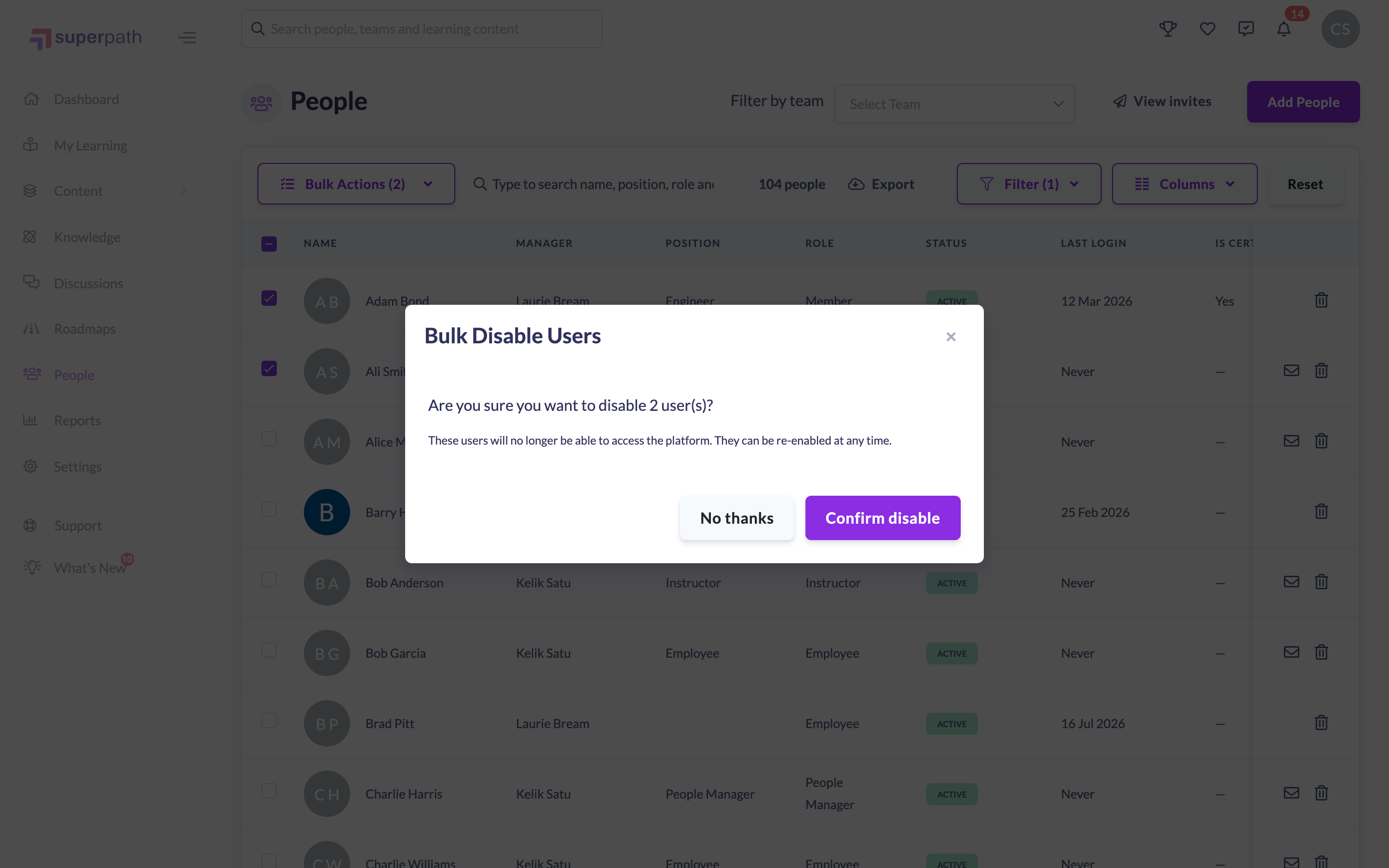
Once confirmed, the selected people are set to Disabled and can no longer sign in. You'll see a confirmation, and the list refreshes to reflect the change.
Tip: Use the Status filter on the People list to review who is currently active or disabled before and after a bulk change.
Things to keep in mind
- Deactivating is reversible — a disabled person keeps all their data and can be re-enabled at any time. If you want to permanently remove someone and their data, use Delete instead.
- Disabled people can't sign in, but they still count towards your list until deleted.
- Bulk selection and bulk actions are only available to Owners and Admins — other roles don't see the row checkboxes.
- You can select people across every page of results using the select-all option, so a bulk change can cover more people than are shown on the current page.
FAQs
Is deactivating the same as deleting?
No. Deactivating (disabling) blocks sign-in but keeps the person and all their data, and can be undone. Deleting permanently removes the person and their learning records and cannot be reversed.
How do I re-enable someone I've disabled?
Open the person's profile and change their status back to active. Their data is retained while they are disabled.
Why can't I see the checkboxes to select people?
Bulk selection is available to Owners and Admins only. If you don't see checkboxes on the People list, your role doesn't have access to bulk actions.
Who can do this
Owners and Admins can bulk deactivate people — the row checkboxes that drive bulk actions only appear for these roles. Managers, People Managers, Content Managers, Instructors, Employees and Restricted users cannot use bulk actions on the People list.
Updated on: 17/07/2026
Thank you!