
How to Bulk Send Welcome Emails
How to Bulk Send Welcome Emails
In this article:
- Overview
- How to bulk send welcome emails
- Things to keep in mind
- FAQs
- Who can do this
Overview
A welcome email gives a person the link and instructions they need to access your platform for the first time. When you've added several people at once, you can send the welcome email to all of them together from the People list rather than one at a time. It's the quickest way to get a new group signed in.
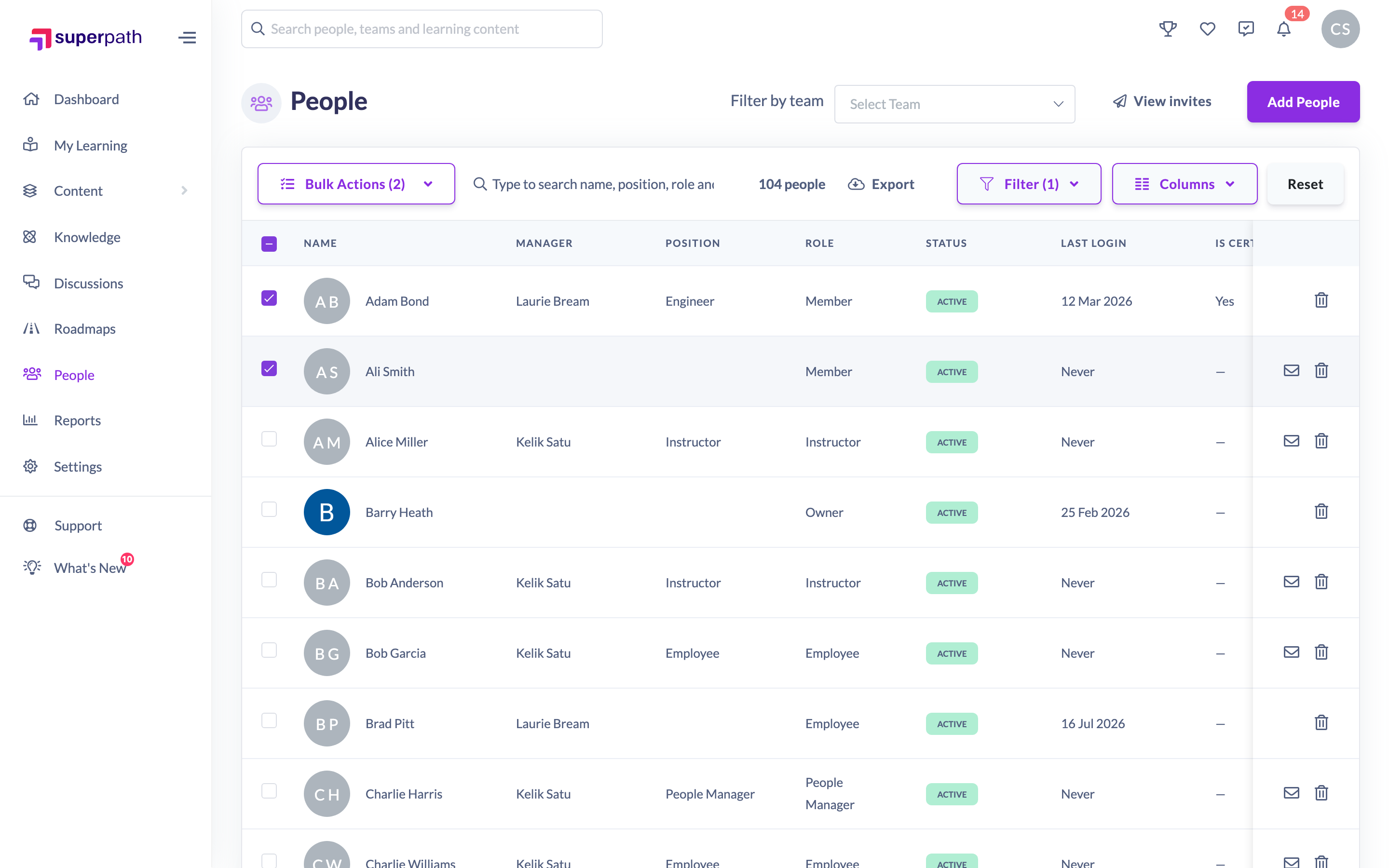
How to bulk send welcome emails
- Go to People.
- Tick the checkbox beside each person you want to email. To select everyone that matches your current search or filters, use the select-all option at the top of the list.
- Click the Bulk Actions button in the toolbar.
- Choose Send Welcome Email from the dropdown.
- In the Bulk Send Welcome Email window, confirm the count — "Each user will receive a welcome email with instructions on how to access the platform."
- Click Confirm Send Email.
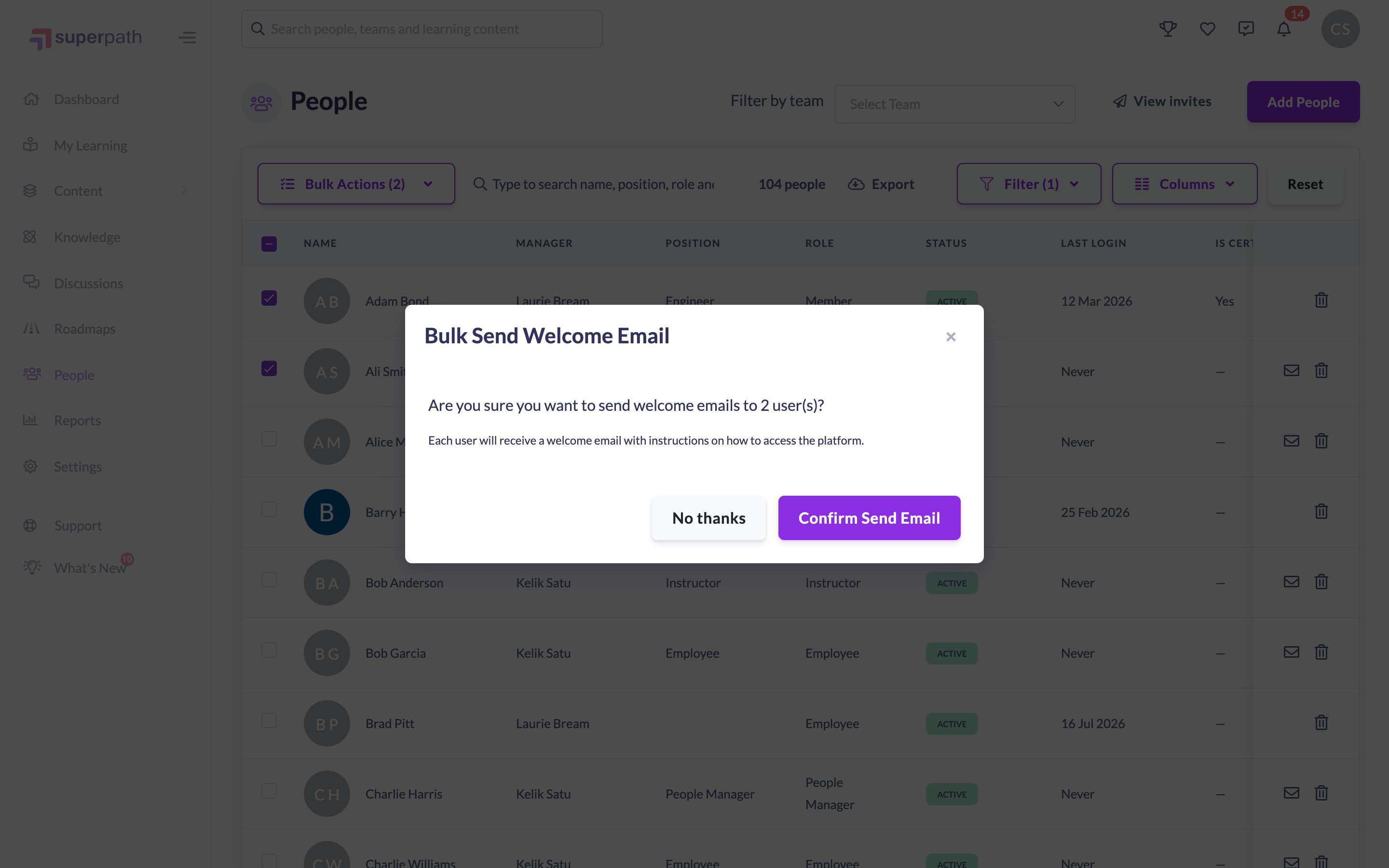
A welcome email is sent to each selected person, and you'll see a confirmation once they're on their way.
Things to keep in mind
- Each person receives an email with instructions on how to access the platform, including their sign-in link.
- Welcome emails apply to people who sign in with a SuperPath login. People who authenticate through your identity provider (SSO) sign in through that system instead.
- You can re-send a welcome email at any time — for example, if someone didn't receive the first one or their link has expired.
- Bulk selection and bulk actions are only available to Owners and Admins — other roles don't see the row checkboxes.
FAQs
What does the welcome email contain?
Instructions on how to access the platform, along with the link the person uses to sign in for the first time.
Can I re-send the welcome email to someone who's already had one?
Yes. You can send it again as many times as needed — useful if the original was missed or the link has expired.
Do people who sign in with SSO need a welcome email?
Not usually. Welcome emails are aimed at people who sign in with a SuperPath login; SSO users authenticate through your identity provider.
Who can do this
Owners and Admins can bulk send welcome emails — the row checkboxes that drive bulk actions only appear for these roles. Managers, People Managers, Content Managers, Instructors, Employees and Restricted users cannot use bulk actions on the People list.
Updated on: 17/07/2026
Thank you!