
How to Change Your Personal Timezone
How to Change Your Personal Timezone
In this article:
- Overview
- How to change your timezone
- Things to keep in mind
- FAQs
- Who can do this
Overview
Your personal timezone controls how dates and times are shown to you across SuperPath — for example on Events and deadlines. Setting it correctly means everything appears in your own local time. You change your timezone from the same Edit your account window used for the rest of your profile details.
How to change your timezone
- Click your profile icon in the top-right corner of the page and select My Profile.
- On your user card, open the Actions dropdown and click Edit account.
- On the Core details tab, find the Timezone field and start typing to search for your timezone, then select it from the list.
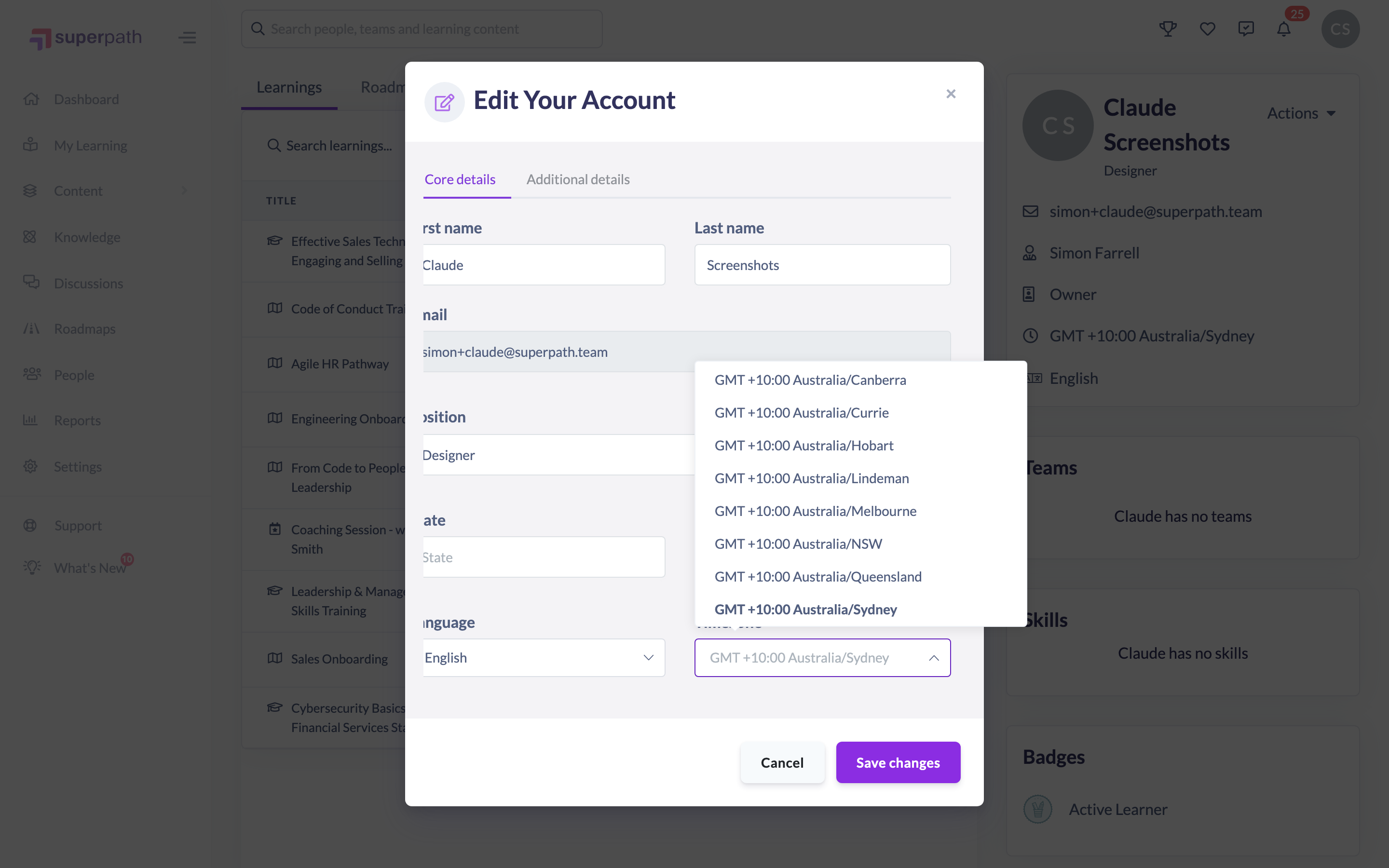
- Click Save changes.
Tip: If you change your Country in the same window, SuperPath automatically suggests a matching timezone. You can accept that suggestion or pick a different timezone before saving.
Things to keep in mind
- This setting is your personal timezone — it only affects how times are shown to you.
- Your organisation also has a separate, account-wide timezone that Owners and Admins manage in Settings. Changing your personal timezone here does not change the organisation's default.
- The Timezone field is searchable — start typing a city or region to narrow the list.
FAQs
Does changing my timezone affect other people?
No. This is your personal timezone and only changes how dates and times are displayed to you.
What's the difference between this and the organisation timezone?
The timezone in your Edit your account window is yours alone. The organisation-wide timezone is a separate setting managed by Owners and Admins and acts as the default for the account.
Why did my timezone change when I picked a country?
Selecting a Country auto-suggests a matching timezone as a convenience. Simply choose a different one from the Timezone field if the suggestion isn't right.
Who can do this
Any signed-in user can change their own personal timezone — this is self-service and not restricted by role. If your account is managed by a partner or reseller that has disabled member modifications, the Edit account option is hidden. Managing the separate organisation-wide timezone is an Owner and Admin task handled in Settings.
Updated on: 20/07/2026
Thank you!