
How to Change Your Platform Language
How to Change Your Platform Language
In this article:
- Overview
- How to change your platform language
- Things to keep in mind
- FAQs
- Who can do this
Overview
SuperPath can display in more than one language. The Language setting on the General tab controls the language used across your platform and in the emails SuperPath sends. English and Indonesia are currently available to choose from.
How to change your platform language
- Go to Settings → General.
- In the Company Details section, open the Language dropdown.
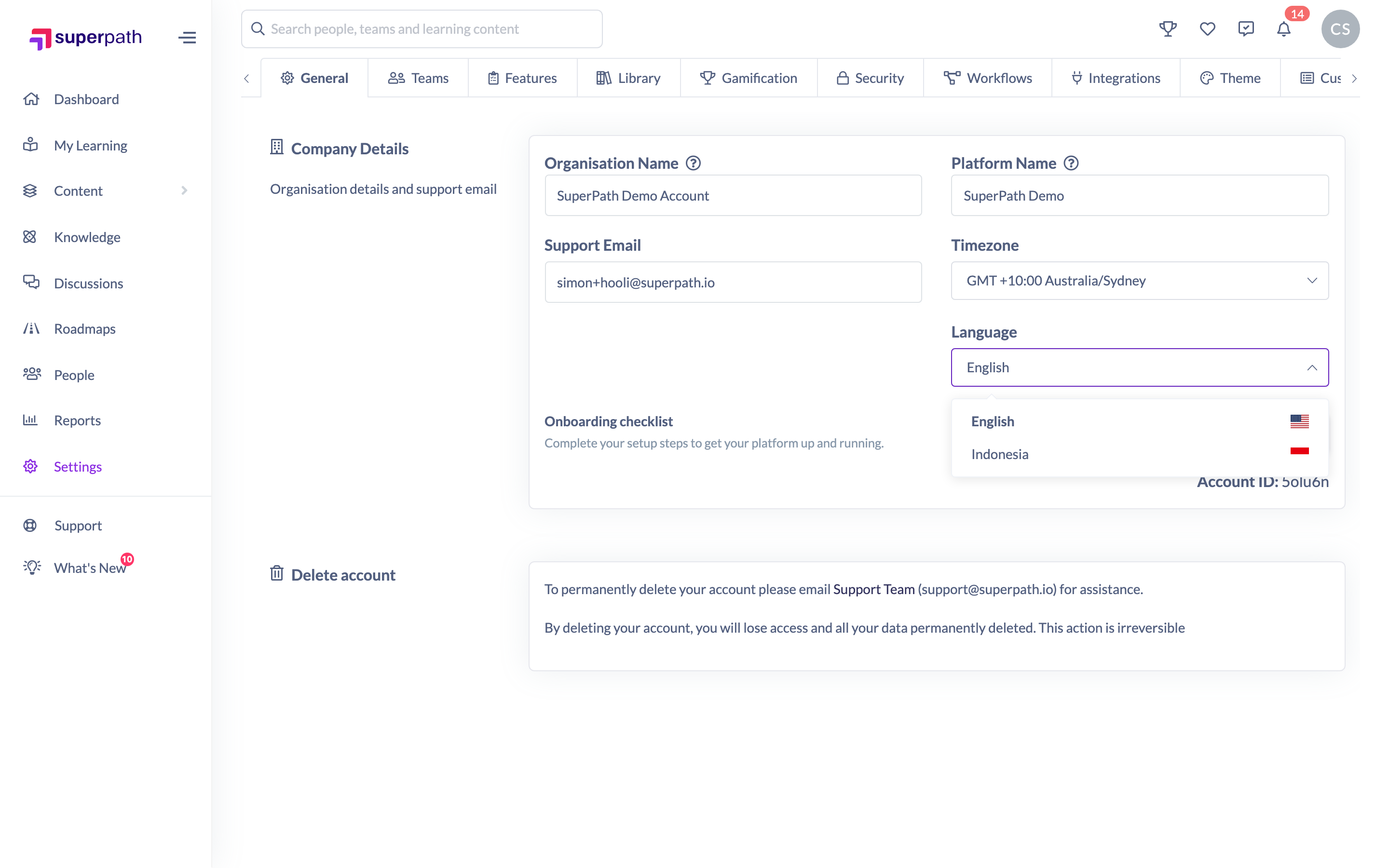
- Choose the language you want to use.
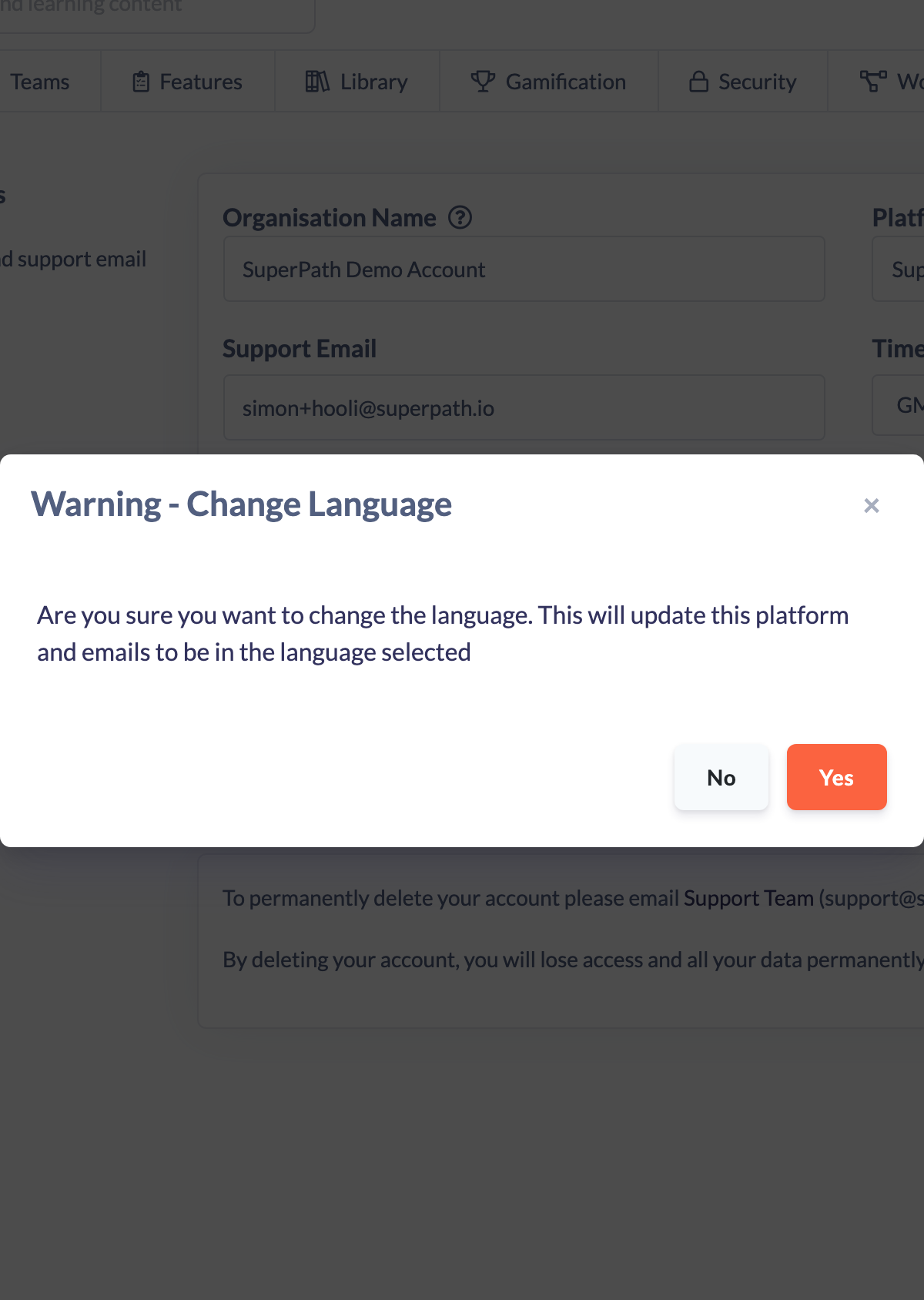
- A confirmation dialog appears — Warning - Change Language — reminding you that this will update the platform and emails to the language you selected. Click Yes to continue, or No to cancel.
- Click Save changes on the save bar at the top of the screen to apply the change.
Once saved, the platform and email language updates to your selection.
Things to keep in mind
- Changing the language affects the whole platform and the emails SuperPath sends — it isn't a per-user preference set from here.
- Selecting a new language shows a confirmation dialog first, and the change is only applied once you save.
FAQs
Which languages are available?
English and Indonesia are the languages you can select from the Language dropdown.
Does changing the language also change my emails?
Yes. The confirmation dialog notes that the change updates both the platform and the emails it sends to the selected language.
Why did nothing change after I picked a language?
Choosing a language opens a confirmation dialog and then leaves a save bar at the top of the screen. The change only takes effect once you confirm and click Save changes.
Who can do this
Owners and Admins can change the platform language. Managers, Content Managers, People Managers, Instructors, Employees and Restricted users cannot — saving Company Details requires permission to update the account, which those roles don't have.
Updated on: 17/07/2026
Thank you!