
How to Create a Dynamic Team
How to Create a Dynamic Team
In this article:
- Overview
- How to create a Dynamic Team
- Things to keep in mind
- FAQs
- Who can do this
Overview
A Dynamic Team is a team whose membership is driven by rules rather than a manual list. Instead of adding people one by one, you define criteria — such as "has completed a pathway" or "is part of a team" — and SuperPath automatically includes everyone who matches. This contrasts with a static Team, where people are added manually or through workflows. Dynamic Teams are ideal when your audience should update itself as learners progress.
How to create a Dynamic Team
- Go to Settings → Teams.
- Click Create Team (or Add your first team if you have no teams yet).
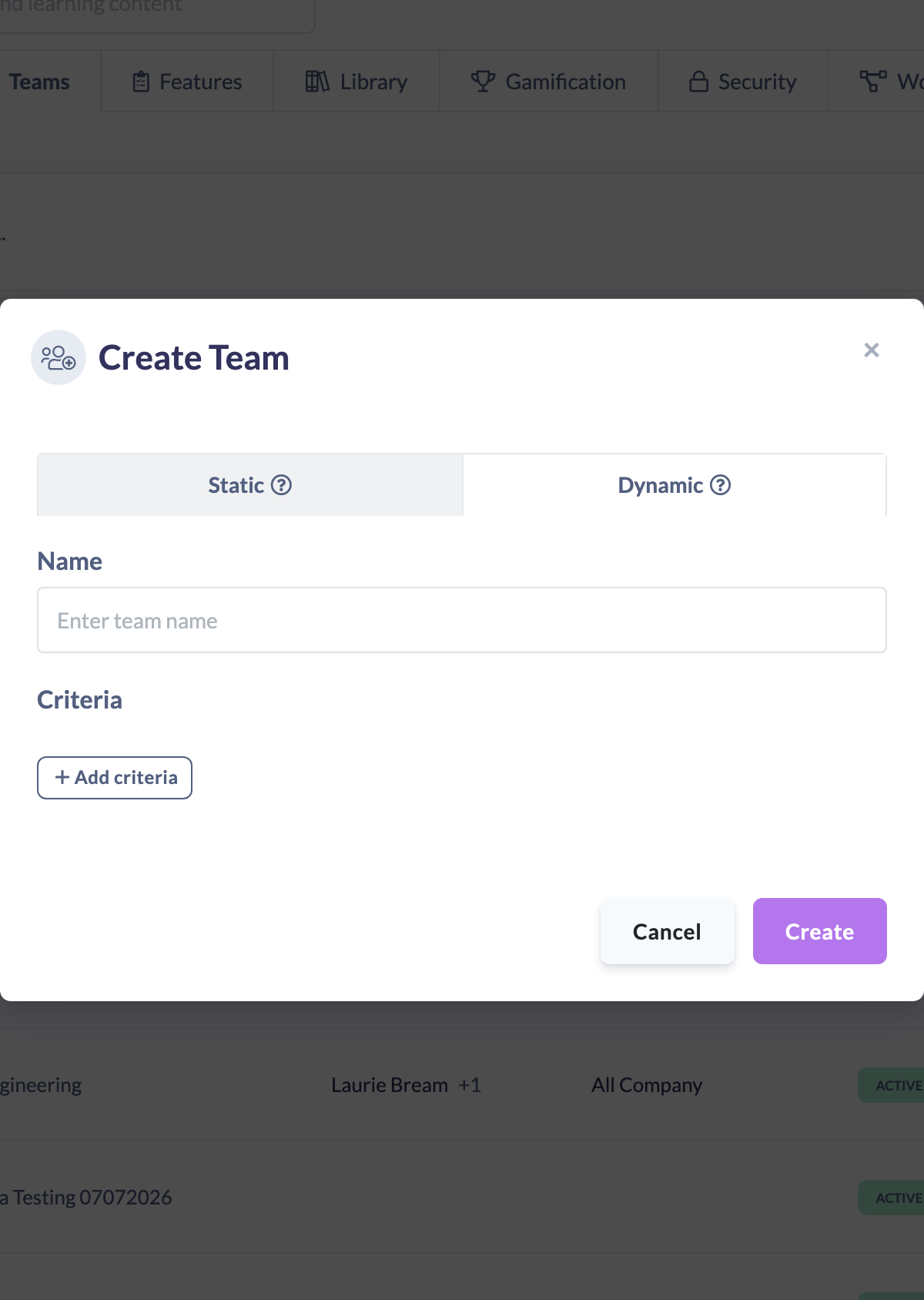
- In the Create Team window, select the Dynamic tab (the Static tab is selected by default).
- Enter a Name for the team.
- Under Criteria, click Add criteria, choose a criteria option, set it up, and click Save. Repeat to add as many rules as you need. The How to Set Up Dynamic Team Rules article covers the full rule builder, including Is any of for listing several values in one condition.
- If you added two or more rules, choose how they combine in the sentence above the list: People who match [all] of these rules:. Leave it on all to include only people who match every rule, or choose any to include everyone who matches at least one.
- Click Create.
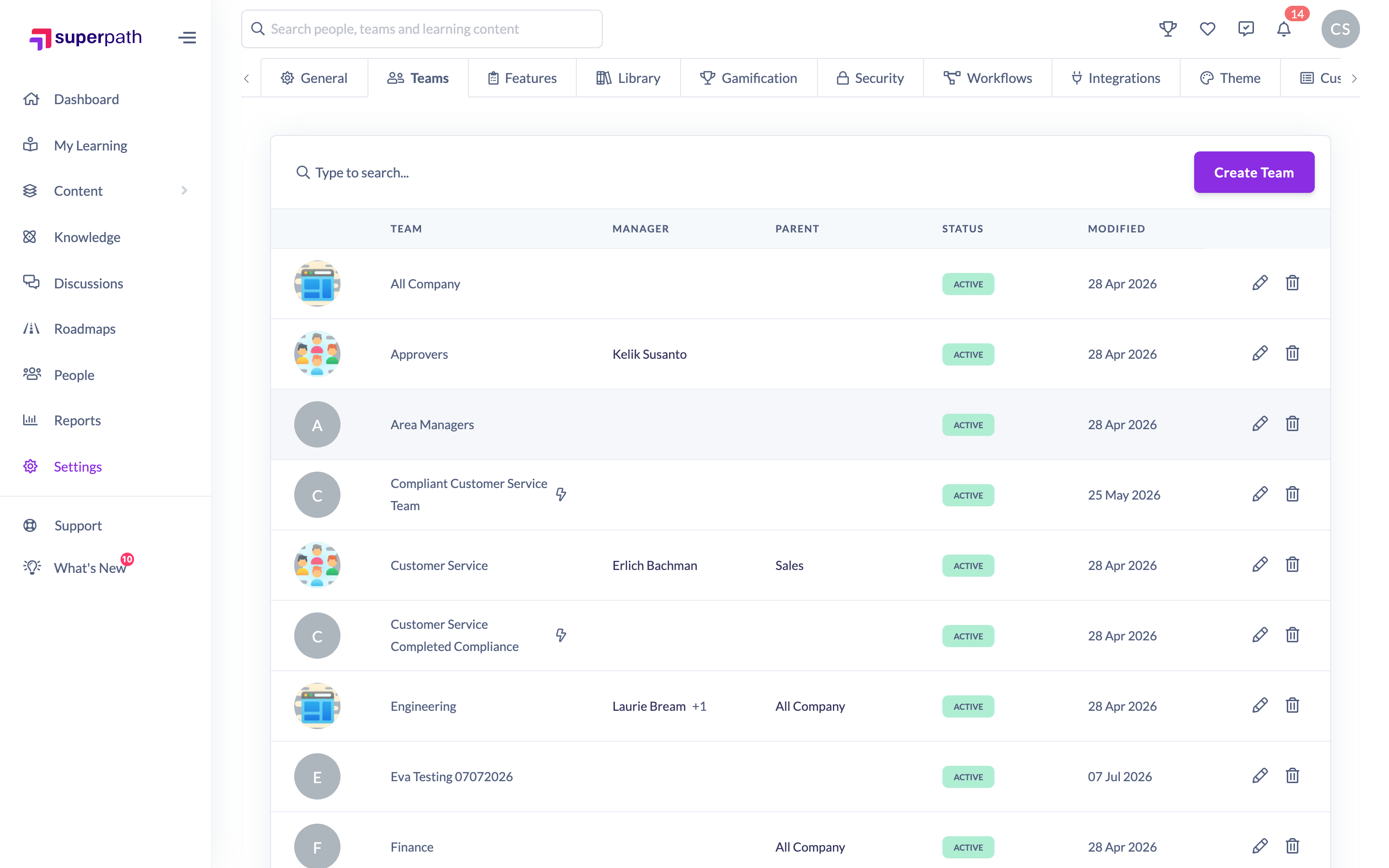
Your new Dynamic Team appears in the Teams list with a lightning bolt icon, and SuperPath begins populating it from your criteria straight away.
Things to keep in mind
- A static Team holds people that are added manually or through workflows; a Dynamic Team is based on filters and changes automatically as people meet (or stop meeting) the criteria.
- Create stays disabled until the Dynamic Team has a name and at least one criterion.
- When you add more than one criterion, they combine with all (AND) unless you choose any (OR). With all, a person must match every criterion. With any, matching one is enough.
- Team names must be unique within your organisation — creating a team with a name that already exists is rejected.
- You can't manually add or remove people from a Dynamic Team; membership is always resolved from the rules.
- A team's type is set when you create it and can't be switched between static and dynamic afterwards.
FAQs
What's the difference between a static Team and a Dynamic Team?
A static Team has a manually managed member list. A Dynamic Team has no manual list — its members are everyone who matches the rules you set, and it updates automatically.
Can I add someone to a Dynamic Team by hand?
No. Membership comes entirely from the criteria. To include or exclude someone, adjust the rules.
Can one Dynamic Team cover several job titles?
Yes. Add a Has people fields that match specific criteria rule and set Position to Is any of, then list each job title. One condition can hold up to 10 values.
Can I change the criteria after creating the team?
Yes. Open the team and edit it — see the How to Edit a Dynamic Team article. Changes take effect immediately.
Can I turn a static Team into a Dynamic Team?
No. The team type is fixed at creation. If you need the same group as a Dynamic Team, create a new Dynamic Team with equivalent criteria.
Who can do this
Owners and Admins can create teams, including Dynamic Teams. Managers, People Managers, Content Managers, Instructors, Employees and Restricted users cannot create teams.
Updated on: 26/09/2026
Thank you!