
How to Delete a Competency From a Roadmap
How to Delete a Competency From a Roadmap
In this article:
- Overview
- How to delete a Competency
- Things to keep in mind
- FAQs
- Who can do this
Overview
Competencies are the rows of a Roadmap grid, each one a skill area tracked across every Level. If a Competency is no longer relevant, you can remove it. Deleting a Competency removes the whole row, including everything you'd added in the cells along it. This article shows you how, and what to expect when you do.
How to delete a Competency
- Go to Roadmaps and open the Roadmap you want to edit.
- Hover over the Competency (row) you want to remove. A column of icons appears to the left of its title.
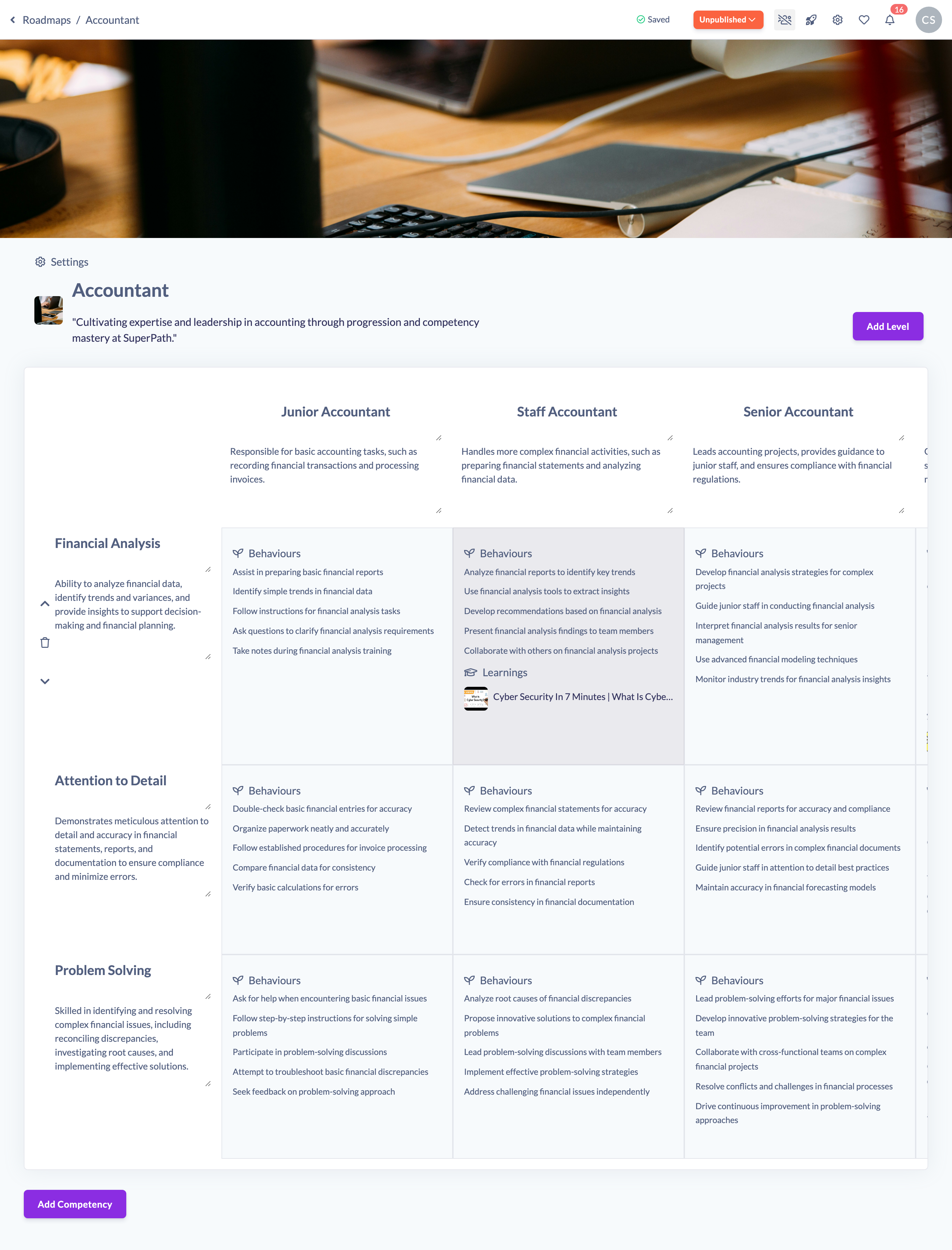
- Click the trash icon (Delete competency).

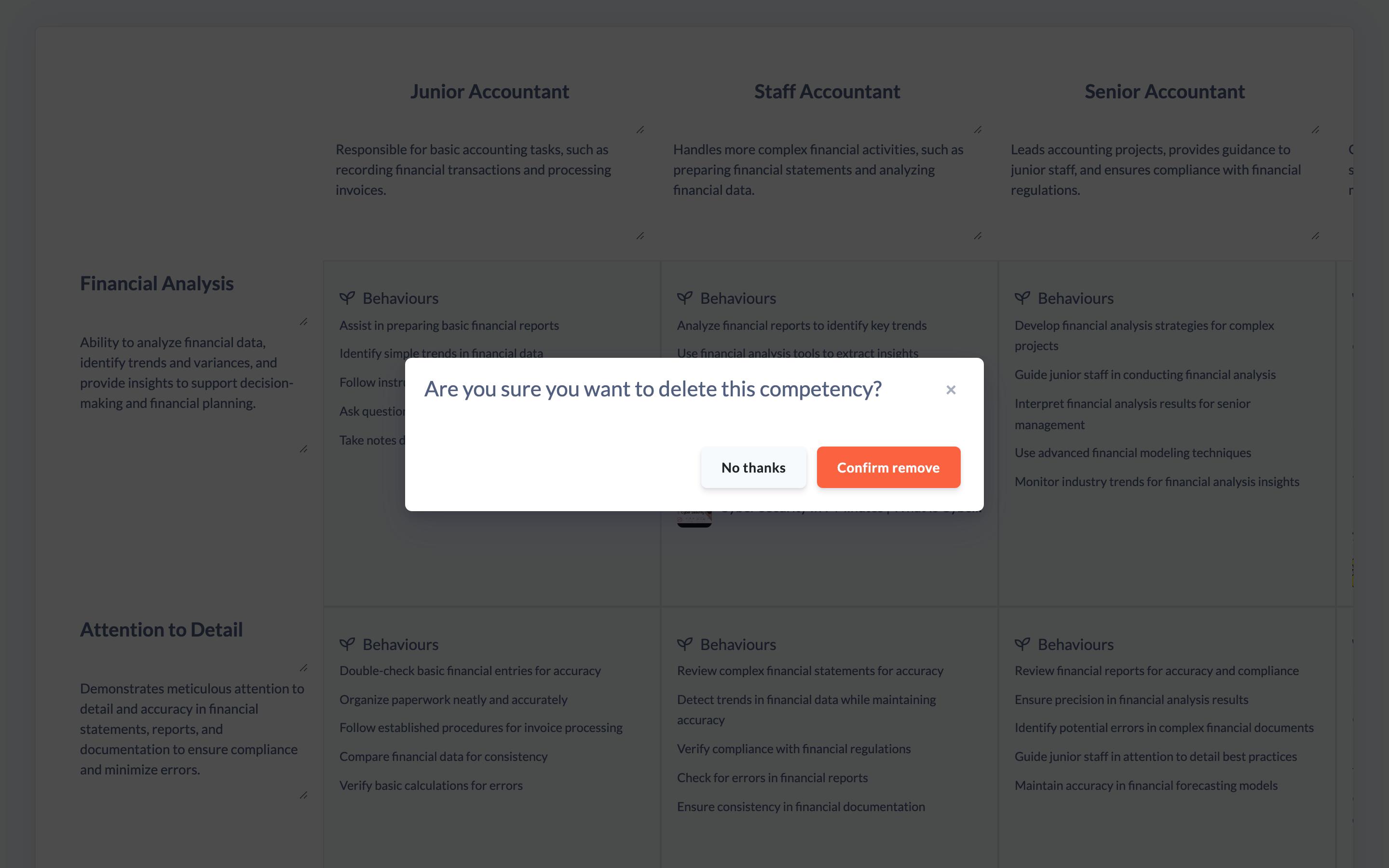
- A confirmation appears asking Are you sure you want to delete this competency?. Click Confirm remove to delete it, or No thanks to cancel.
Things to keep in mind
- Deleting a Competency also deletes every cell in that row — the descriptions, key skills, technical skills, behaviours and linked learnings you had added for that Competency at each Level. This cannot be undone.
- The Levels (columns) and every other Competency are untouched.
- The action icons only appear when you hover over a Competency, so nothing is deleted by accident.
- If the Roadmap was published, deleting a Competency moves it back to Unpublished. Re-publish when you're ready.
FAQs
Can I undo deleting a Competency?
No. Once you confirm, the Competency and all of its cell content are permanently removed. If you're unsure, consider duplicating the Roadmap first as a backup.
What happens to the other Competencies?
Nothing. Only the Competency you delete and its cells are removed; the remaining rows keep their content and order.
Should I be careful deleting a Competency from a live Roadmap?
Yes. Deleting a Competency permanently removes that row's cell content, and a published Roadmap reverts to Unpublished until you publish it again, so learners will see the change once you re-publish. It's best to make structural changes like this before a Roadmap is widely in use.
Who can do this
Owners, Admins, Managers and Content Managers can delete Competencies from a Roadmap. People Managers, Instructors, Employees and Restricted users have read-only access to Roadmaps and cannot.
Updated on: 19/07/2026
Thank you!