
How to Delete a Custom Field
How to Delete a Custom Field
In this article:
- Overview
- How to delete a custom field
- If the field is in use
- What happens when you delete a field
- Things to keep in mind
- FAQs
- Who can do this
Overview
If a custom field is no longer needed, you can delete it from Settings → Custom Fields. Deleting removes the field from profiles and search, while your historical analytics data is kept. This article walks through the steps and explains exactly what happens to the field and its data.
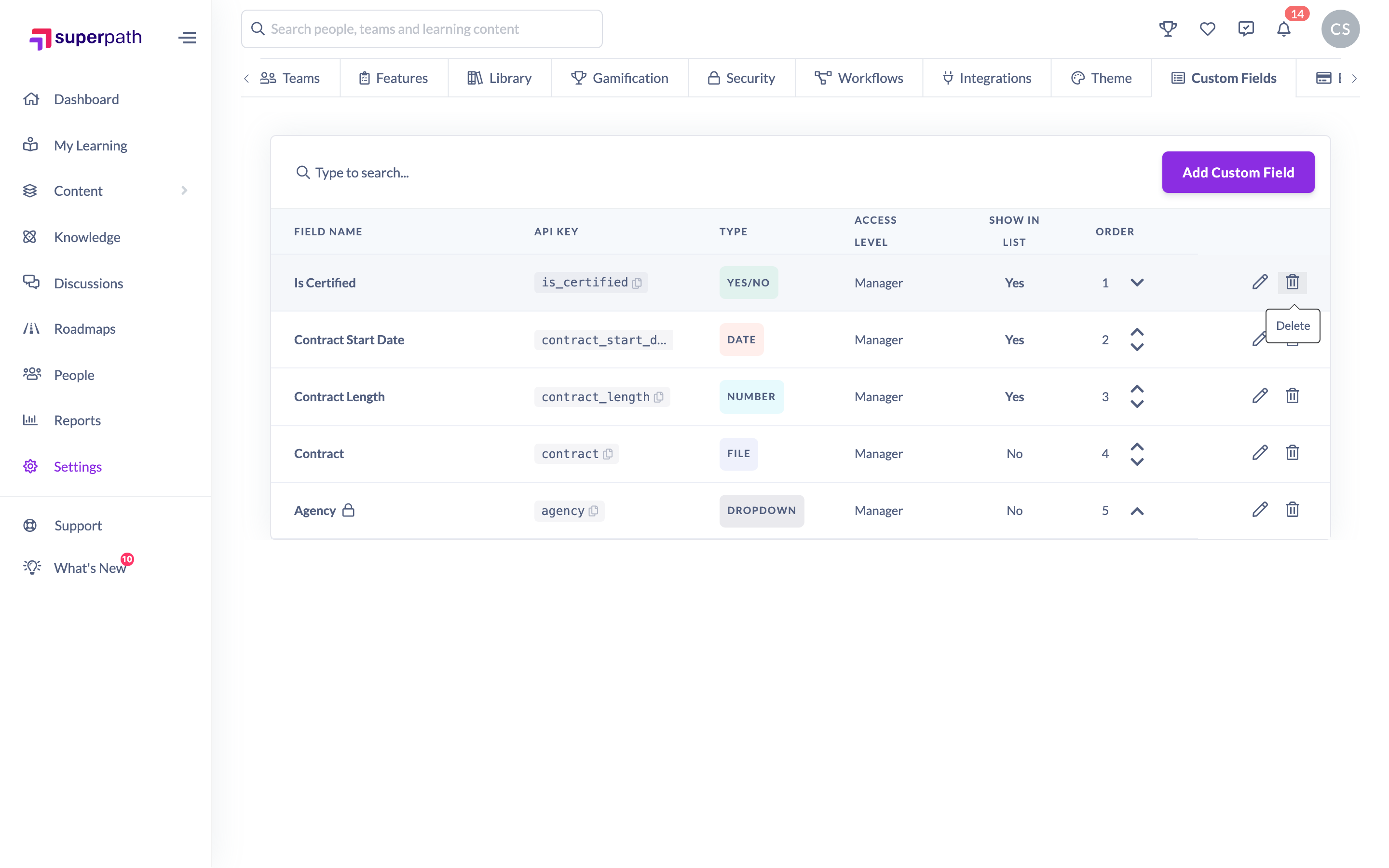
How to delete a custom field
- Go to Settings → Custom Fields.
- Find the field you want to remove and click the trash icon in its row.
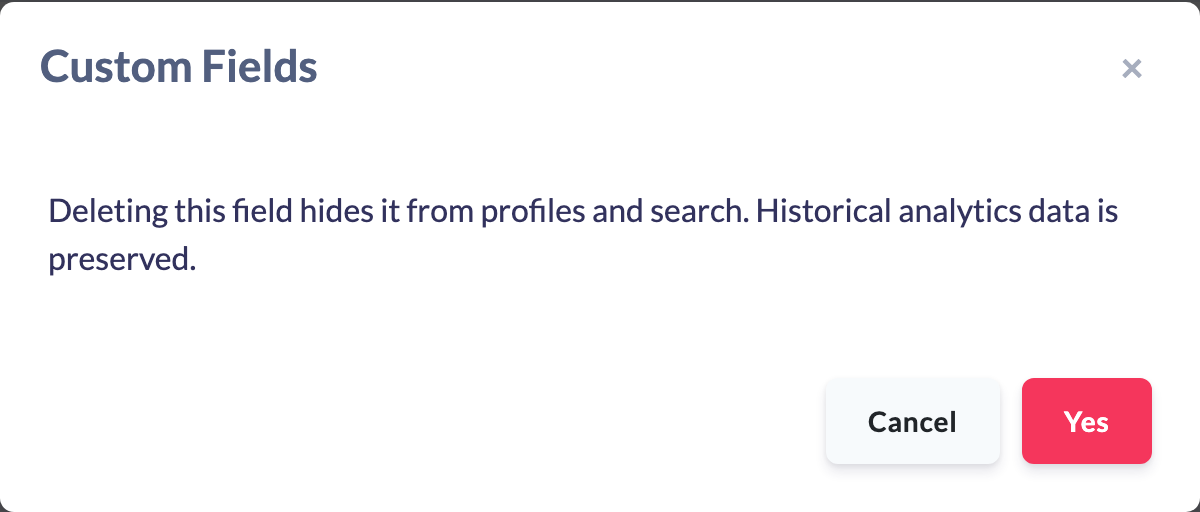
- Read the confirmation message. It explains that deleting the field hides it from profiles and search, and that historical analytics data is preserved.
- Click Yes to confirm.
If the field is in use
A custom field can't be deleted while a Workflow or Dynamic Team uses it as a condition. Deleting it would leave those rules checking a field that no longer exists. If the field is in use, clicking the trash icon shows a [field name] is in use message instead of the confirmation, with no delete button.
The message lists:
- every Workflow that uses the field, with its trigger and action. Disabled Workflows count too and are marked Disabled.
- every Dynamic Team that uses the field.
To delete the field:
- Click Open next to each item. It opens in a new tab.
- Remove the condition that uses the field, or delete the Workflow or Dynamic Team if you no longer need it, and save.
- Back on Settings → Custom Fields, click Close, then click the trash icon again.
- Once nothing uses the field, the usual confirmation appears. Click Yes to delete it.
What happens when you delete a field
- The field is removed from everyone's Additional Details tab and no longer appears as a column in the People list.
- The field is removed from search and filters.
- Historical analytics data that already referenced the field is preserved for reporting.
Things to keep in mind
- Deleting is confirmed with a dialog before anything happens, so an accidental click on the trash icon won't remove the field on its own.
- The field disappears from profiles and search straight away once you confirm.
- There's no "undo" in the interface — if you remove a field by mistake you'll need to create it again from scratch, and it will start with no values against profiles.
- Deleted Workflows and Dynamic Teams don't stop you deleting a field. Disabled Workflows do, because they can be switched back on.
- If you only want to rename a field, edit it instead. Workflows and Dynamic Teams that use it show the new name straight away, with nothing to update.
- If you only want to stop a field showing as a column in the People list, edit the field and turn off Show on list view instead of deleting it.
FAQs
Does deleting a field remove the data people had stored in it?
The field is hidden from profiles and search when you delete it. Historical analytics data that referenced the field is preserved, so your past reporting isn't affected.
Why does it say the field is in use?
A Workflow or Dynamic Team uses the field as a condition, even if that Workflow is disabled. Remove the field from every item in the list, then try again. See How to Use Custom Fields in Workflows and Dynamic Teams.
Can I get a deleted field back?
There's no restore option in the interface. If you need it again, create a new field — note that it won't automatically carry over the values that were stored before.
Will deleting a field break my exports or API filters?
The field is removed from search and filters when deleted, so anything that referenced its key will no longer return that field. Delete only once you're sure it's no longer needed downstream.
Who can do this
Only Owners can delete custom fields. The Custom Fields tab in Settings is shown to Owners only, and deleting a field requires the manage permission that only the Owner role holds. Admins, Managers, People Managers, Content Managers, Instructors, Employees and Restricted users cannot delete custom fields.
Updated on: 27/10/2026
Thank you!