
How to Delete a Person
How to Delete a Person
In this article:
- Overview
- How to delete a person from their profile
- How to delete a person from the People list
- Things to keep in mind
- FAQs
- Who can do this
Overview
Deleting a person removes them from your organisation permanently. This is different from deactivating: deactivating keeps all of a person's data and can be reversed at any time, whereas deleting removes them from all Teams and deletes their learning history. Delete someone only when you're sure they no longer belong in your organisation — if you simply want to block access while keeping their records, deactivate them instead (see How to deactivate a person).
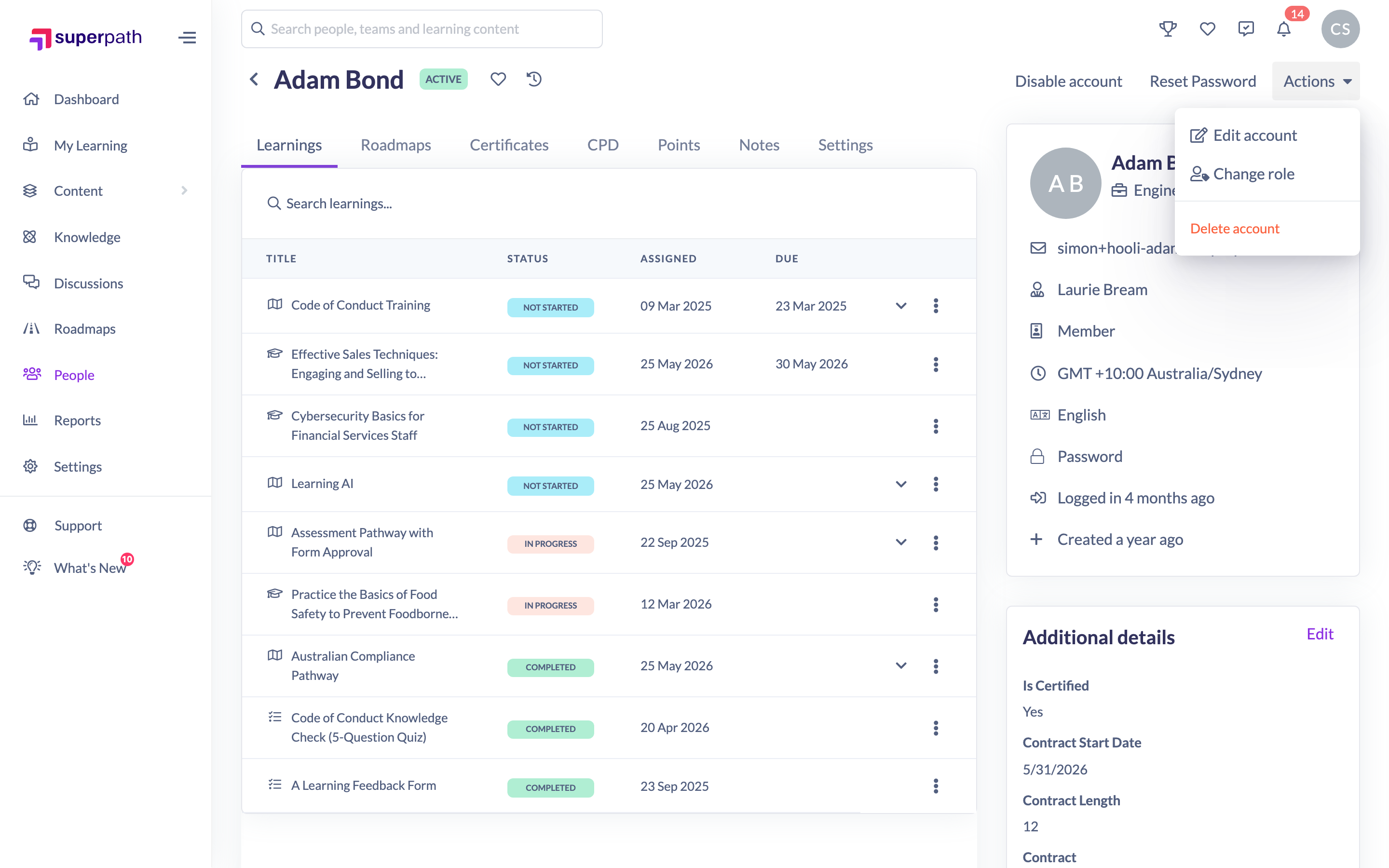
How to delete a person from their profile
- Go to People and open the person's profile.
- Click Actions → Delete account.
- Read the confirmation message, then click Delete to confirm.
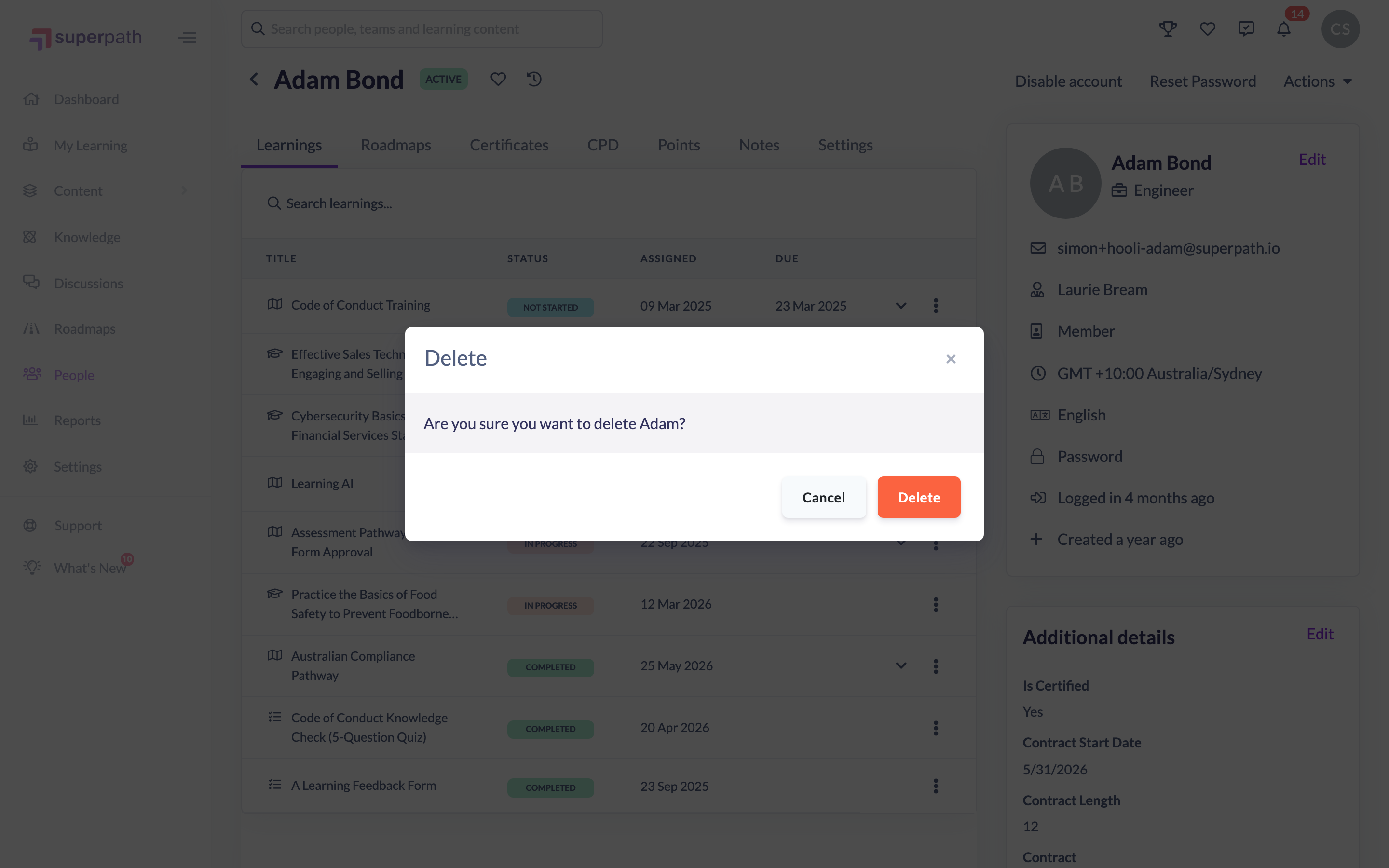
Once deleted, the person is removed from the People list and you're returned to it.
How to delete a person from the People list
- Go to People.
- Hover over the person's row and click the trash icon in the actions column.
- Read the confirmation message, then click Confirm delete.

The list confirmation spells out what happens: "Deleting this person will remove them from all teams and delete all of their learnings, badges, certificates, roadmaps and CPD points. This is not reversible."
Things to keep in mind
- Deleting is not reversible. The person is removed from all Teams and their learnings, badges, certificates, roadmaps and CPD points are deleted.
- Deleting frees up the licence seat the person was using.
- You can't delete your own account from this screen.
- To keep a person's data but stop them signing in, deactivate them instead — that action is fully reversible.
- Because the person's email is freed up, you can invite the same address again afterwards if needed.
FAQs
What's the difference between deleting and deactivating?
Deactivating blocks a person's access but keeps all their data and can be undone at any time. Deleting removes the person and their learning history for good, and frees their licence seat.
Can I get a deleted person back?
The delete confirmation states that it is not reversible. If you might need someone's records later, deactivate them rather than delete.
Does deleting free up a seat?
Yes. Deleting a person reduces your used seats by one.
Who can do this
Owners and Admins can delete people. Managers, People Managers, Content Managers, Instructors, Employees and Restricted users cannot delete people — including those who report to them. (If your organisation is managed through a reseller with account changes switched off, deleting is unavailable.)
Updated on: 17/07/2026
Thank you!