
How to Duplicate a Workflow
How to Duplicate a Workflow
In this article:
- Overview
- How to duplicate a workflow
- Things to keep in mind
- FAQs
- Who can do this
Overview
Duplicating a Workflow makes a copy of an existing one, so you can build a similar automation without setting everything up from scratch. It's ideal when you want the same kind of trigger and action pointed at a different Pathway, Team or Form — copy the Workflow, then tweak the copy.
How to duplicate a workflow
- Go to Settings → Workflows.
- Find the Workflow you want to copy in the list.
- Click the copy icon in that row's actions.
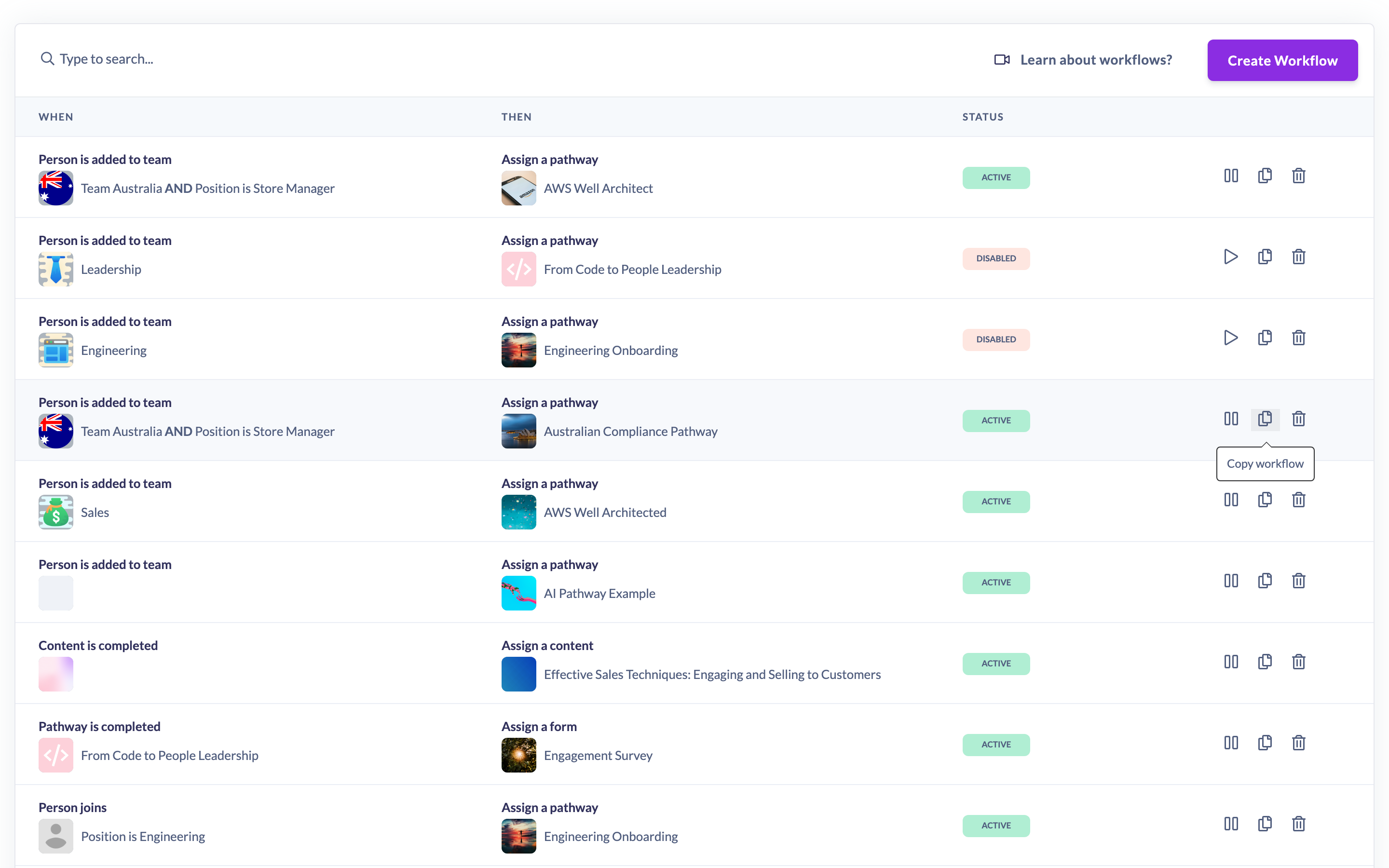
A new Workflow appears in the list with the same trigger, action, criteria and assignment rules as the original. Open the copy and edit it as needed — see How to edit a workflow.
Things to keep in mind
- The copy is created as Active, so it starts running straight away. Pause it first if you want to finish editing before it goes live — see How to pause or activate a workflow.
- The copy carries over the trigger, action, matching criteria (including any Is any of values and whether the conditions match all or any), notification setting and any start/due date rules from the original.
- The copy is recorded as created by you (the person who duplicated it), not the original author.
- Because the copy is identical to the original, both will respond to the same events until you change one of them — edit the copy so it does something different.
FAQs
Does the copy include everything from the original Workflow?
It copies the trigger, action, criteria (including whether they match all or any), the notification setting and the start and due date rules. Review the copy after duplicating to confirm it's set up the way you want.
Is the duplicate active immediately?
Yes. Like a newly created Workflow, the copy is Active as soon as it's made. Pause it if you're not ready for it to run.
Who can do this
Only Owners and Admins can duplicate Workflows. Managers, Content Managers, People Managers, Instructors, Employees and Restricted users cannot. Workflows are a paid-plan feature, so the option only appears for accounts where it has been enabled.
Updated on: 26/09/2026
Thank you!