
How to Pause or Activate a Workflow
How to Pause or Activate a Workflow
In this article:
- Overview
- How to pause or activate a workflow
- Things to keep in mind
- FAQs
- Who can do this
Overview
Every Workflow is either Active (running and responding to matching events) or Paused (kept in your account but not running). Pausing is the safe way to stop a Workflow temporarily without deleting it and losing its setup, whether you're reviewing it, waiting out a quiet period, or holding it back until you're ready for it to go live. You can activate it again whenever you like.
How to pause or activate a workflow
- Go to Settings → Workflows.
- Find the Workflow in the list. Its current state shows in the Status column as Active or Disabled.
- In that row's actions, click the pause icon to pause an active Workflow, or the play icon to activate a paused one.
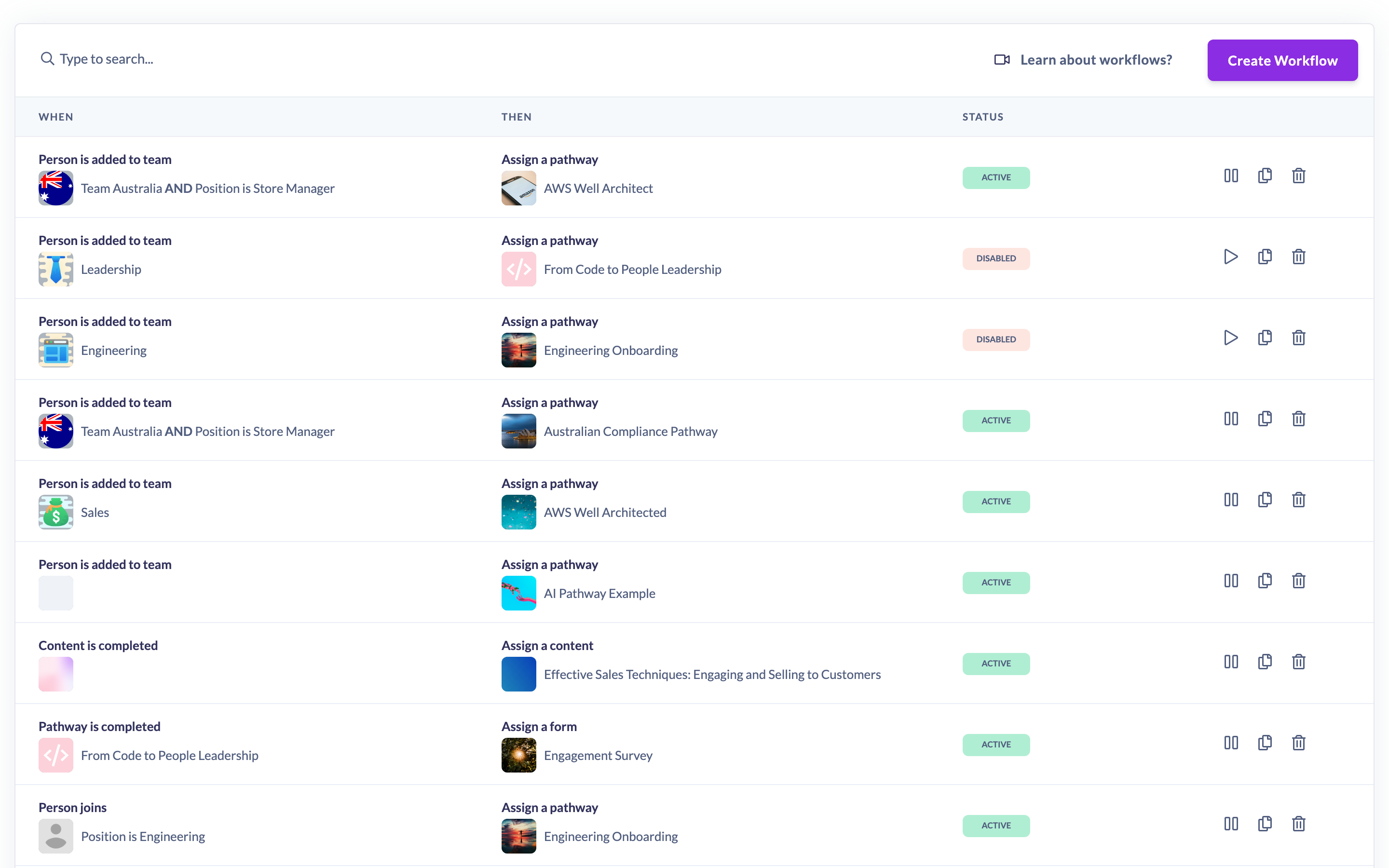
The Status column updates to reflect the change. A paused Workflow stays in your list and keeps all its settings, but stops responding to events until you activate it again.
Things to keep in mind
- A Workflow you build yourself starts out Active, so if you're building one you're not ready to run, pause it after saving.
- A Workflow the AI Assistant builds for you is the opposite. It always arrives Disabled and does nothing until you activate it here. See How to Create a Workflow with the AI Assistant.
- A paused Workflow doesn't respond to any events while it's paused, and it won't retroactively process events that occurred during the pause once you reactivate it.
- Pausing is reversible; deleting is not. Pause when you might want the Workflow again, and delete only when you're sure you're done with it.
FAQs
What's the difference between pausing and deleting a Workflow?
Pausing keeps the Workflow and all its settings but stops it running, and it can be switched back on at any time. Deleting removes it permanently. See How to delete a workflow.
Will a Workflow catch up on events it missed while paused?
No. Events that happened while a Workflow was paused are not processed after you reactivate it. Only new matching events from that point on will trigger it.
Where do I see whether a Workflow is running?
The Status column on the Workflows list shows Active or Disabled for each Workflow.
Who can do this
Only Owners and Admins can pause or activate Workflows. Managers, Content Managers, People Managers, Instructors, Employees and Restricted users cannot. Workflows are a paid-plan feature, so the option only appears for accounts where it has been enabled.
Updated on: 22/09/2026
Thank you!