
How to Publish a Roadmap
How to Publish a Roadmap
In this article:
- Overview
- How to publish or unpublish a Roadmap
- What publishing changes
- Things to keep in mind
- FAQs
- Who can do this
Overview
Publishing a Roadmap makes it ready to assign to your people and Teams. While a Roadmap is unpublished you can build and refine it freely, but you cannot assign it to anyone. Once you are happy with the levels, competencies and behaviours, you publish it so it becomes available for assignment.
How to publish or unpublish a Roadmap
- Go to Roadmaps and open the Roadmap you want to publish.
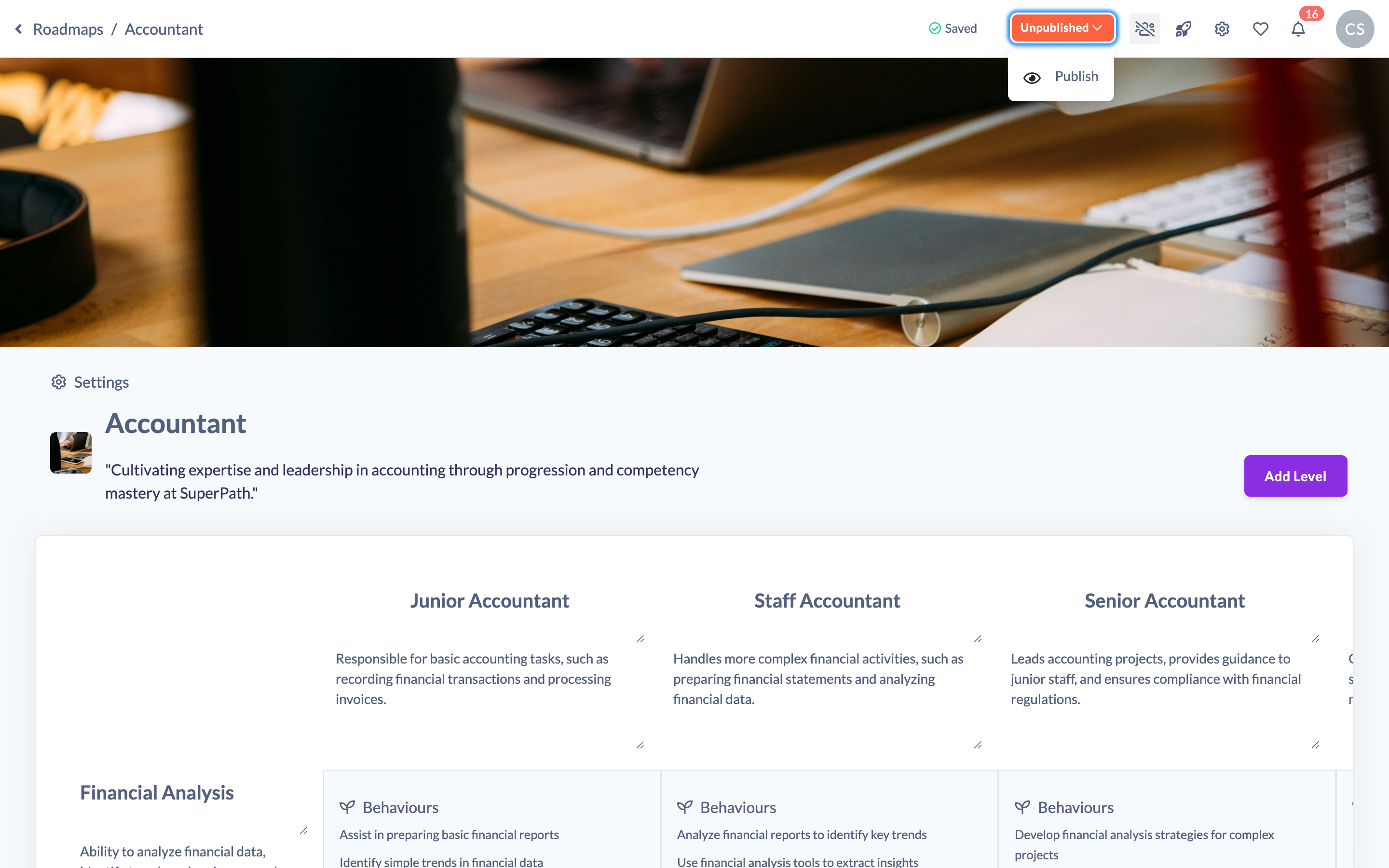
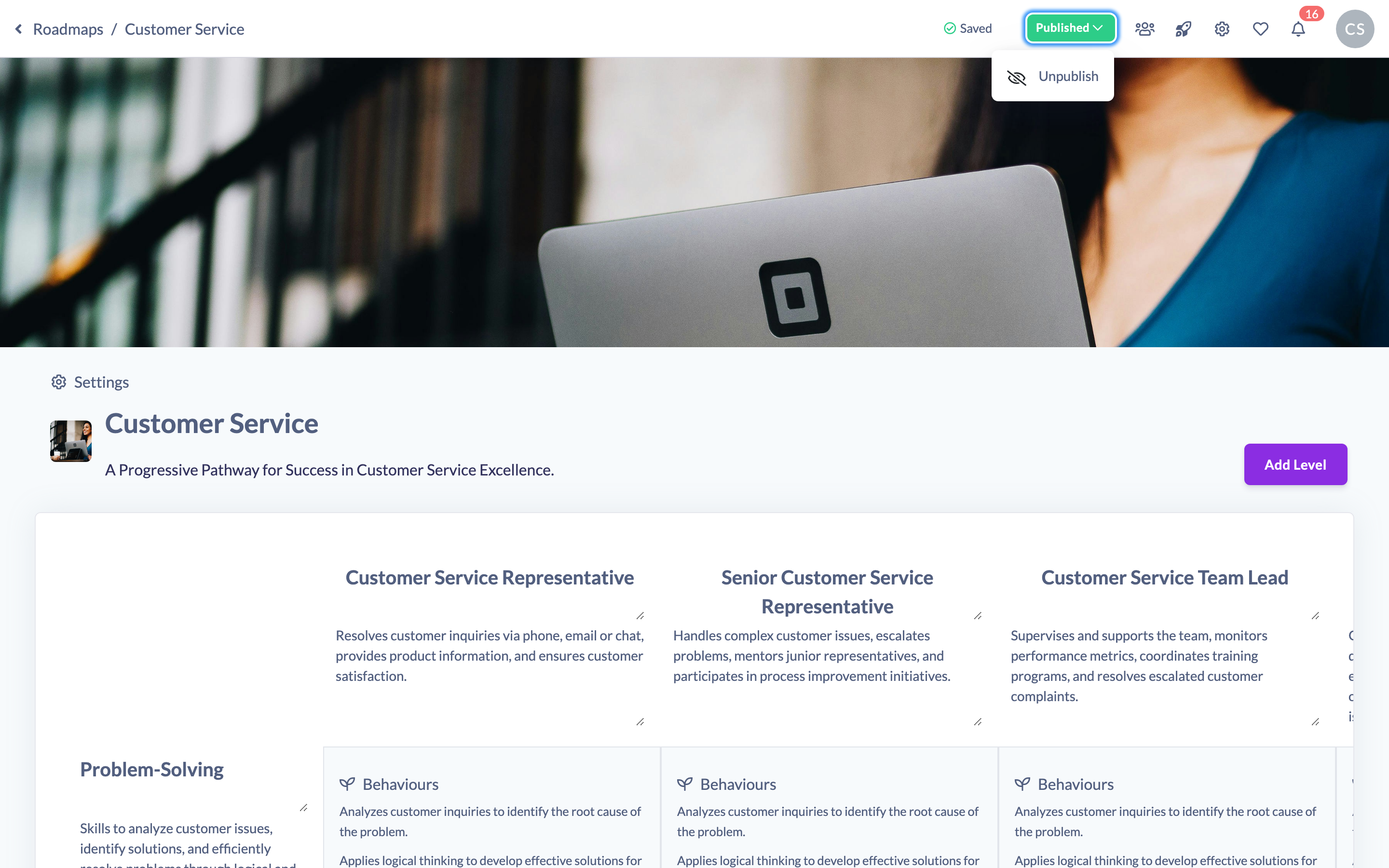
- In the top-right of the Roadmap editor, find the status button. It shows Unpublished (amber) while the Roadmap is a draft and Published (green) once it is live.
- Click the status button to open its menu and select Publish.
- To take a Roadmap offline again, click the Published button and select Unpublish.
What publishing changes
Publishing a Roadmap is what unlocks assignment: the Assign action stays disabled until the Roadmap is published, with the tooltip "Publish roadmap to be able to assign people".
Editing a Roadmap's competencies or levels after it has gone live automatically switches it back to Unpublished. When that happens, SuperPath shows a notice explaining that any changes you have made will not reflect on active Roadmap assignments until you re-publish. Once you have finished updating, publish again so your changes are propagated to active assignments and you can continue assigning the Roadmap.
Note: You can tick Don't show this again on the unpublished notice if you would rather not see it each time.
Things to keep in mind
- A Roadmap must be published before it can be assigned to people or Teams.
- Making changes to levels or competencies on a published Roadmap unpublishes it; re-publish to push those changes to active assignments.
- The Roadmap editor is available on desktop or tablet — publishing controls are not shown on mobile.
FAQs
Why is the Assign button greyed out?
The Roadmap is still unpublished. Publish it first, then the Assign action becomes available.
Do my learners lose access when I unpublish a Roadmap?
Unpublishing stops the Roadmap from being assigned and means further edits will not reach active assignments until you re-publish. Existing assignments already made are not removed by unpublishing.
Will editing a live Roadmap update everyone's assignments automatically?
No. Editing unpublishes the Roadmap, and your changes only propagate to active assignments once you re-publish.
Who can do this
Owners, Admins, Managers and Content Managers can publish and unpublish Roadmaps (this is governed by the "update" permission on the Roadmap subject). People Managers, Instructors, Employees and Restricted users cannot.
Updated on: 19/07/2026
Thank you!