
How to Reorder Competencies in a Roadmap
How to Reorder Competencies in a Roadmap
In this article:
- Overview
- How to reorder Competencies
- Things to keep in mind
- FAQs
- Who can do this
Overview
Competencies are the rows of a Roadmap, running top to bottom down the grid. The order you list them in shapes how the Roadmap reads, so you may want to group related skill areas together or lead with the most important ones. If a Competency is in the wrong place, you can move it up or down without recreating it. This article shows you how.
How to reorder Competencies
- Go to Roadmaps and open the Roadmap you want to edit.
- Hover over the Competency (row) you want to move. A column of icons appears to the left of its title, with an up arrow and a down arrow either side of the trash icon.
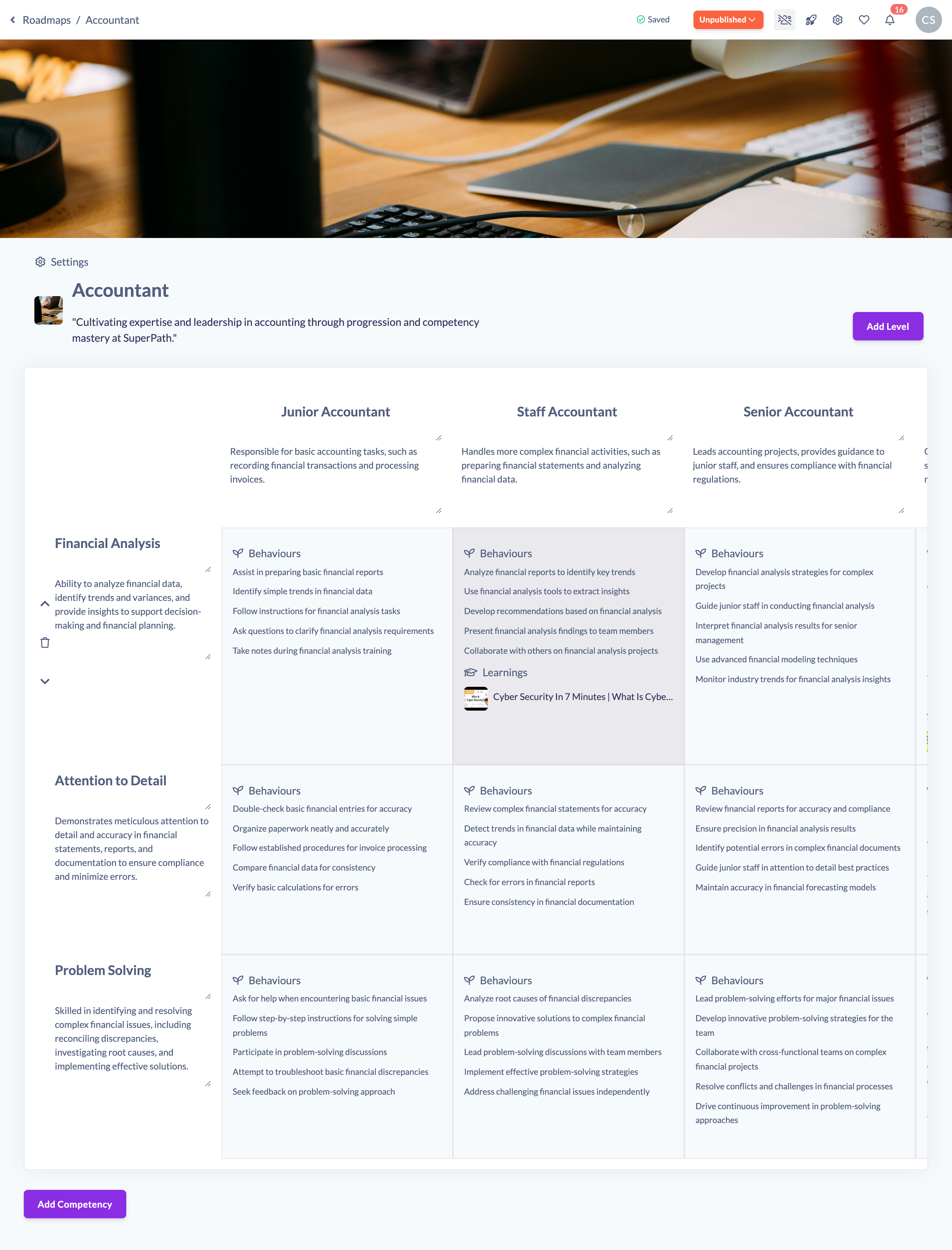
- Click the up chevron (Move competency up) to move the Competency one position higher, or the down chevron (Move competency down) to move it one position lower.

- Repeat until the Competency is where you want it. Each move saves automatically and the grid re-orders straight away.
Things to keep in mind
- Competencies move one position at a time. To shift a Competency several places, click the arrow more than once.
- The top Competency can't move up and the bottom Competency can't move down — the arrows in those directions simply do nothing.
- Reordering moves the whole row, including all the cell content along it. Nothing is lost.
- The action icons only appear when you hover over a Competency.
- If the Roadmap was published, reordering Competencies moves it back to Unpublished. Re-publish when you're ready.
FAQs
Can I drag and drop Competencies to reorder them?
No. Competencies are reordered using the up and down arrows that appear when you hover over a Competency, one position per click.
Will reordering change the content of my Competencies?
No. Only the order changes. Each Competency keeps its title, description and all the cell detail along it.
Do I need to save after reordering?
No. Each move saves automatically.
Who can do this
Owners, Admins, Managers and Content Managers can reorder Competencies in a Roadmap. People Managers, Instructors, Employees and Restricted users have read-only access to Roadmaps and cannot.
Updated on: 19/07/2026
Thank you!