
How to Reorder Custom Fields
How to Reorder Custom Fields
In this article:
- Overview
- How to reorder custom fields
- Things to keep in mind
- FAQs
- Who can do this
Overview
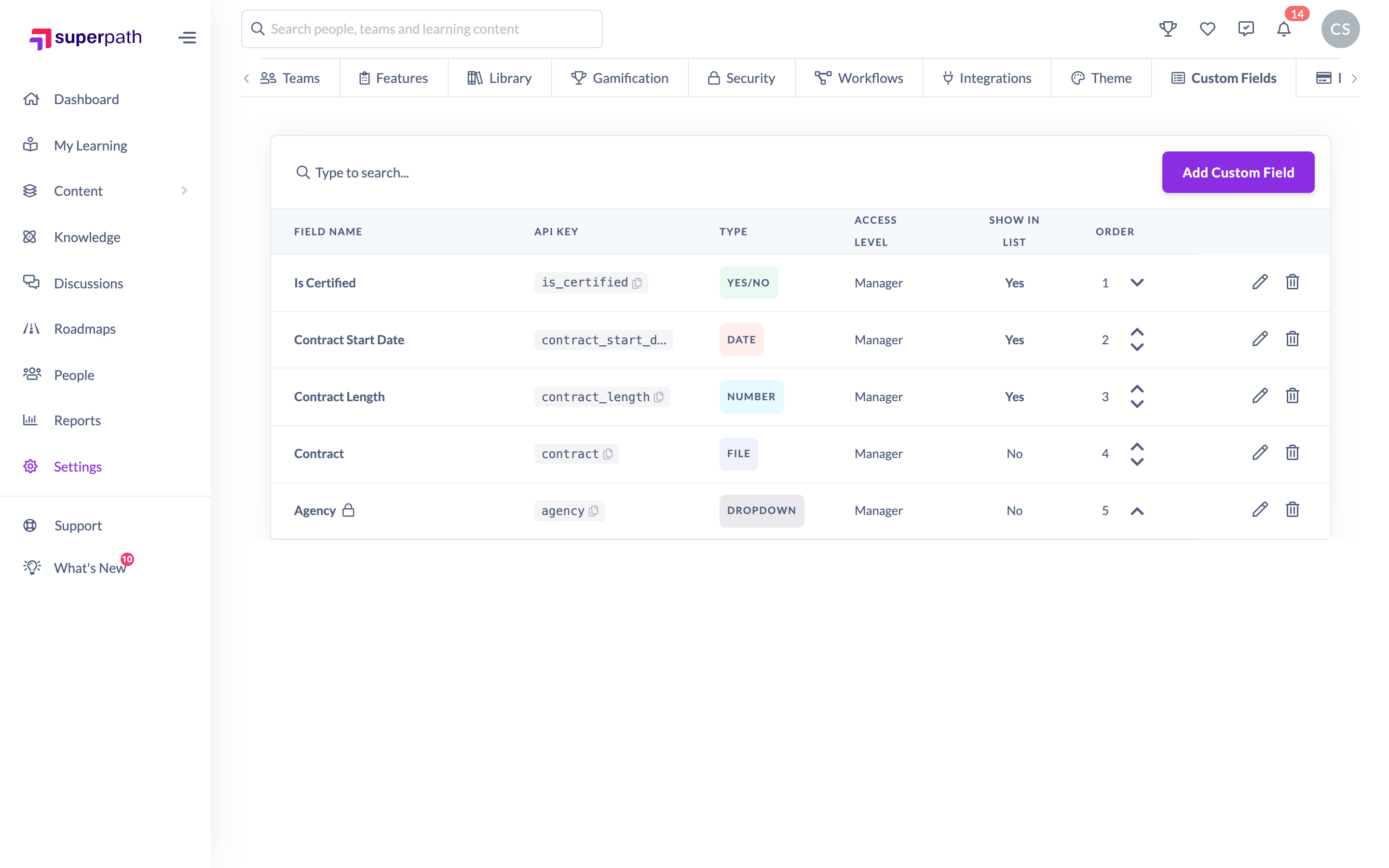
The order of your custom fields controls the order they appear in — on the Additional Details tab of a profile and as columns in the People list. You can move fields up or down from Settings → Custom Fields using the arrows in the Order column, so the details you use most sit at the top.
How to reorder custom fields
- Go to Settings → Custom Fields.
- Find the field you want to move in the list.
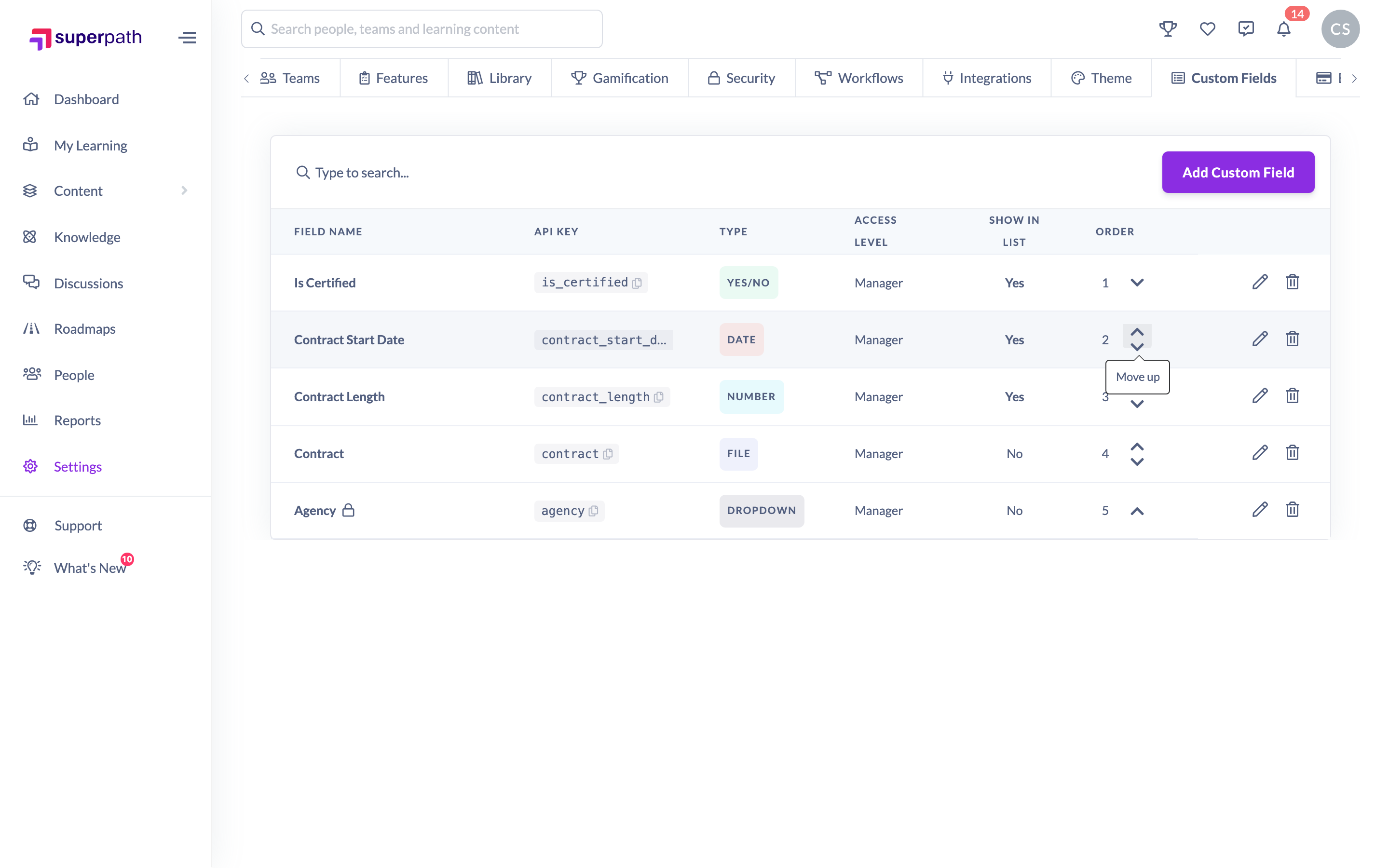
- In the Order column, click the up arrow to move the field earlier, or the down arrow to move it later. Each click moves the field one position and swaps places with its neighbour.
- Repeat until the fields are in the order you want. Each move is saved automatically — there's no separate Save step.
Things to keep in mind
- Moves are saved as soon as you click — there's no Save button for ordering, and if a move can't be saved SuperPath restores the previous order and shows a message.
- The first field in the list has no up arrow and the last field has no down arrow, since there's nowhere further to move them.
- The reorder arrows only appear when you're viewing the full list. If you've typed in the search box to filter the fields, the arrows are hidden — clear the search to reorder again.
- The order you set here is the order fields appear in on profiles and as columns in the People list.
FAQs
Can I drag and drop fields to reorder them?
No. Reordering is done with the up and down arrows in the Order column — one position at a time.
Do I need to save after reordering?
No. Each move is saved automatically as soon as you click the arrow.
Why can't I see the reorder arrows?
The arrows are hidden while a search filter is active. Clear the search box to see the full list and the arrows return. The very first and very last fields also only show the arrow that applies to them.
Who can do this
Only Owners can reorder custom fields. The Custom Fields tab in Settings is shown to Owners only, and saving a new order requires the manage permission that only the Owner role holds. Admins, Managers, People Managers, Content Managers, Instructors, Employees and Restricted users cannot reorder custom fields.
Updated on: 17/07/2026
Thank you!