
How to View Learners on a Roadmap
How to View Learners on a Roadmap
In this article:
- Overview
- How to view learners on a Roadmap
- What the report shows
- Things to keep in mind
- FAQs
- Who can do this
Overview
The learners report shows who has been assigned a Roadmap and how they are progressing, without leaving your Roadmaps list. It is a quick way to check uptake and progress for a single Roadmap.
How to view learners on a Roadmap
- Go to Roadmaps.
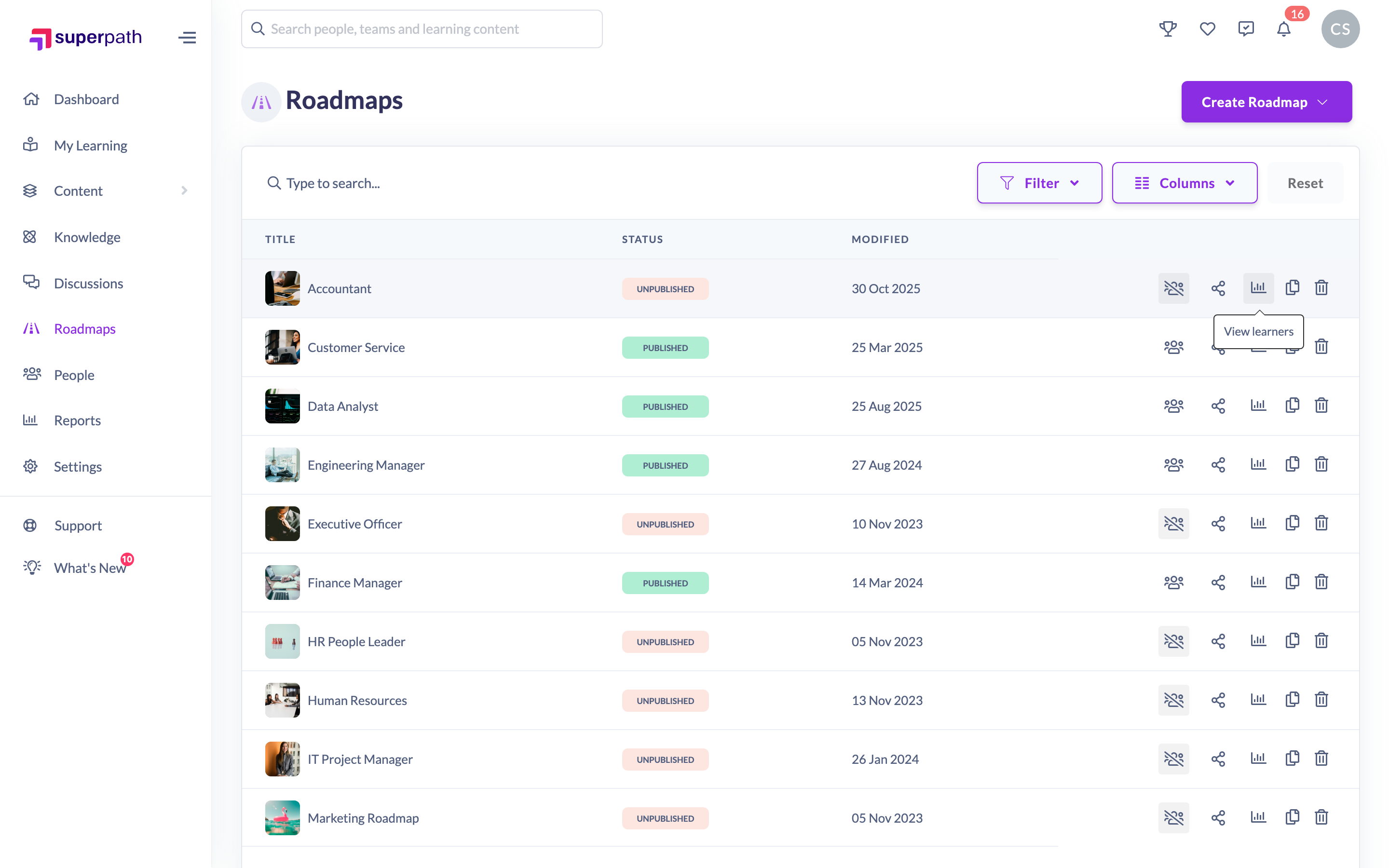
- In the row for the Roadmap you want to check, click the View learners (chart) icon in the row actions.
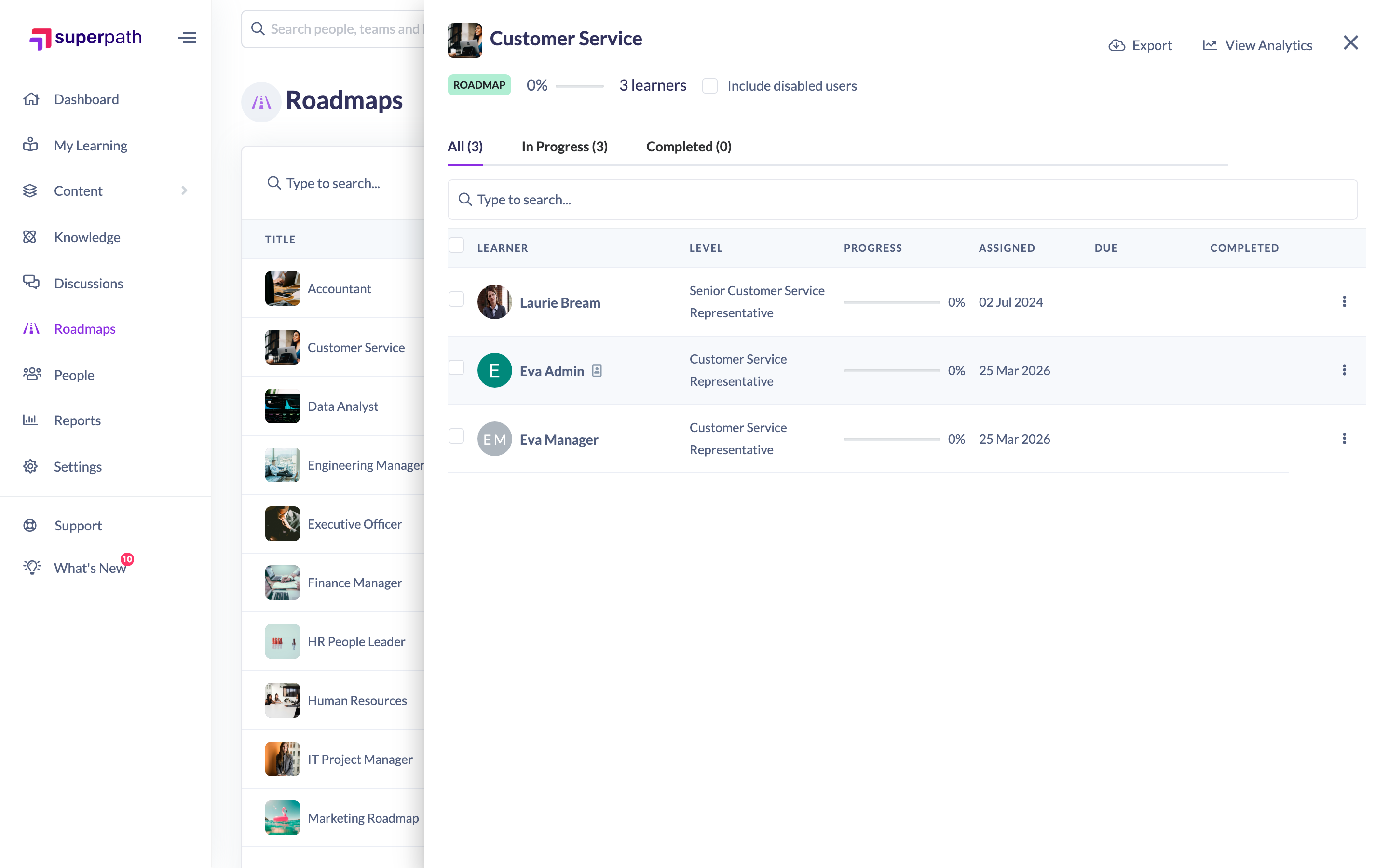
- The learners report opens in a panel on the right, listing the assigned people and their progress.
What the report shows
- The people assigned the Roadmap, with their name and current level.
- Each person's status and percentage complete.
- Who assigned the Roadmap to them, where recorded.
- An average progress figure across all assigned learners.
You can also choose whether to include disabled users in the report using the show/hide disabled users option in the panel.
Things to keep in mind
- The report covers a single Roadmap — open it per Roadmap from the list.
- This panel is where Roadmap progress is reported — there is no separate Roadmap report in the Reports area. For how to read the All, In Progress and Completed tabs and export the results, see Roadmap Reporting.
FAQs
Does this include people who haven't started yet?
The panel lists assigned learners and their progress; not-started, overdue and due-soon groupings are not surfaced in this quick view.
Can I see disabled users?
Yes — toggle the show disabled users option in the panel to include them.
Who can do this
Viewing the learners report is a read/reporting action performed from the admin Roadmaps list, so it is available to the roles that manage Roadmaps: Owners, Admins, Managers and Content Managers. People Managers, Instructors, Employees and Restricted users do not have access to the admin Roadmaps area and cannot open this report there.
Updated on: 25/07/2026
Thank you!