
How to Comment on a Discussion
How to Comment on a Discussion
In this article:
- Overview
- How to add a comment
- Things to keep in mind
- FAQs
- Who can do this
Overview
Discussions are where your people share ideas, ask questions and talk through a topic together. A comment is your top-level contribution to the conversation — it appears in the Comments section beneath the discussion's opening statement, and everyone who can see the discussion can read it and reply.
How to add a comment
- Open the discussion you want to join. The comment box sits at the top of the Comments section, just under the opening statement.
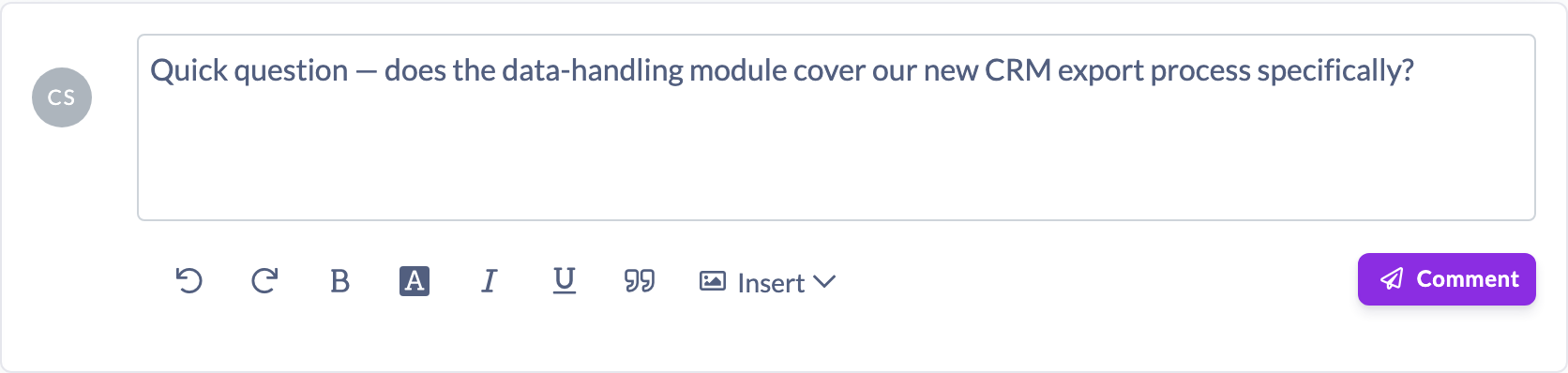
- Click into the box (it reads Add a comment…) and type your comment. A formatting toolbar appears once you start.
- Optionally add an image, link, PDF or video using the toolbar's insert options.
- Click Comment to post. Your comment appears in the list straight away.
Tip: You can post without clicking the button — press Shift + Enter while writing to send your comment.
Things to keep in mind
- Posting a comment automatically follows the discussion, so you'll be notified of new activity in the thread.
- You can post a comment made up only of media (an image, video, PDF embed or link) with no text.
- A comment can be up to 5,000 characters long.
- You can only comment while a discussion is active. If it has been closed or archived, the composer is replaced by a banner reading "This discussion is archived. New comments are not accepted."
- After posting, you can edit or delete your own comment at any time while the discussion is active.
FAQs
Who can see my comment?
Everyone who has access to the discussion. Discussions respect the audience they were shared with, so your comment is visible to the same people who can see the thread.
Can I add a picture or a video to my comment?
Yes. Use the insert options in the composer's toolbar to add an image, link, PDF or video. A comment can even be media-only, with no text at all.
Why can't I see the comment box?
The discussion is probably closed or archived — comments can only be added while a discussion is active. You'll see an archived banner in place of the box.
Who can do this
Every role can comment on a discussion they can see — Owners, Admins, Managers, Content Managers, People Managers, Instructors, Employees and Restricted users. Each person can post, edit and delete their own comments; editing or deleting other people's comments is a moderation action available to Owners, Admins, Managers and Content Managers.
Updated on: 16/07/2026
Thank you!