
How to Reply to a Comment
How to Reply to a Comment
In this article:
- Overview
- How to reply to a comment
- Things to keep in mind
- FAQs
- Who can do this
Overview
A reply lets you respond directly to someone's comment instead of starting a new top-level comment. Replies are grouped underneath the comment they answer, so a back-and-forth stays together and is easy to follow.
How to reply to a comment
- Open the discussion and find the comment you want to respond to.
- Click Reply beneath that comment. A reply box opens, indented under the comment.
- Type your reply. As with a top-level comment, you can add an image, link, PDF or video using the toolbar.
- Click Comment to post. Your reply appears indented beneath the original comment.
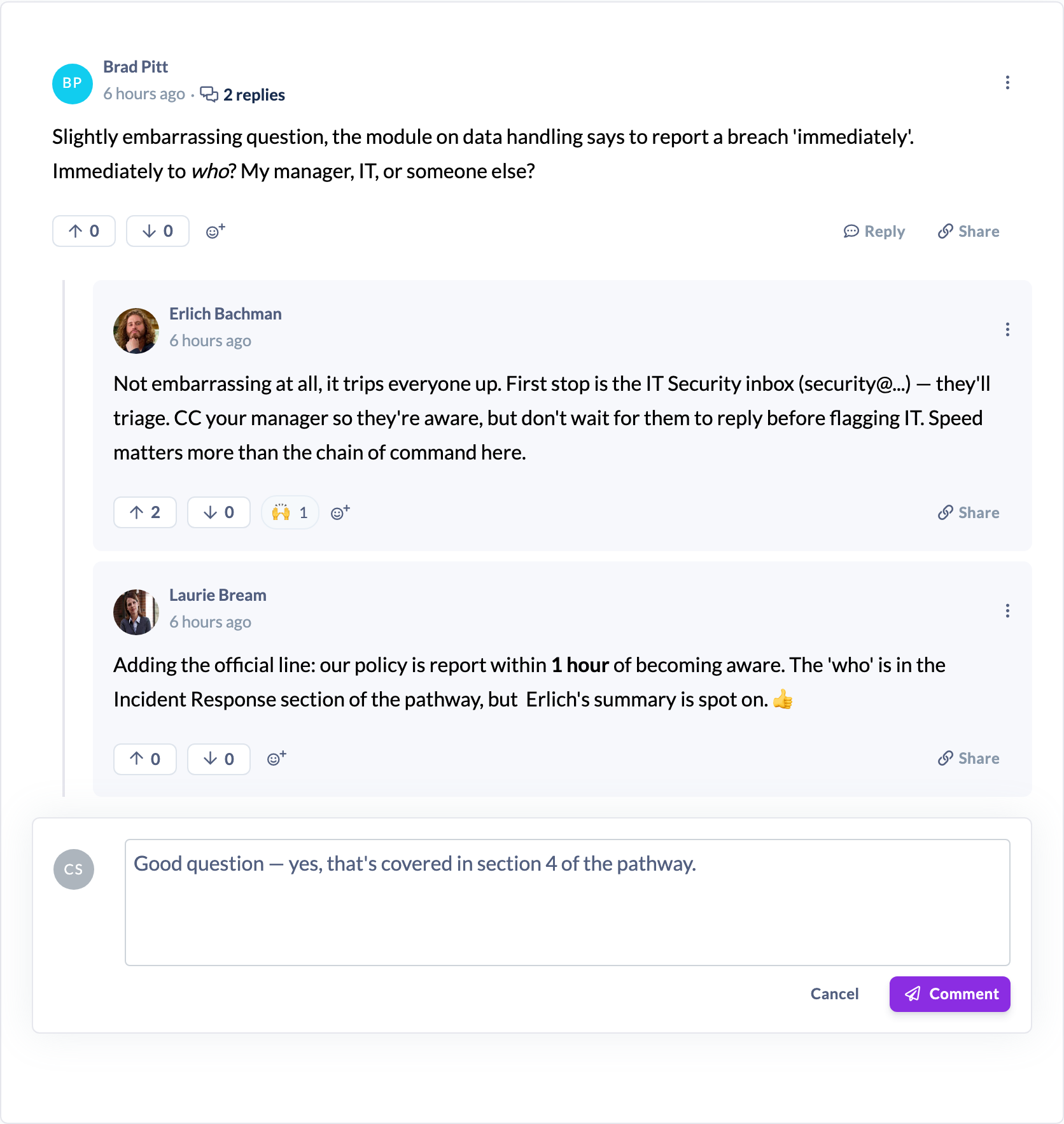
Note: Discussions use single-level threading. You can reply to a top-level comment, but you can't reply to a reply — so conversations stay one level deep and readable.
Things to keep in mind
- Replies sit under their parent comment; the parent shows a count such as "3 replies" so people can see the size of the thread at a glance.
- You can't reply to a reply — the Reply button only appears on top-level comments. To respond to something said in a reply, add another reply to the same parent comment (mention the person if you want to make it clear who you're answering).
- Posting a reply follows the discussion automatically, so you'll be kept up to date on new activity.
- You can only reply while the discussion is active. Once it's closed or archived, replying is disabled.
FAQs
Why is there no Reply button on some comments?
Those are replies themselves. Because discussions are single-level, you can only reply to top-level comments — replies don't have their own Reply button.
How do I make clear who I'm answering within a busy thread?
Mention the person with an @-mention at the start of your reply. See How to Mention Someone in a Comment.
Who can do this
Every role that can see a discussion can reply to its comments — Owners, Admins, Managers, Content Managers, People Managers, Instructors, Employees and Restricted users. Each person can edit and delete their own replies; managing other people's replies is a moderation action reserved for Owners, Admins, Managers and Content Managers.
Updated on: 16/07/2026
Thank you!