
How to Delete a Discussion
How to Delete a Discussion
In this article:
- Overview
- How to delete a discussion
- Delete vs archive
- Things to keep in mind
- FAQs
- Who can do this
Overview
Deleting a Discussion removes it and its comments from your tenant permanently. Use it for threads created in error, spam, or content that should no longer exist anywhere. If you only want to close a conversation while keeping its content, archive it instead — deletion cannot be undone.
How to delete a discussion
- Go to Settings → Features.
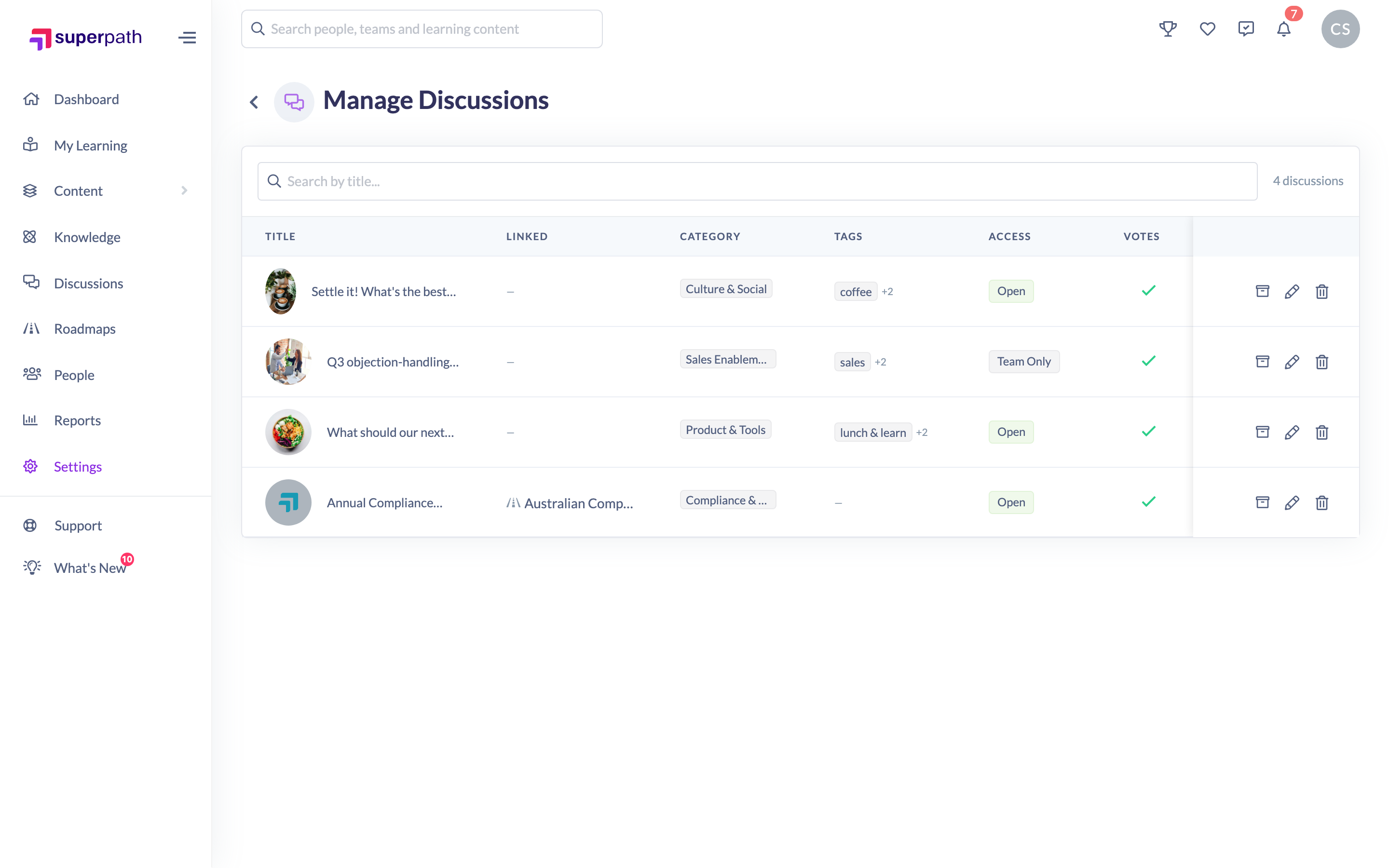
- Scroll to the Discussions section and click Manage Discussions.
- On the Manage Discussions page, find the Discussion in the table (use the Search by title box if needed).
- In that row's actions, click the red trash icon.
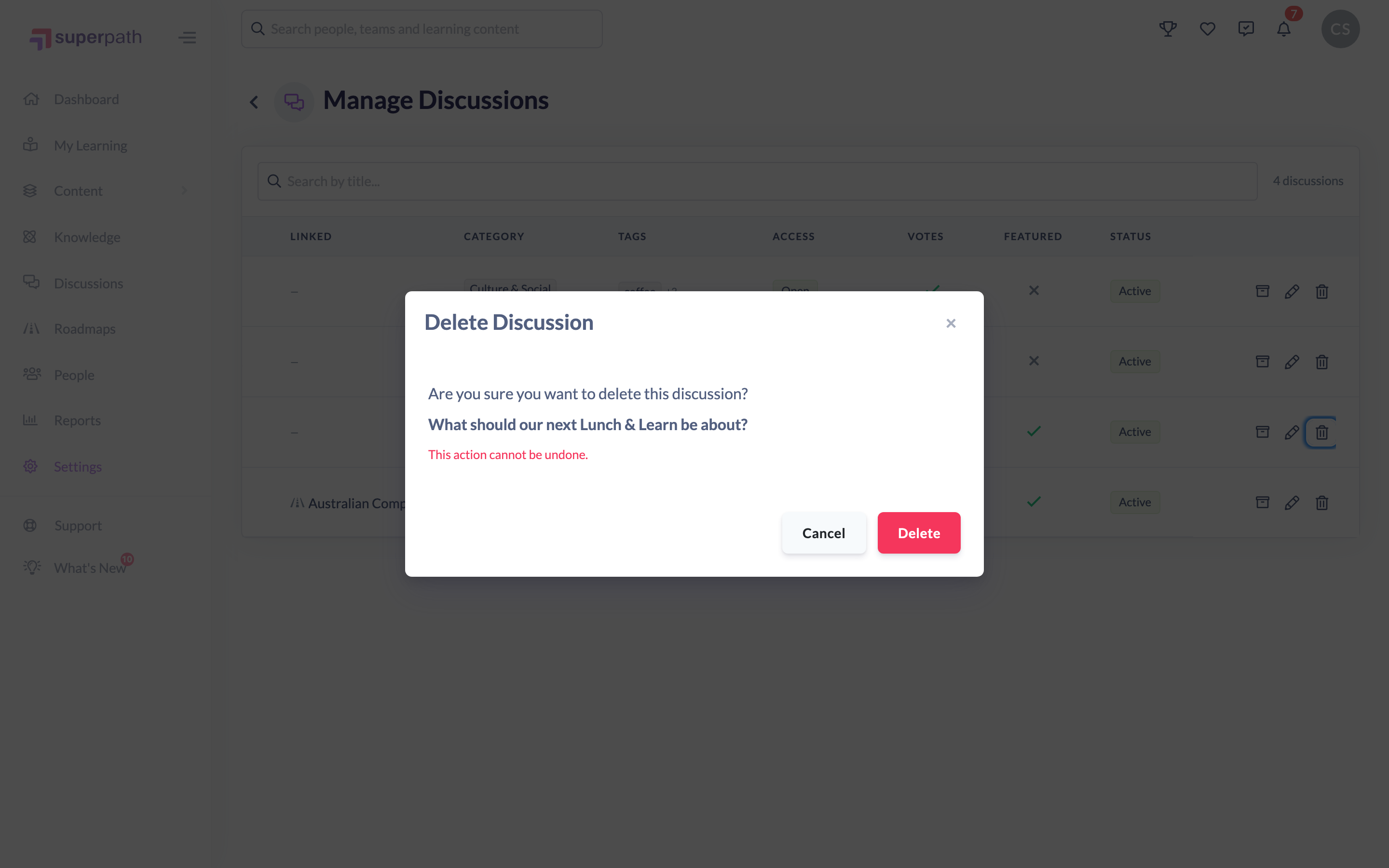
- In the Delete Discussion dialog, review the title and the warning: "This action cannot be undone."
- Click Delete to remove it, or Cancel to keep it.
You'll see a "Discussion deleted" confirmation and the Discussion is removed from the list.
Note: There's no separate "are you sure" beyond this dialog — clicking Delete removes the Discussion straight away, and it can't be recovered from the app afterwards.
Delete vs archive
- Delete removes the Discussion and its comments permanently. There's no self-service restore.
- Archive locks the Discussion as read-only while keeping all of its content, and can be reversed at any time. See How to archive or unarchive a discussion.
If you're unsure whether you'll want the content back, archive rather than delete.
Things to keep in mind
- Deletion is permanent — the confirmation dialog is the only safeguard.
- All comments, replies, reactions and votes within the Discussion go with it.
- Consider archiving first if the conversation might be useful for reference later.
FAQs
Can I get a deleted discussion back?
There's no self-service restore in the app. If you've deleted a Discussion by mistake, contact SuperPath support as soon as possible.
What happens to the comments in a deleted discussion?
They're removed along with the Discussion.
Should I delete or archive?
Archive if you want to close the conversation but keep its content (it's reversible). Delete only when the Discussion should be removed for good.
Who can do this
Owners and Admins can delete Discussions from the Manage Discussions page. This page sits under Settings and is available only to Owners and Admins — Managers, Content Managers, People Managers, Instructors, Employees and Restricted users can't reach it.
Updated on: 16/07/2026
Thank you!