
How to Hide a Comment
How to Hide a Comment
In this article:
- Overview
- How to hide a comment
- How to unhide a comment
- What readers see when a comment is hidden
- Things to keep in mind
- FAQs
- Who can do this
Overview
Hiding a comment removes it from view for ordinary readers without deleting it. Use it to take down off-topic, inappropriate, or duplicate replies while keeping the original text available to moderators. Hiding is reversible — you can unhide the comment at any time.

How to hide a comment
- Open the Discussion at /discussions/.
- Find the comment you want to hide.
- Click the ⋯ (kebab) menu at the top-right of that comment.
- Click Hide.
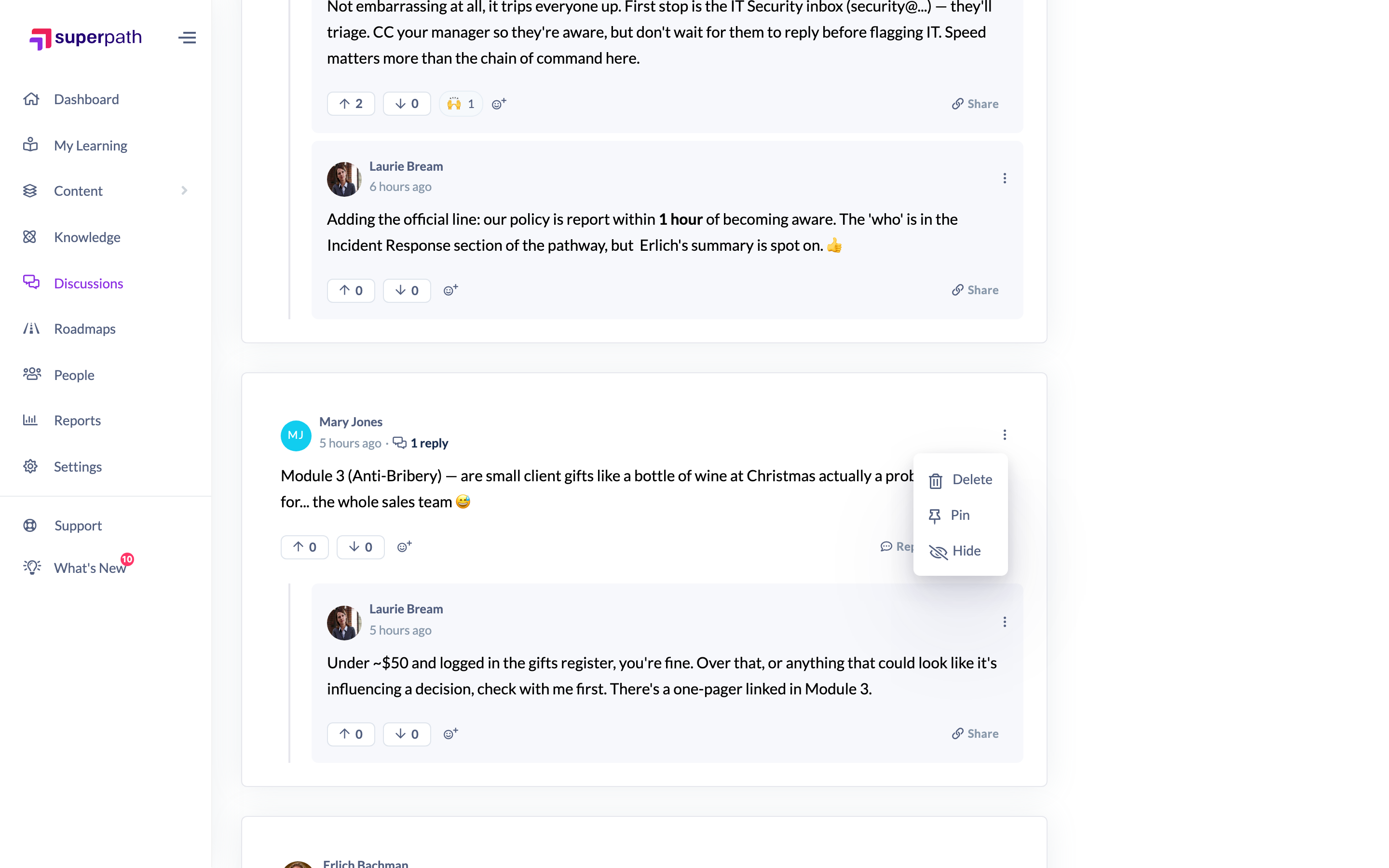
You'll see a "Comment hidden" confirmation. The comment stays in the thread for moderators, marked with a Hidden badge, but is masked for everyone else.
How to unhide a comment
- Open the hidden comment's ⋯ menu.
- Click Unhide.
You'll see a "Comment unhidden" confirmation and the comment becomes visible to all readers again.
What readers see when a comment is hidden
- Moderators (Owners and Admins) still see the full comment, marked with a Hidden badge. Hovering the badge shows why it was hidden — for example, Hidden by moderator or Hidden by community flag.
- Everyone else sees a placeholder in place of the comment. The original text, any attachments, and reactions are stripped out, so the hidden content never reaches non-moderators. Replies stay in place so the thread doesn't break.
Things to keep in mind
- Hiding is not deletion — the comment and its history are preserved, and you can unhide it whenever you like.
- Comments can also become hidden automatically through community flagging (the badge tooltip shows the reason). Unhiding works the same way regardless of how a comment was hidden.
- Moderation actions are only available while the Discussion is Active. Once a Discussion is Archived it's read-only and the comment menu (including Hide) is hidden until it's unarchived.
FAQs
What's the difference between hiding and deleting a comment?
Hiding masks the comment from ordinary readers but keeps it fully intact for moderators and can be reversed. Deleting replaces the comment with a "[deleted comment]" placeholder. See How to delete someone else's comment for deletion.
Will the author know their comment was hidden?
No notification is sent when you hide a comment. The author will simply see the hidden placeholder like any other non-moderator.
Can I see why a comment was hidden?
Yes — as a moderator, hover the Hidden badge to see the reason (for example, hidden by a moderator or by a community flag).
Who can do this
Owners and Admins can hide and unhide comments, and are the only roles that continue to see hidden comments (with the Hidden badge). These controls are surfaced in the app only to Owners and Admins — Managers, Content Managers, People Managers, Instructors, Employees and Restricted users don't see the Hide option and only ever see the masked placeholder. Hiding is only available while the Discussion is Active.
Updated on: 16/07/2026
Thank you!