
How to Pin a Comment
How to Pin a Comment
In this article:
- Overview
- How to pin a comment
- How to unpin a comment
- Things to keep in mind
- FAQs
- Who can do this
Overview
Pinning a comment keeps an especially useful reply — an answer, a summary, or an official response — at the top of everyone's attention inside a Discussion. A pinned comment carries a Pinned badge that every reader can see, so it stands out from the rest of the thread.
How to pin a comment
- Open the Discussion from the Hub (or go straight to its link) so you're on the discussion page at /discussions/.
- Find the comment you want to highlight.
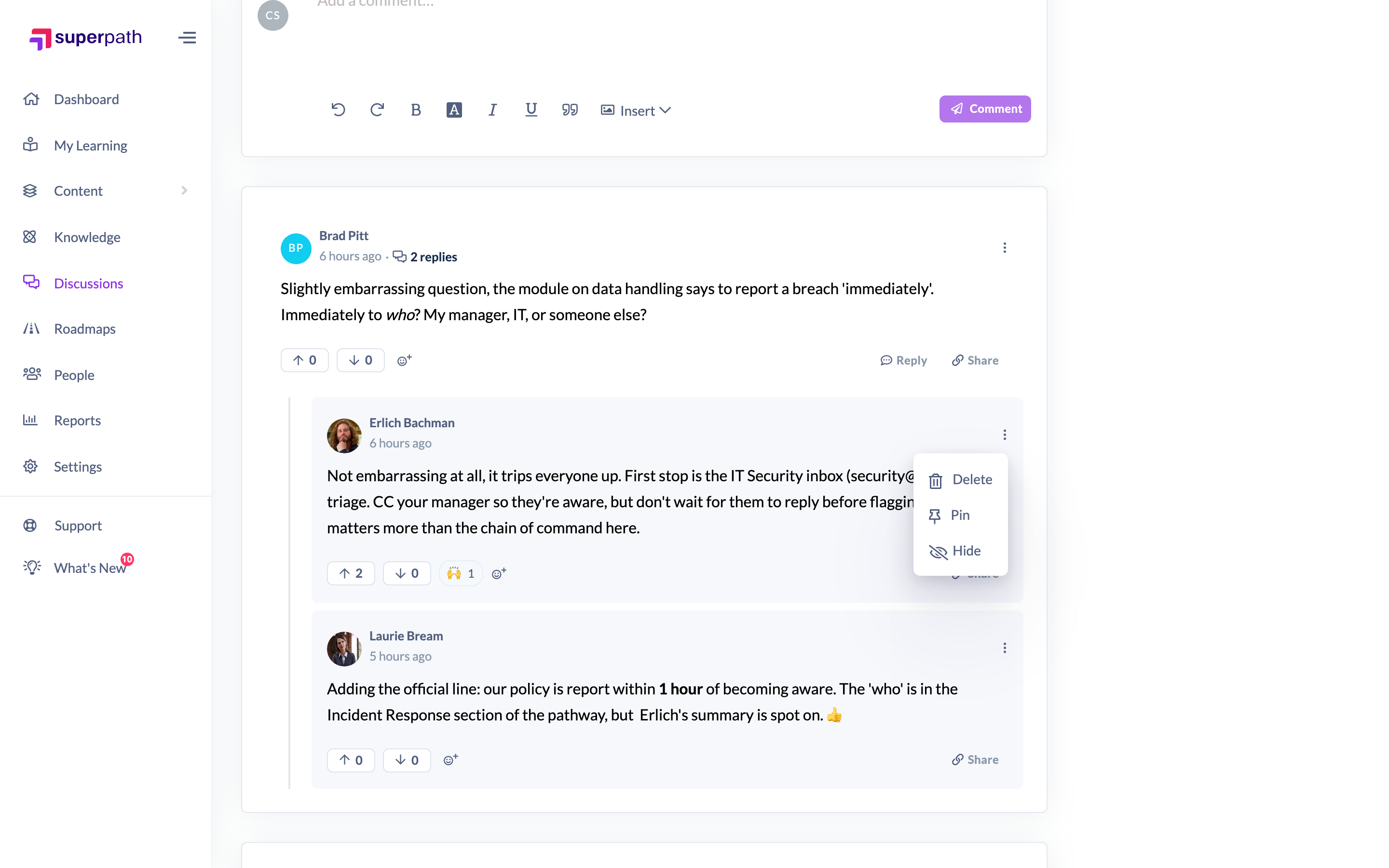
- Click the ⋯ (kebab) menu at the top-right of that comment.
- Click Pin.
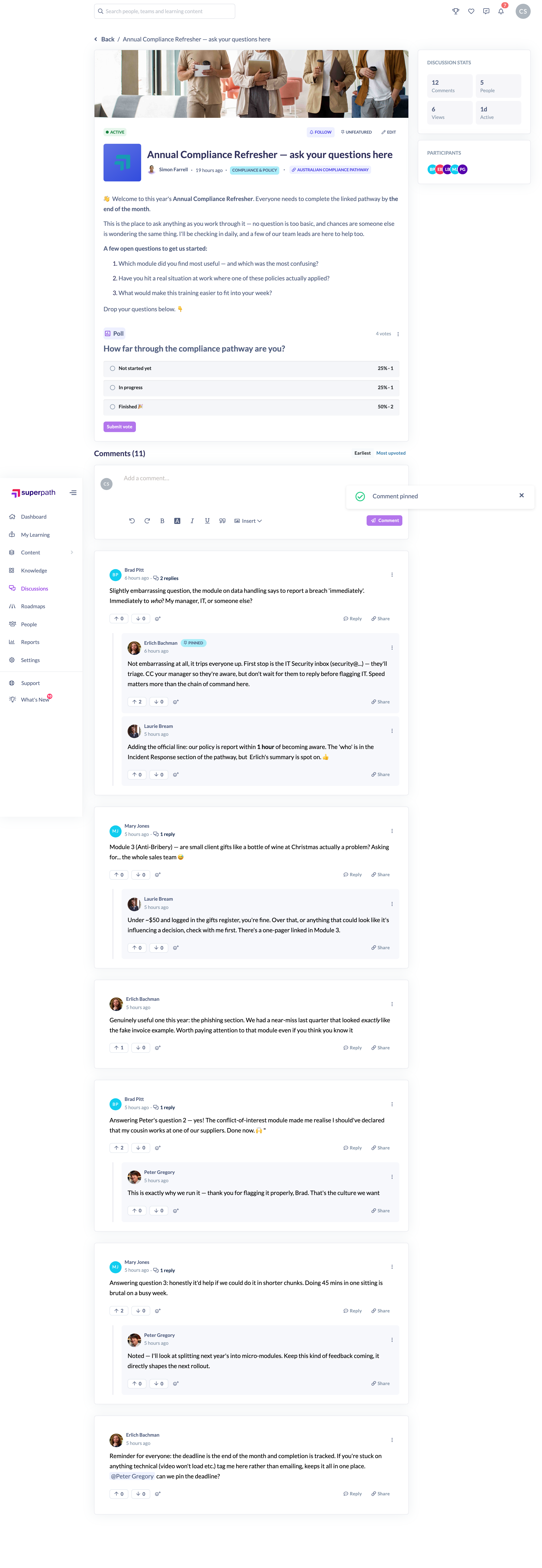
You'll see a "Comment pinned" confirmation, and the comment gains a Pinned badge for all readers.
How to unpin a comment
- Open the same comment's ⋯ menu.
- Click Unpin.
The Pinned badge is removed and you'll see a "Comment unpinned" confirmation.
Things to keep in mind
- The comment's author is notified when you pin their comment (unpinning is silent — no notification is sent).
- You can pin both top-level comments and replies.
- Pinning does not move the comment to the top of the thread; it adds the Pinned badge so it's easy to spot.
- Moderation actions are only available while the Discussion is Active. If a Discussion is Archived it becomes read-only, and the comment menu (including Pin) is hidden until it's unarchived.
FAQs
Does everyone see the Pinned badge?
Yes. The Pinned badge is visible to every reader of the Discussion, not just moderators.
Can I pin more than one comment?
Yes — there's no limit on the number of pinned comments within a Discussion.
Why can't I see the Pin option?
Either you don't have a moderator role, or the Discussion is Archived (read-only). Pinning is only offered to Owners and Admins on Active Discussions.
Who can do this
Owners and Admins can pin and unpin comments from within a Discussion thread. These moderation controls are surfaced in the app only to Owners and Admins — Managers, Content Managers, People Managers, Instructors, Employees and Restricted users don't see the Pin option. Pinning is also only available while the Discussion is Active (Archived Discussions are read-only).
Updated on: 16/07/2026
Thank you!