
How to Restrict a Discussion to Specific Teams
How to Restrict a Discussion to Specific Teams
In this article:
- Overview
- How to restrict a discussion to specific teams
- Things to keep in mind
- FAQs
- Who can do this
Overview
Sometimes a conversation is only relevant to certain groups — a single department, a cohort, or a region. A Team-only discussion is visible to the members of the Teams you choose, and hidden from everyone else. This lets you keep a thread focused and private to the people it concerns.
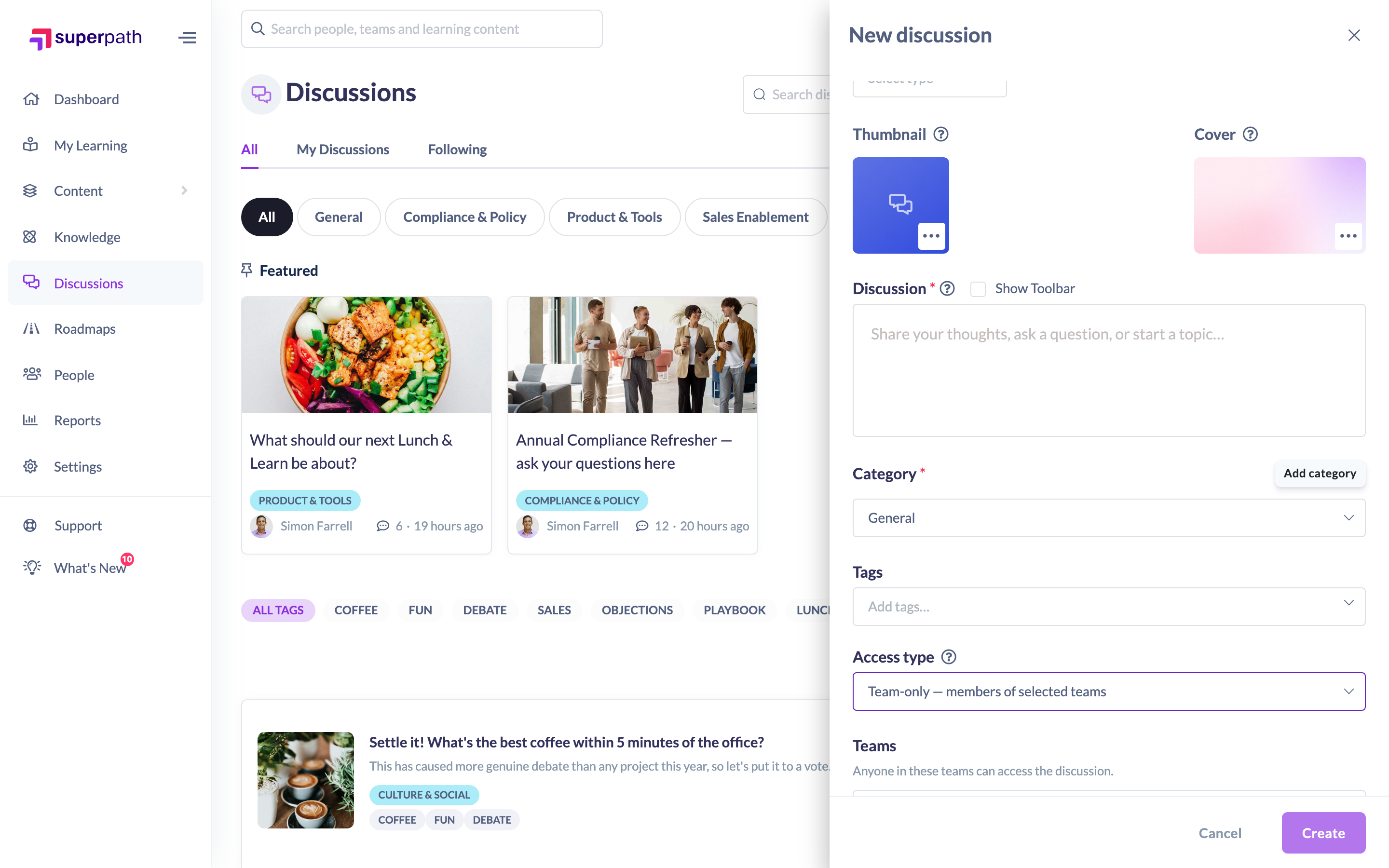
How to restrict a discussion to specific teams
- Start a new discussion from Discussions → Start discussion, or open an existing discussion and click Edit.
- Find the Access type field. It controls who can view and take part in the discussion.
- Choose Team-only — members of selected teams.
- A Teams field appears. Select one or more Teams from the list (placeholder: "Select teams…"). You must choose at least one Team.
- Finish the discussion and click Create (or Save when editing).
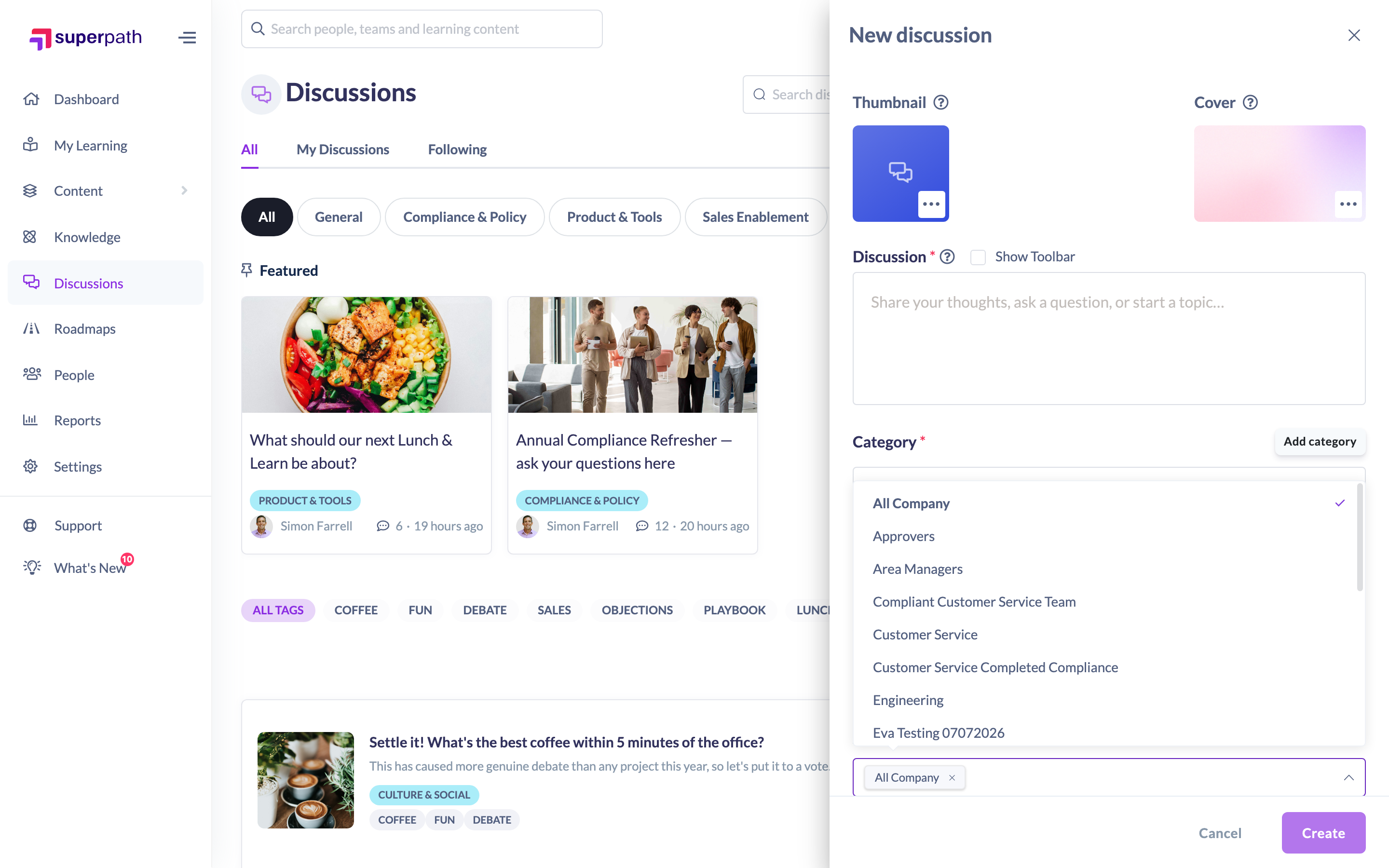
Note: You must pick at least one Team. If the Teams list is empty, the Create button stays disabled.
Things to keep in mind
- A Team-only discussion is visible only to members of the Teams you select. Members of other Teams won't see it on the hub or in search.
- You can select more than one Team — the discussion is visible to the members of any of them.
- Owners and Admins who moderate discussions can still see Team-only threads even if they aren't members of the selected Teams, so they can moderate content across your organisation.
- You can change the access type later by editing the discussion — for example switching from Team-only to Open.
FAQs
Who can see a Team-only discussion?
Members of the Teams you selected. Moderators (Owners and Admins) can also see it for moderation purposes.
Can I restrict to more than one Team?
Yes. Select as many Teams as you need; anyone in any of them can see the discussion.
What's the difference between Team-only and Invite-only?
Team-only targets whole Teams; Invite-only targets named individuals (with the option to also include Teams). See "How to Create an Invite-Only Discussion".
Can I change a discussion from Team-only back to Open?
Yes — edit the discussion and change the Access type.
Who can do this
Setting a discussion to Team-only is part of the discussion form, so anyone who can start or edit a discussion can use it. On the Discussions hub that's Owners, Admins and Managers; on a learning item's in-context panel it follows your organisation's "who can create discussions" setting. A discussion's author can also change the access type when editing their own discussion. Restricted users cannot create or edit discussions.
Updated on: 16/07/2026
Thank you!