
How to Search Discussions
How to Search Discussions
In this article:
- Overview
- How to search
- Searching inside comments
- Things to keep in mind
- FAQs
- Who can do this
Overview
The search box at the top of the Discussions hub helps you find a discussion quickly by keyword. By default it searches discussion titles, and you can widen it to search the text of comments too.

How to search
- Go to Discussions.
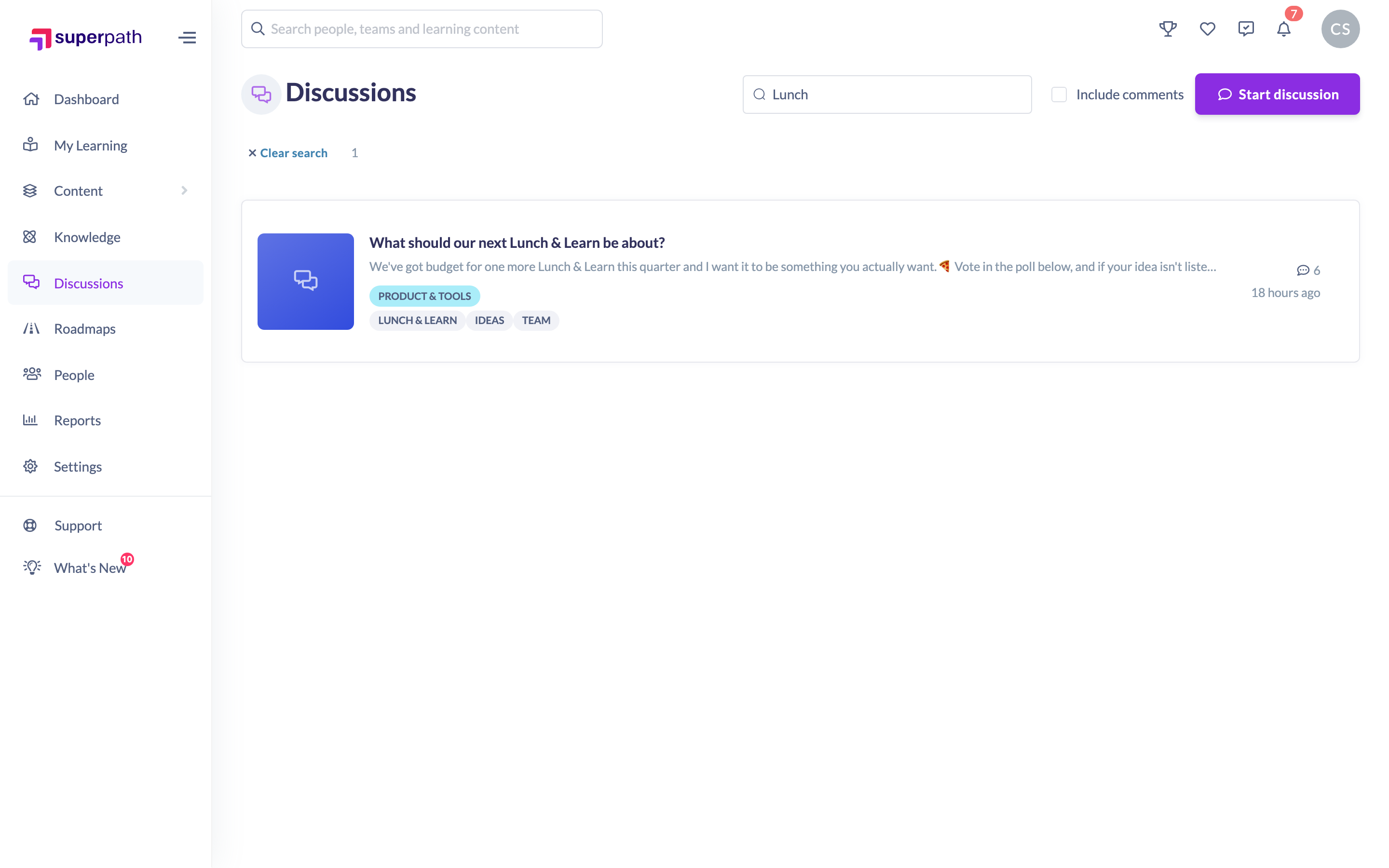
- Start typing in the Search discussions… box at the top. Once you've entered at least three characters, a list of matching discussions appears beneath the box.
- Either click a suggestion to jump straight to that discussion, or press Enter (or click the search icon) to see the full list of results.
- To leave search and return to the hub, click Clear search.
Searching inside comments
By default, search looks at discussion titles only. To also match the wording inside comments, tick Include comments next to the search box before you search.
- Tick Include comments.
- Enter your keywords and press Enter.
- Results now include discussions where your keywords appear in a comment, not just the title.
Tip: If you've already run a search, toggling Include comments re-runs it straight away with the new setting.
Things to keep in mind
- Search needs at least three characters before it starts suggesting matches.
- Archived discussions are hidden from search results for most people; moderators, and the author of an archived discussion, can still see them.
- Hidden or removed comments are never surfaced through search for non-moderators.
FAQs
Does search look inside comments?
Not by default — it searches titles. Tick Include comments to also search the text of comments.
Why isn't an archived discussion showing up?
Archived discussions are filtered out of search for most users. Moderators and the discussion's own author can still find them.
How many characters do I need to type?
At least three before suggestions appear.
Who can do this
Anyone who can access the Discussions hub can search — Owners, Admins, Managers, Content Managers, People Managers, Instructors, Employees and Restricted users. Everyone sees only the discussions they already have access to, and archived discussions are limited to moderators and the discussion's author.
Updated on: 16/07/2026
Thank you!