
How to Share a Link to a Comment
How to Share a Link to a Comment
In this article:
- Overview
- How to copy a comment link
- Things to keep in mind
- FAQs
- Who can do this
Overview
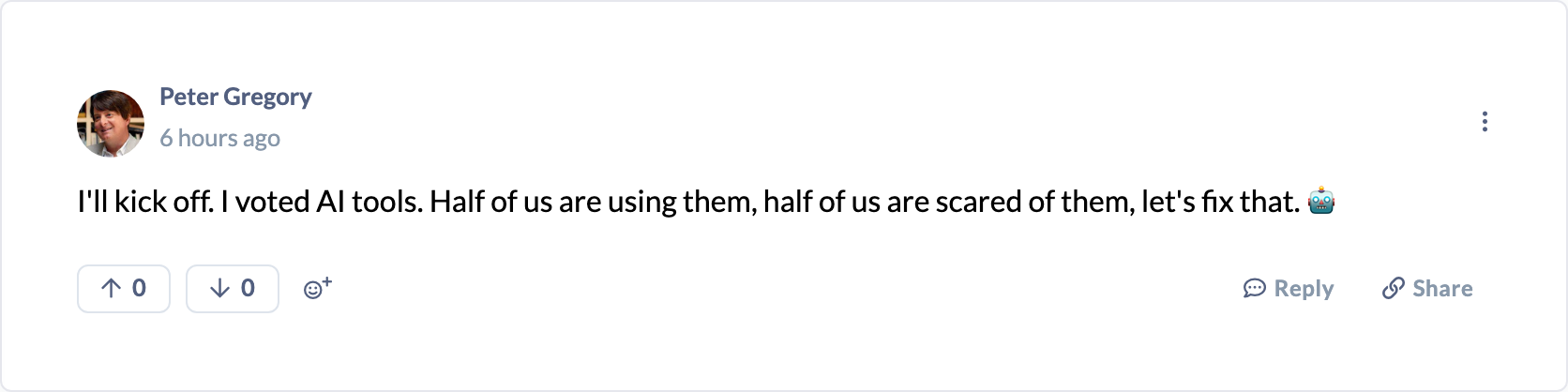
Every comment in a discussion has its own shareable link. Copying it gives you a direct URL that opens the discussion and jumps straight to that comment — useful for pointing a colleague at a specific reply rather than the whole thread.
How to copy a comment link
- Open the discussion and find the comment you want to link to.
- Click Share (the chain-link icon) in the comment's action row, beneath the comment text.
- The link is copied to your clipboard and you'll see a Link copied confirmation.
- Paste the link wherever you need it.
When someone opens the link, the discussion loads and the linked comment is highlighted so it's easy to spot.
Tip: The link points at the comment's position in the discussion, so it works for both top-level comments and replies.
Things to keep in mind
- The link opens the discussion for anyone who already has access to it — sharing the link doesn't grant access to someone who couldn't otherwise see the discussion.
- Copying uses your browser's clipboard, so your browser may ask for clipboard permission the first time.
- The Share option is unavailable on an archived (read-only) discussion.
FAQs
Does the link work for people outside my organisation?
No. It only opens for people who already have access to that discussion in SuperPath.
Will the recipient land on the exact comment?
Yes — the discussion opens and the linked comment is highlighted.
Can I share a link to a whole discussion instead of one comment?
This action copies a link to a specific comment. To share the discussion itself, copy the page URL from your browser's address bar.
Who can do this
Anyone who can view a discussion can copy a link to any of its comments — Owners, Admins, Managers, Content Managers, People Managers, Instructors, Employees and Restricted users. Copying a link is a browser action with no role restriction; it is simply unavailable on archived discussions.
Updated on: 16/07/2026
Thank you!