
How to Change a Due Date From a Quick Report
How to Change a Due Date From a Quick Report
In this article:
- Overview
- How to change a due date for one learner
- How to change due dates in bulk
- Things to keep in mind
- FAQs
- Who can do this
Overview
When you're looking at a quick report for a learning item, you can adjust when it's due for a learner without leaving the panel. This is handy when a deadline slips or you want to give someone more time. You can change the due date for a single learner from their row, or for several learners at once using the bulk actions.
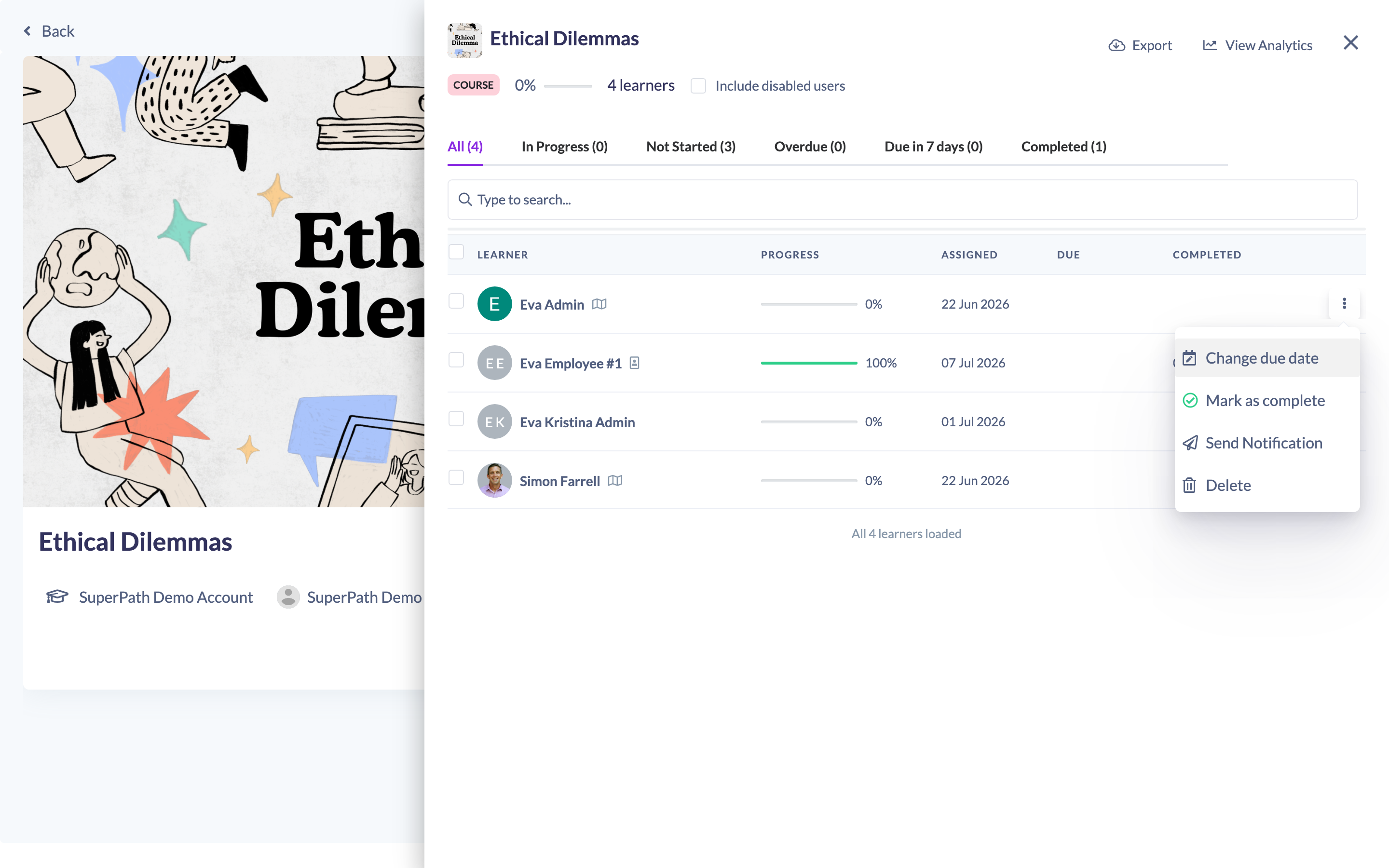
How to change a due date for one learner
- Open the quick report for the item (click the View learners icon on a Library content item, Pathway, Event, Form or Roadmap).
- Find the learner in the list.
- In their row, click the Change due date icon (the calendar-edit icon).
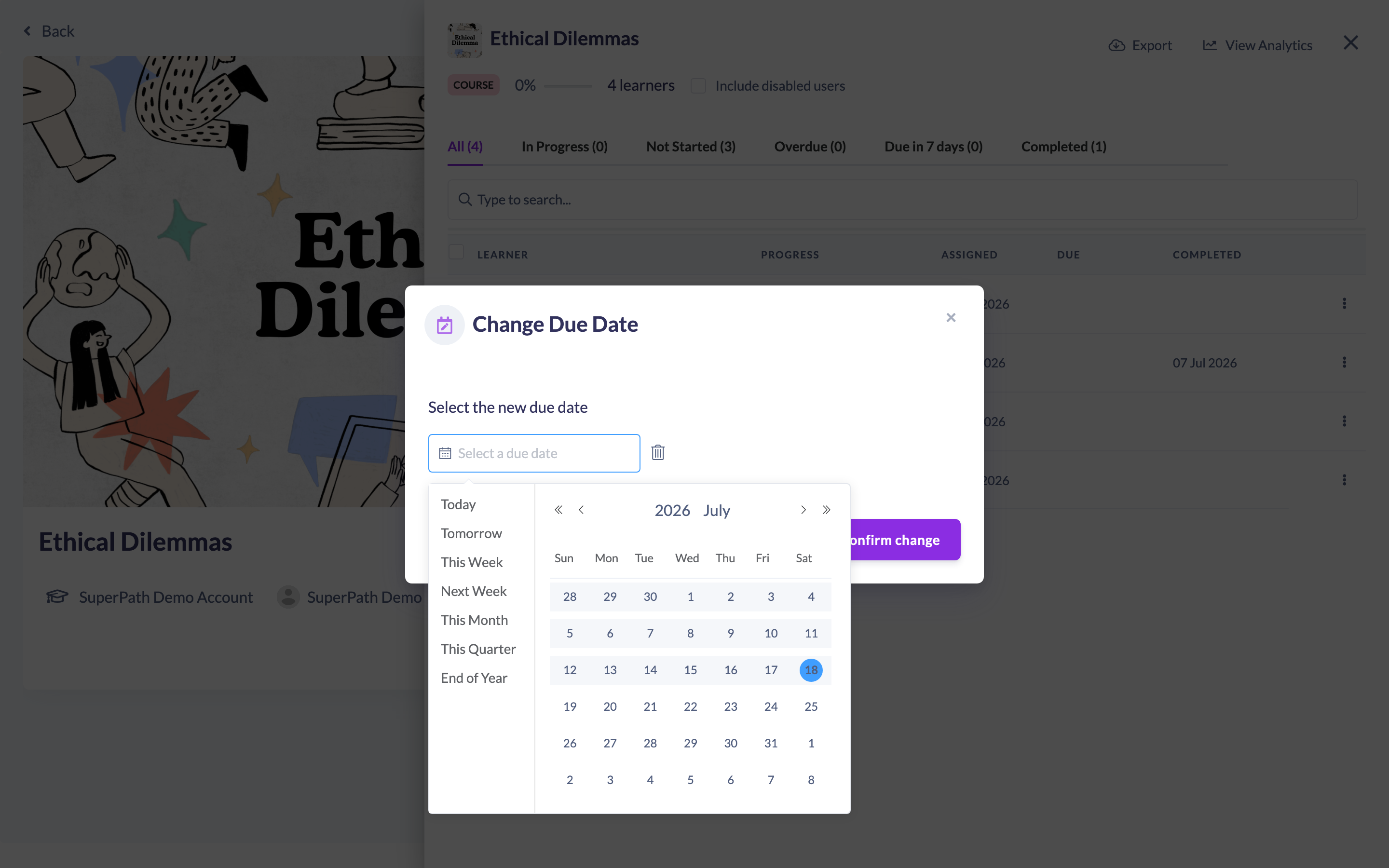
- In the Change Due Date modal, pick the new date. You can use the shortcuts (Today, Tomorrow, This Week, Next Week, This Month, This Quarter, End of Year) or choose a date from the picker.
- Click Confirm change.
The learner's due date updates straight away and the list refreshes.
How to change due dates in bulk
- In the quick report, tick the checkbox on each learner you want to update (or use the select-all checkbox).
- Open the Bulk Actions dropdown that appears above the table.
- Choose Change due date.
- Pick the new date and click Confirm change.
Every selected learner gets the new due date.
Things to keep in mind
- You can only pick today or a future date — past dates are disabled in the picker.
- You can't change the due date on a learner who has already completed the item.
- Due dates can't be changed here for Roadmap items.
- Changes take effect immediately on the learner's record.
FAQs
Can I clear a due date instead of changing it?
The modal has a small trash icon next to the date field that clears the selected date before you confirm.
Why is the Change due date option missing for a learner?
It's hidden when the item is completed, when it's a Roadmap item, or when your role doesn't allow you to change that learner's due date.
Can I change due dates for lots of learners at once?
Yes — select them with the checkboxes and use Bulk Actions → Change due date.
Who can do this
You can change a due date if you assigned the item yourself, or if your role lets you update the learner's assignment or pathway. In practice this means Owners and Admins (across the organisation), and Managers and People Managers for the learners within their scope. The option is never available on completed items or on Roadmap items, and Employees and Restricted users can't change due dates.
Updated on: 18/07/2026
Thank you!