
How to Require Approval When Users Self-Assign an Event
How to Require Approval When Users Self-Assign an Event
In this article:
Overview
When an Event is available in the Library, learners can register for it themselves. Requiring approval on self-assignment means that before a learner is enrolled, their request must be approved — by their Manager, by specific approvers you choose, or both.
This gives you oversight of who attends an Event without having to assign it manually.
Requiring approval on self-assignment
- Go to Events in the left-hand menu and open the Event you want to update.
- Make sure the Available in Library? toggle at the top is on — the approval settings only appear for Library Events.
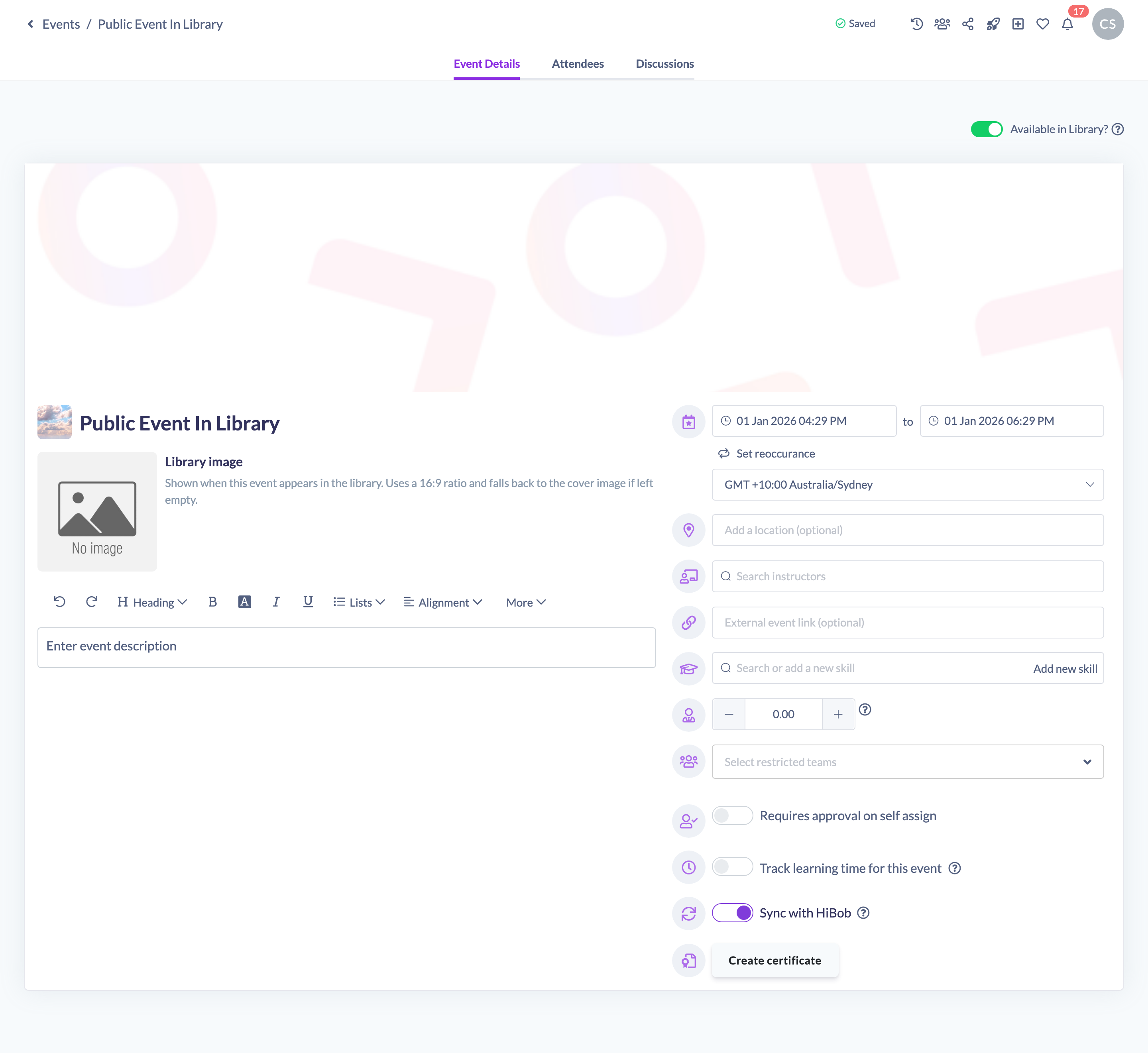
- Turn on Requires approval on self assign, marked with the approval icon.
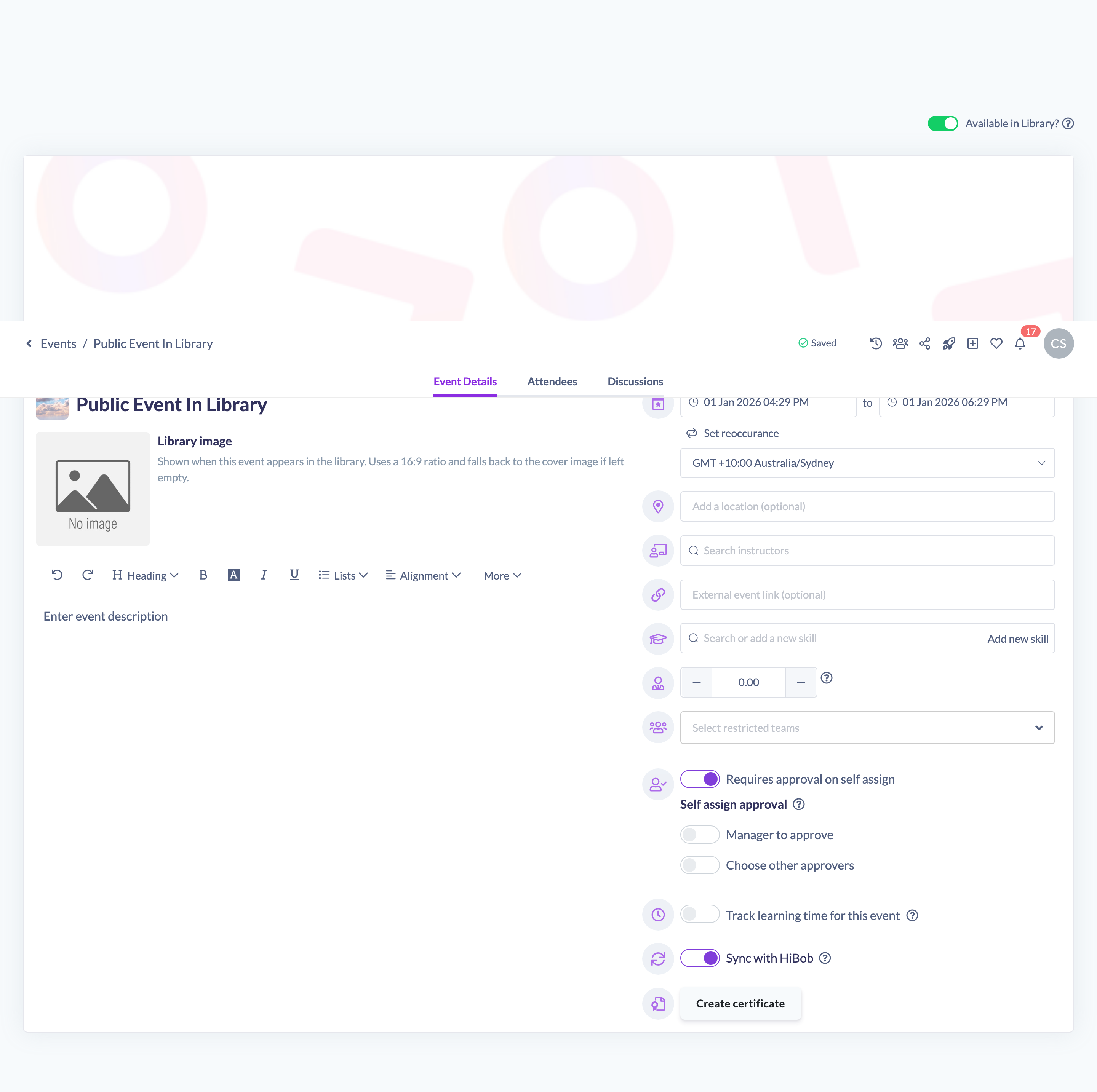
- Choose who approves the request. Turn on Manager to approve to route requests to each learner's Manager, and/or Choose other approvers to search for and add specific people or Teams as approvers.

- Click Save in the unsaved-changes bar at the top of the page to store your changes.
Things to keep in mind
Note: The self-assignment approval settings only appear when the learning-requests feature is enabled for your organisation and the Event is available in the Library. If you can't see them, check both of these first.
- Turning off Available in Library? clears the approval settings for the Event.
- You can require a learner's Manager, specific approvers, or both. When you choose specific approvers, you can add individual people and whole Teams.
- When approval is required, the learner submits a request and the approvers can approve or decline it before the learner is enrolled.
FAQs
Why can't I see the approval settings?
They appear only when the Event is available in the Library and the learning-requests feature is enabled for your organisation.
Can I require both a manager and specific approvers?
Yes. You can turn on Manager to approve and Choose other approvers together.
Can a Team be an approver?
Yes. When choosing other approvers you can add both individual people and Teams.
Who can do this
Owners, Admins, Managers, Content Managers and Instructors can edit Events and configure self-assignment approval. People Managers, Employees and Restricted users have read-only access to Events and cannot. These settings also require the learning-requests feature to be enabled for your organisation.
Updated on: 19/07/2026
Thank you!