
How to Share a Saved Report With Collaborators
How to Share a Saved Report With Collaborators
In this article:
- Overview
- How to add a collaborator
- How to remove a collaborator
- Things to keep in mind
- FAQs
- Who can do this
Overview
By default, a saved report is only visible to its owner (and to Owners and Admins). Adding collaborators lets other people find and open that report in their own Saved Reports list — handy when a team of Managers works from the same report setup.
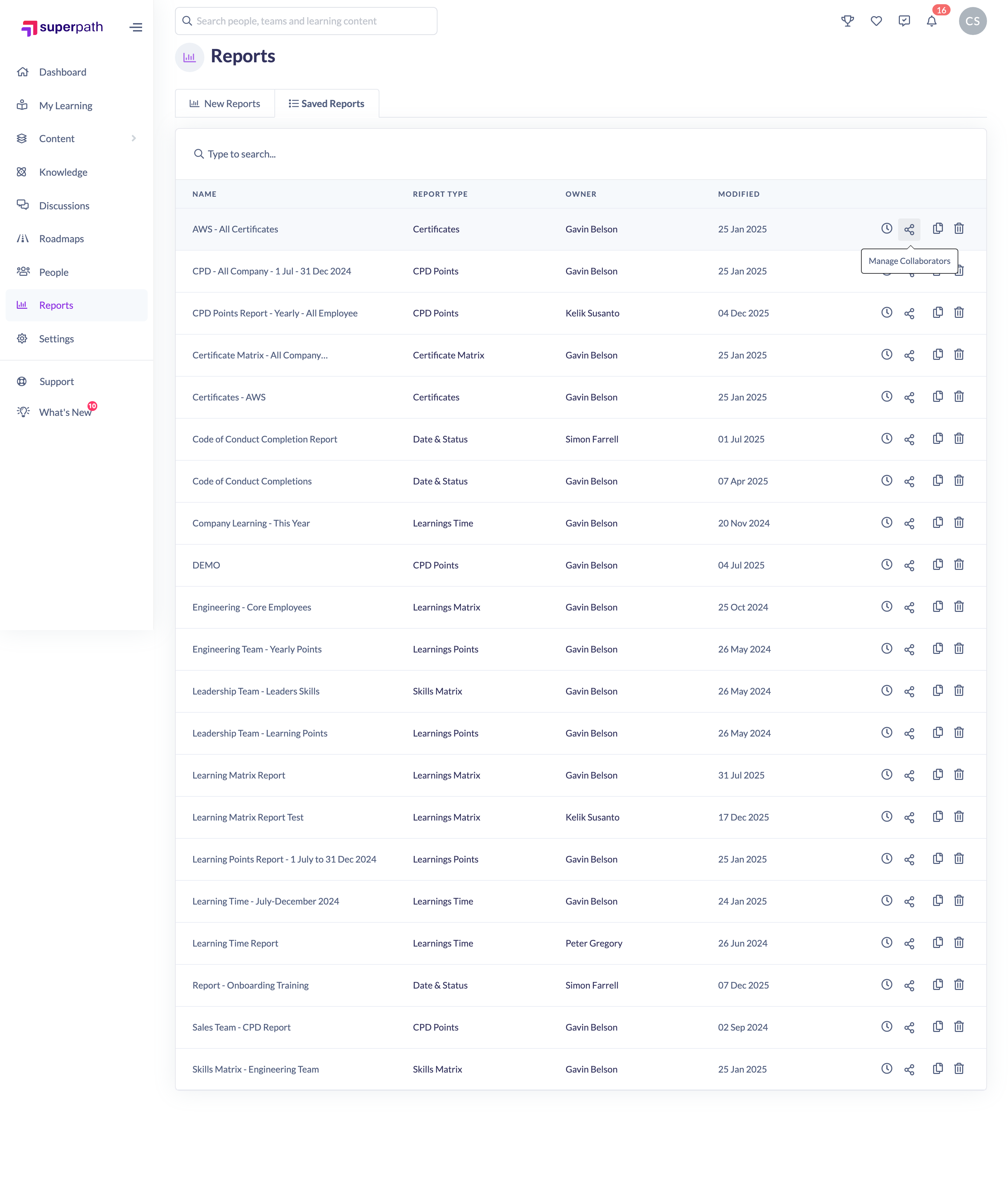
How to add a collaborator
- In the left-hand menu, go to Reports.
- Click the Saved Reports tab.
- In the report's row actions, click the Manage Collaborators (share) icon.
- In the Manage Collaborators dialog, use the Add people to collaborate search box to find a person by name or email.
- Select each person you want to add — they appear in the list above.
- Click Add to save.
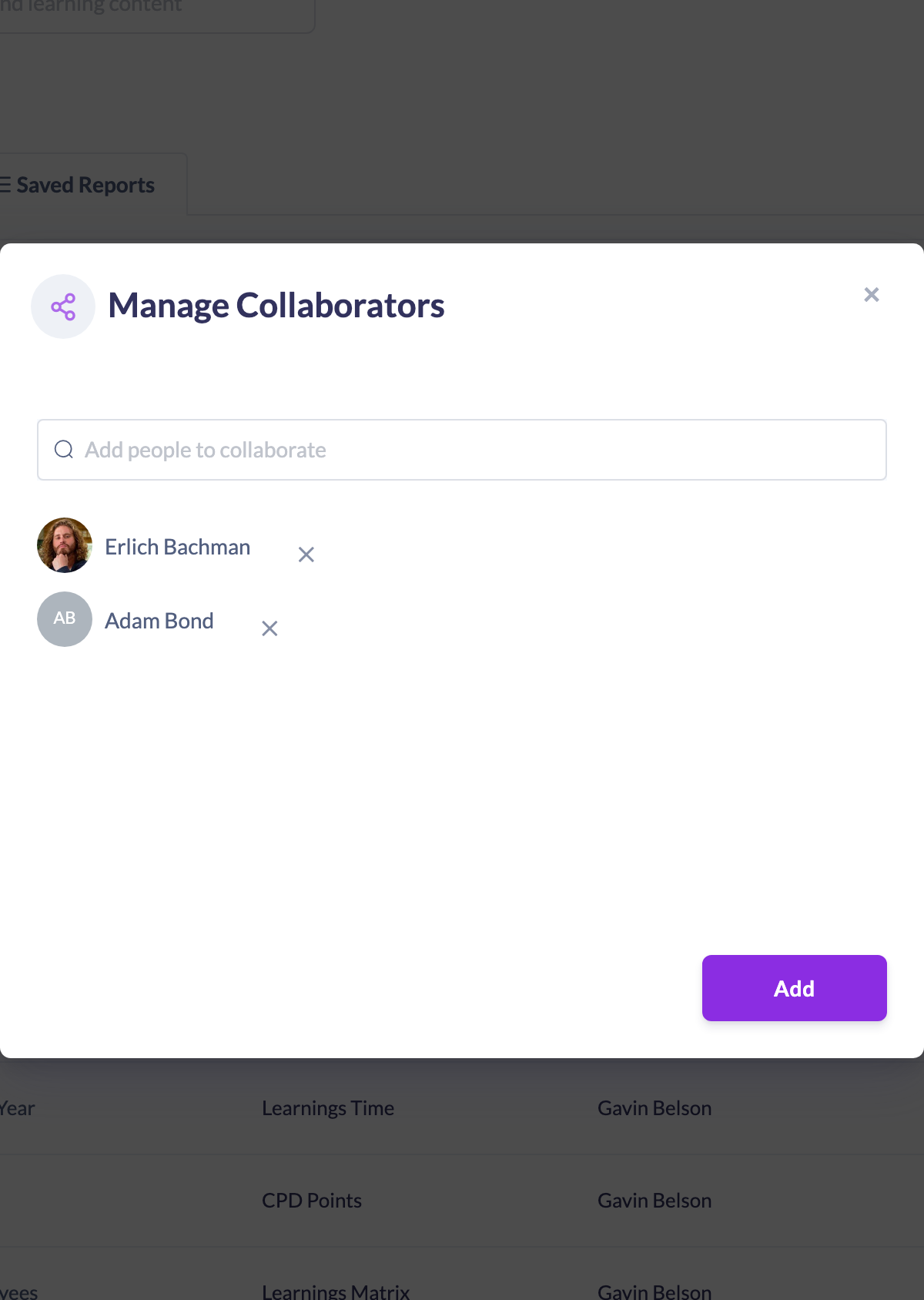
The people you added can now see and open the report from their Saved Reports tab.
How to remove a collaborator
- Open Manage Collaborators for the report as above.
- With no new people queued to add, the current Collaborators are listed.
- Click the Remove icon next to the person you want to remove.
The owner is labelled Owner and cannot be removed from the list.
Things to keep in mind
- The report owner is always a collaborator and is shown as Owner — you can add or remove others, but not the owner.
- Collaborators can open and work with the report; sharing controls visibility of the saved report, not the underlying data permissions.
- Owners and Admins can already see all saved reports in the organisation, so you mainly add collaborators to give Managers and People Managers access to a specific report.
FAQs
What can a collaborator do with the report?
A collaborator can find and open the shared report from their own Saved Reports list and run it against current data.
Can I remove the owner?
No. The owner is fixed and shown as Owner in the collaborators list.
Do collaborators get notified?
Adding a collaborator makes the report visible to them; this article covers sharing the saved report, not sending a copy. To email a report on a schedule, use Schedule a Report instead.
Who can do this
Owners, Admins, Managers and People Managers can open a saved report's Manage Collaborators dialog and add or remove collaborators. Content Managers, Instructors, Employees and Restricted users do not have access to the Reports area.
Updated on: 18/07/2026
Thank you!